EasyManua.ls Logo

Microtest CT-8750 - Running Sequence Tests

Default Icon
51 pages
Print Icon
To Next Page IconTo Next Page
To Previous Page IconTo Previous Page
Loading...
CT-8750 User’s Guide
P 40
III.1.D
Test Mode Edit
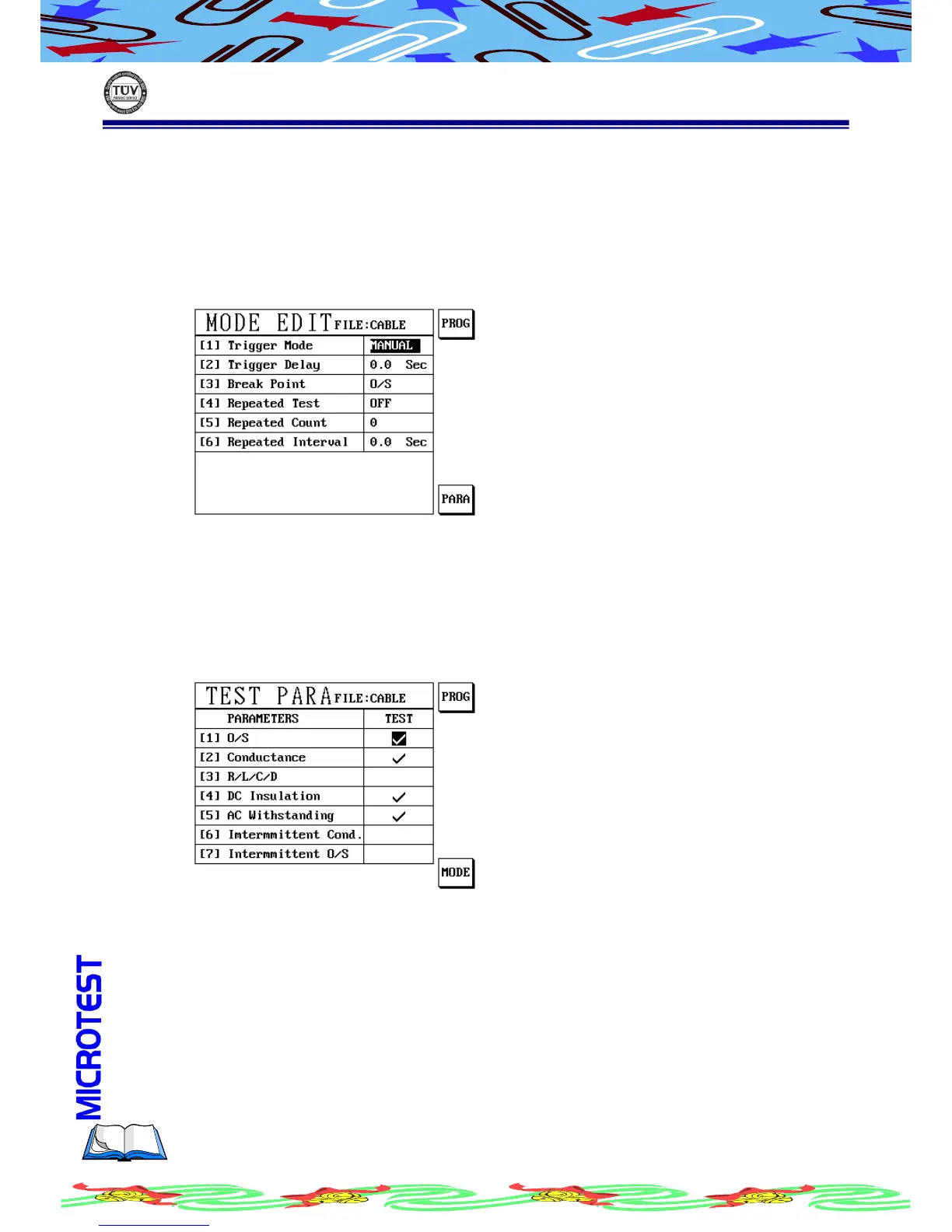
Test Mode Setup is to set the related action during the sequence test routine.
Operation Procedure
(a) Press [Mode]
(b) LCD display as following
(c) Use [↑] or [↓] to move cursor to the item you want to setup
(d) Use alphanumeric to enter setup value, or press S1[PROG] to change
setup of the test items.
(e) Press S6 [PARA] to select item which you want to test
(f) Press S6 [PARA], LCD display as following
(g) Use [↑] or [↓] to move cursor to an item which you want to setup
(h) Press S1[PROG] to change that item whether process test or not

Table of Contents

Related product manuals