DIGITAL PROPORTIONAL R/CSYSTEM
2.4GHz
FHSS
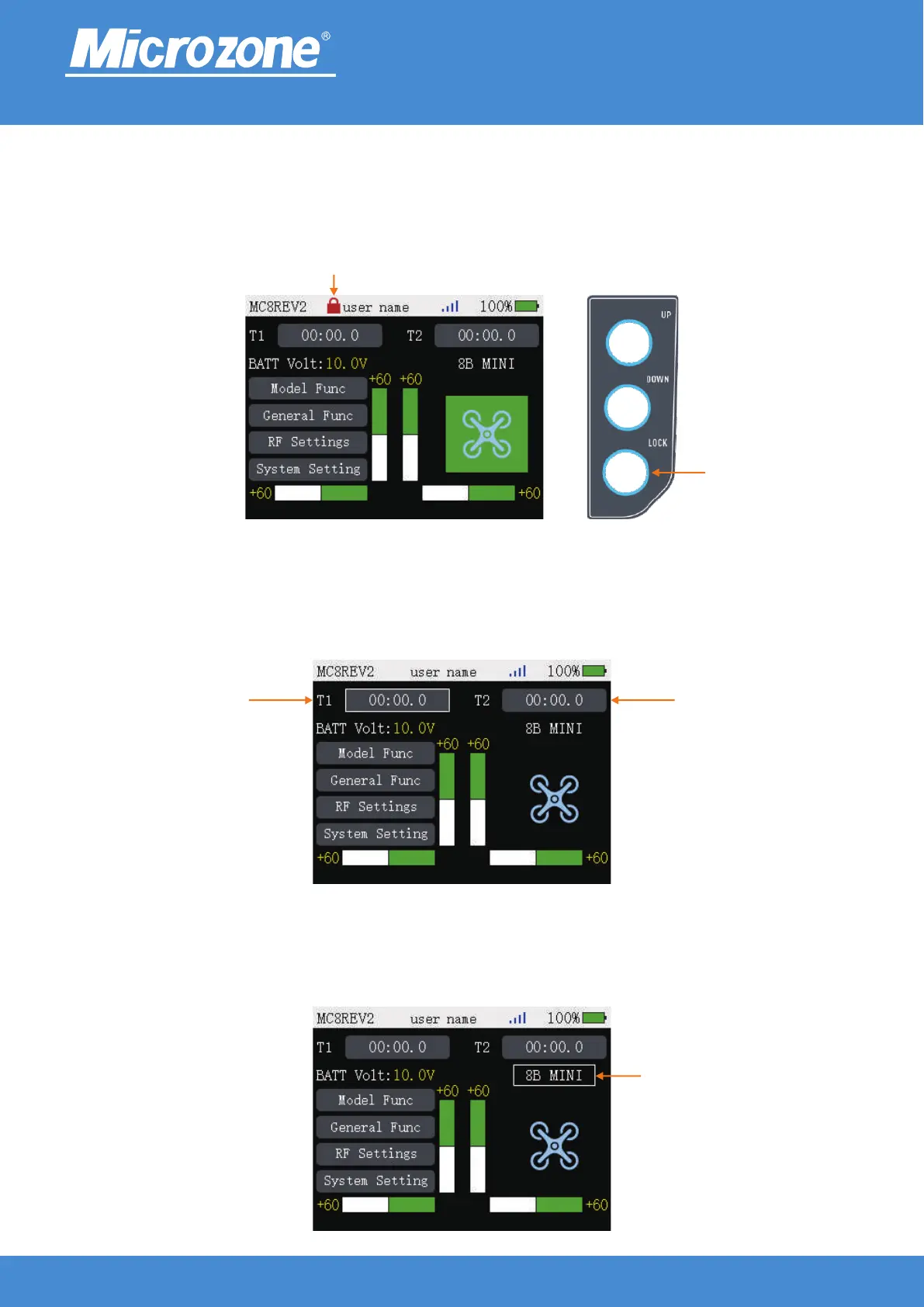
Lock button:
In the main page press <LOCK> key for 1 second to lock the key, when the key is locked, press
<Fine tuning> key, <MENU> key, <EXIT> key,<UP> key, <DOWN> key are invalid, the lock symbol will
appear on the page, then long press <LOCK> key for 1 second to unlock the key.
Quick Menu:
Timer:Press <MENU> key in the main page, then press <UP> key or <DOWN> key to select <T1> or <T2>
button, then press <MENU> key to enter the timepiece setting page.
ModelSelect:Press <MENU> key in the main page, then press <UP> key or <DOWN> key to select the
<ModelSelect> button, then press <MENU> key to enter the model selection page.
www.microzone.cn
Lock button
Lock button
Timer Timer
ModelSelect
-11-



 To Next Page