DIGITAL PROPORTIONAL R/CSYSTEM
2.4GHz
FHSS
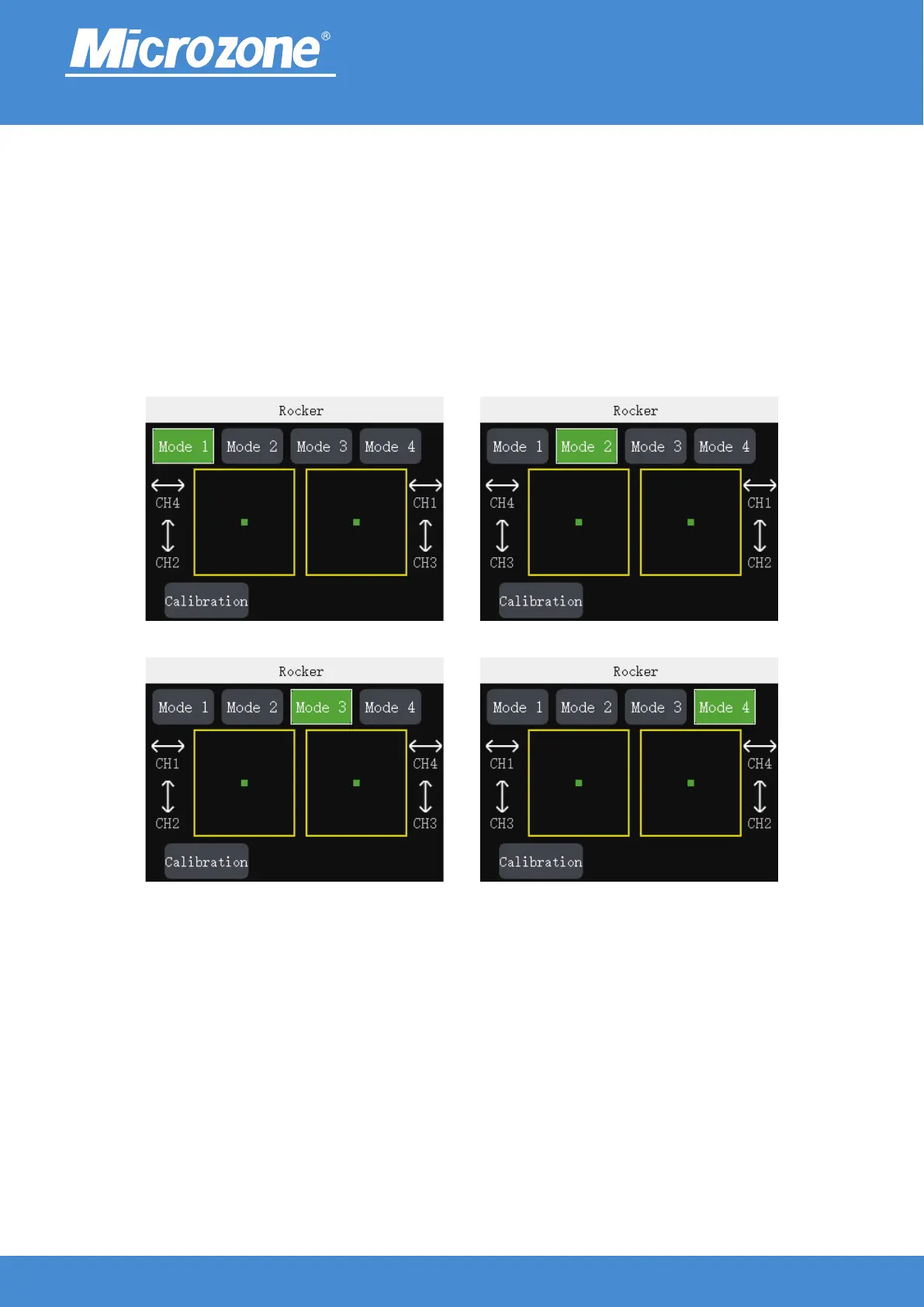
Setting the joystick mode:
Mode 1: left joystick up / down control channel 2, left / right control channel 4, right joystick up / down control
channel 3, left / right control channel 1;
Mode 2: left joystick up / down control channel 3, left / right control channel 4, right joystick up / down control
channel 2, left / right control channel 1;
Mode 3: left joystick up / down control channel 2, left / right control channel 1, right joystick up / down control
channel 3, left / right control channel 4;
Mode 4: left joystick up / down control channel 3, left / right control channel 1, right joystick up / down control
channel 2, left / right control channel 4;
Press <UP> key or <DOWN> key to select the corresponding mode, press <MENU> key to finish.
www.microzone.cn
-19-



 To Next Page