DIGITAL PROPORTIONAL R/CSYSTEM
2.4GHz
FHSS
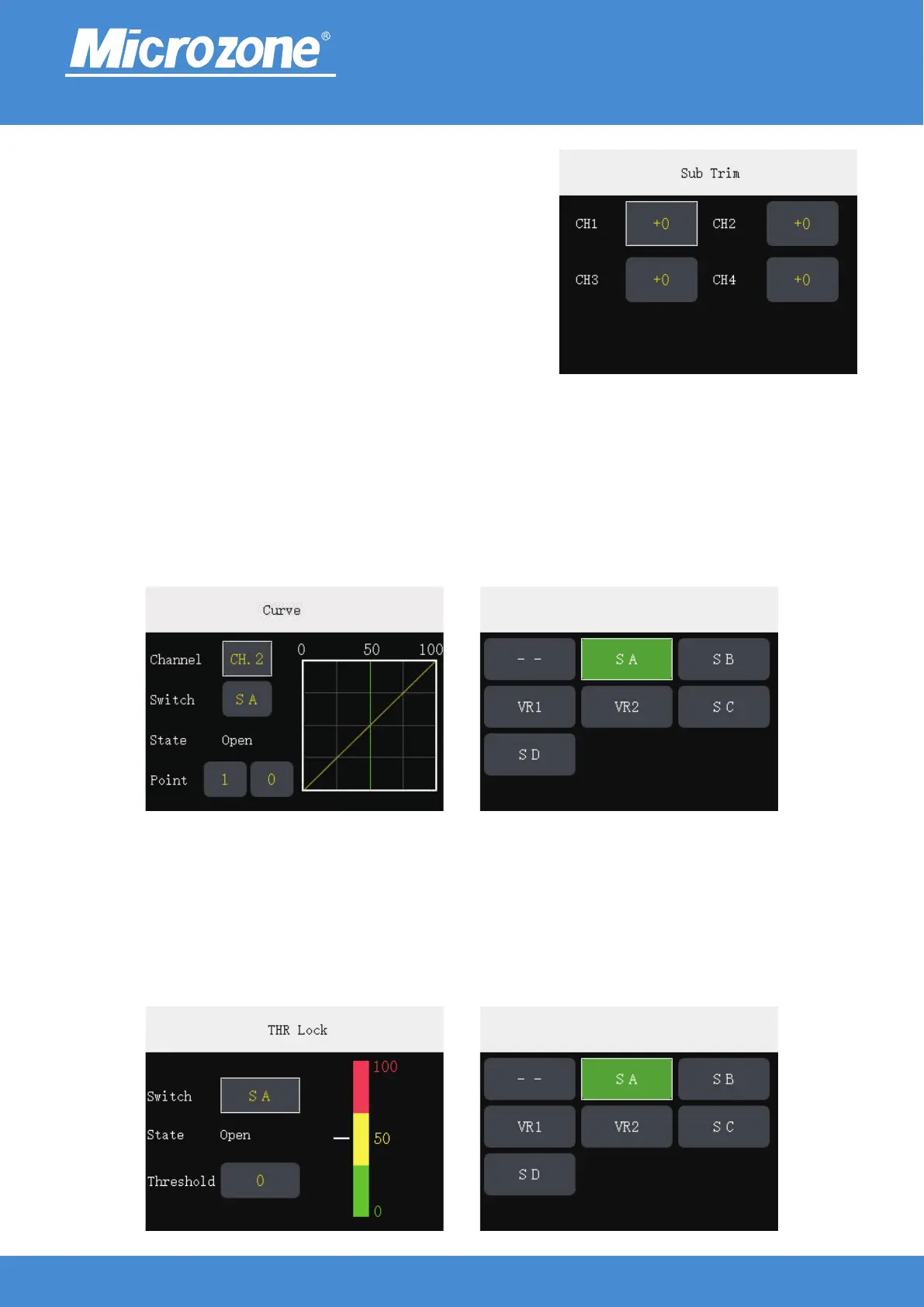
Curve:
Output curves for 8 channels can be set;
There are four buttons on the screen,Button 1 is the channel selector button, 2 is the curve switch; if there is
no selector switch, the curve function will not be activated, 3 is the key point of the current channel curve,
and 4 is the amount of rudder (0-100) associated with the key point;
Press the <UP> key or <DOWN> key to select the corresponding option, press the <MENU> key to identify
the option to be modified, press the <UP> key or <DOWN> key again to modify the setting, and press the
<MENU> key again to finish.
Sub Trim:
Software fine-tuning, the effect is equivalent to hardware fine-
tuning;
Press <UP> key or <DOWN> key to select the corresponding
channel, press <MENU> key to determine thethe channel to be
modified, press <UP> key or <DOWN> key again to modify the
fine-tuning value, and then press <MENU> key fulfil.
www.microzone.cn
THR Lock (Fixed wing / UAV mode):
When the value of channel 3 is close to or equal to the lock value when the function is turned on, the value of
channel 3 output will no longer be changed, and channel 3 will resume control only when the toggle switch
turns off the lock function;
Press <UP> key or <DOWN> key to select the corresponding option, press <MENU> key to determine the
option to be modified, then press <UP> key or <DOWN> key to modify the setting, then press <MENU> key
to finish.
-14-



 To Next Page