DIGITAL PROPORTIONAL R/CSYSTEM
2.4GHz
FHSS
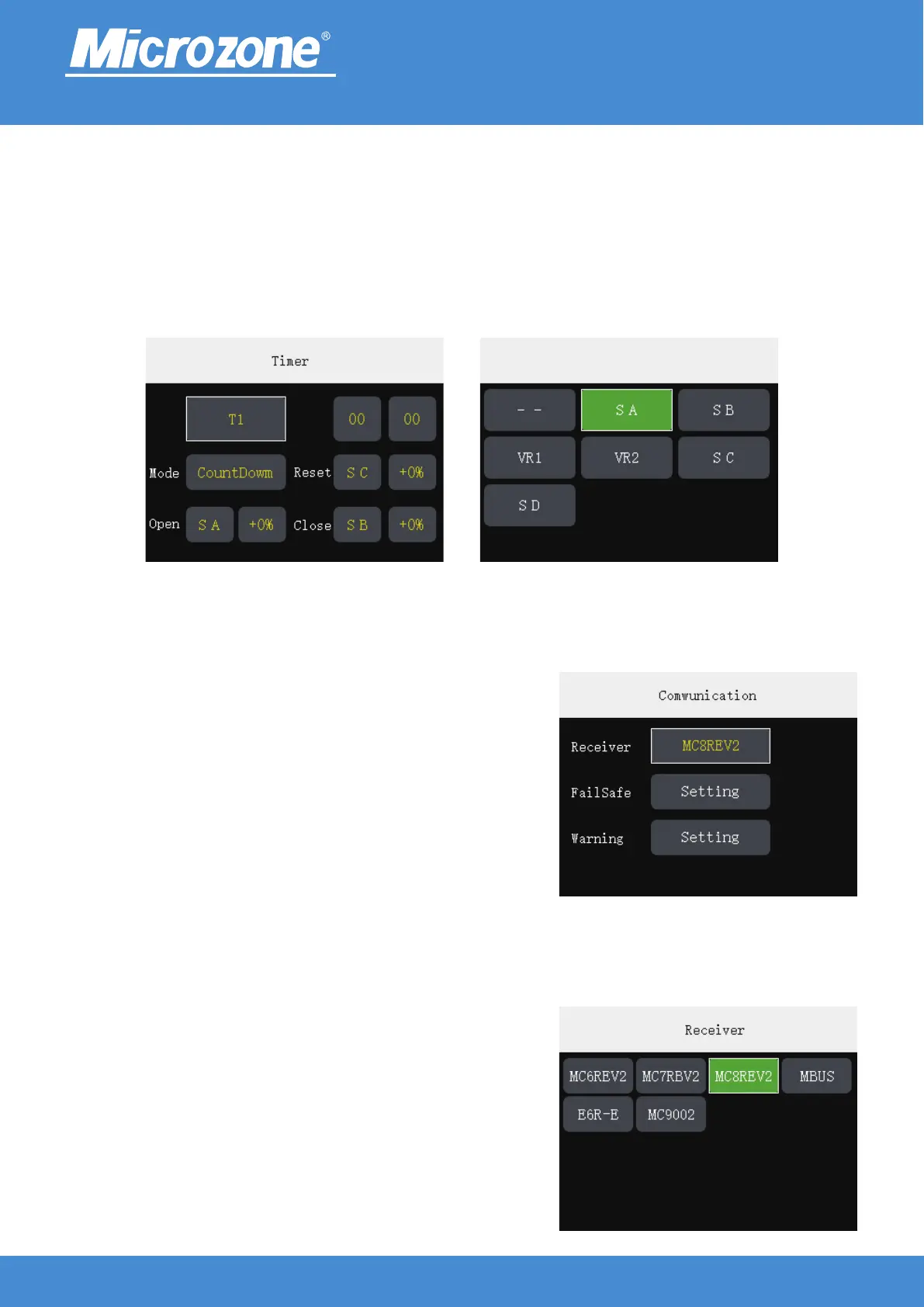
Timer:
Check button 1 to switch T1 or T2 setting, timer can choose <Close> <CountUp> <CountDown> mode, you
can set the timer function to be triggered when the switch is in which rudder volume, selectable value: (-100)
~ (+100);
The leftmost button in line 1 and line 2, press <MENU> key to modify the setting; press <MENU> key for
other buttons, then press <UP> key or <DOWN> key to modify the setting, press <MENU> key to finish.
Comwunication:
In the main page press <MENU> key , press the <UP> key or
<DOWN> key to select the <RF Settings> button, then press
<MENU> key to enter the communication setting, you can press
the <UP> key or <DOWN> key to select the corresponding
option, and then press <MENU> key to Enter.
Receiver:
Press the <UP> key or <DOWN> key to select the
corresponding receiver model, then press the <MENU> key to
finish.
www.microzone.cn
-21-



 To Next Page