DIGITAL PROPORTIONAL R/CSYSTEM
2.4GHz
FHSS
www.microzone.cn
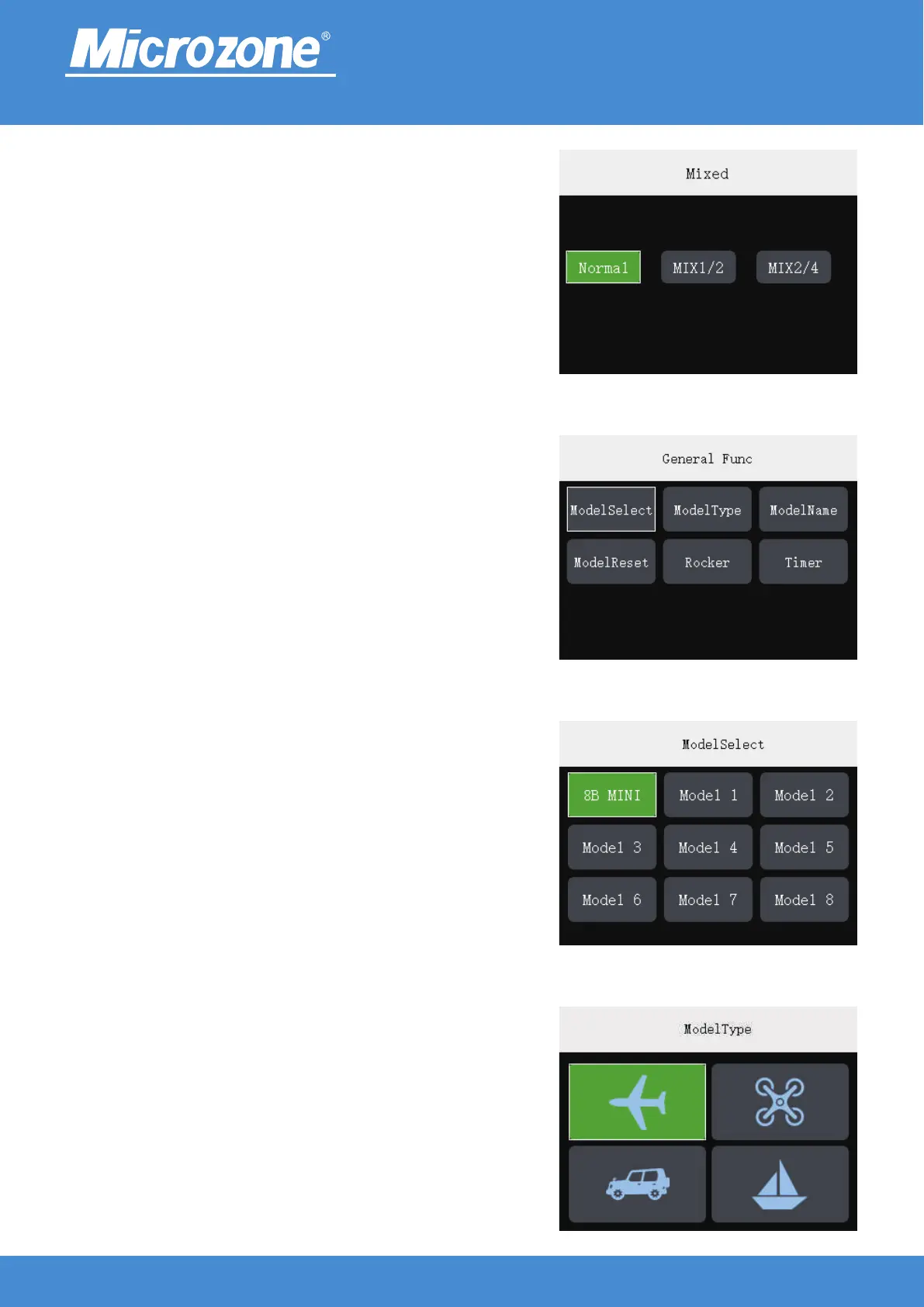
General Func:
In the main page press <MENU> key , press the <UP> key or
<DOWN> key to select the <General Func> button, then press
<MENU> key to enter the communication setting, you can press
the <UP> key or <DOWN> key to select the corresponding
option, and then press <MENU> key to Enter.
Mixed (Vehicle / boat mode):
Bind the two channels of the receiver together and accept one
channel control of the remote control for linkage;
Press the <UP> key or <DOWN> key to select the
corresponding option, and then press the <MENU> key to finish.
ModelSelect:
A total of 9 groups model data can be saved, and the remote
control parameters will change after changing model;
Press <UP> key or <DOWN> key to select the corresponding
model, press <MENU> key to finish.
ModelType:
Fixed-wing / UAV / Vehicle / Boat can be selected;
Press <UP> key or <DOWN> key to select the corresponding
models, press <MENU> key to finish.
-17-



 To Next Page