DIGITAL PROPORTIONAL R/CSYSTEM
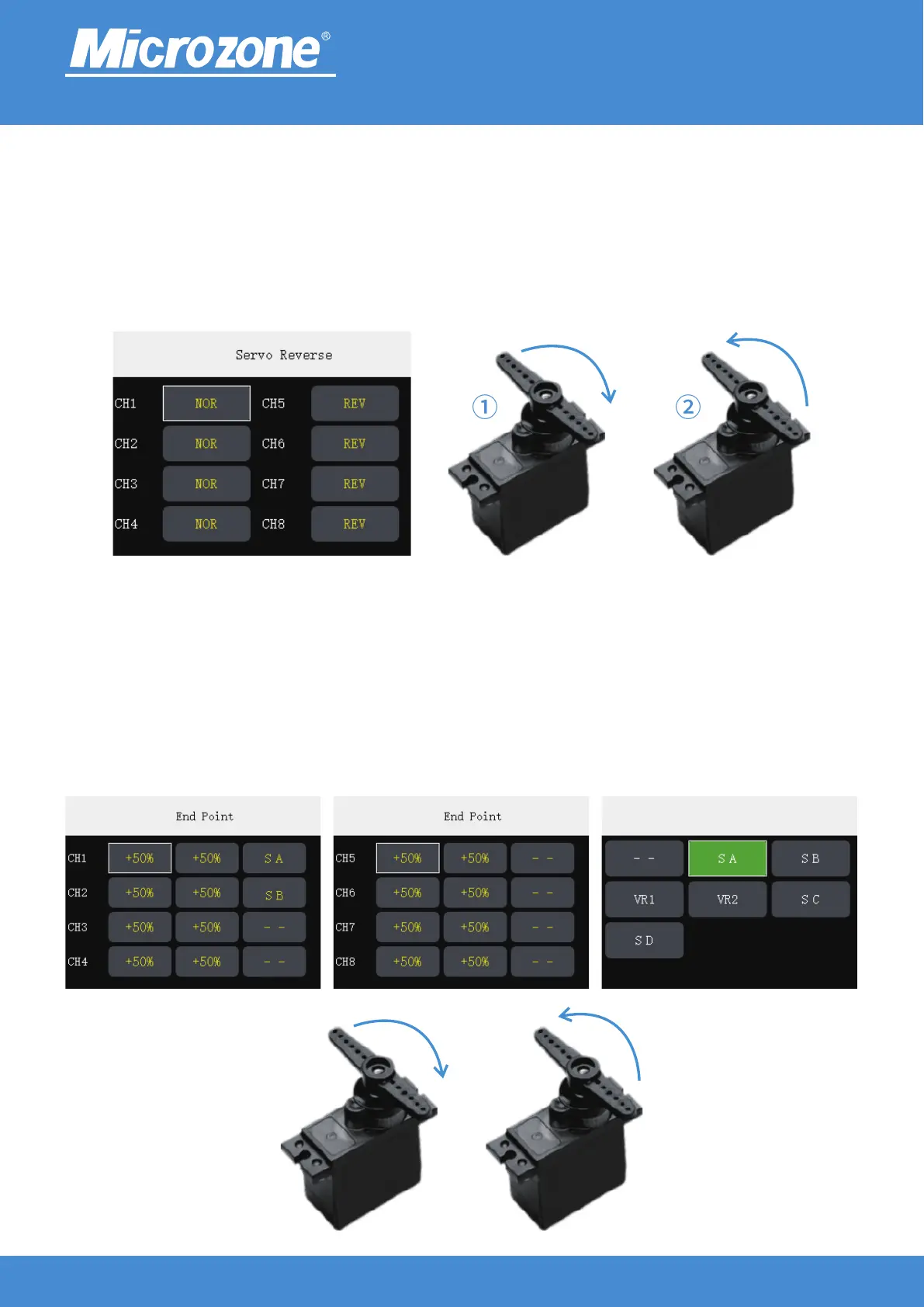
Servo Reverse:
Set the rudder swing direction;
Press <UP> key or <DOWN> key to select the corresponding channel, and press <MENU> key to switch
between forward and reverse;
Taking channel 1 as an example, when in forward direction, the servo will swing from left to right when you
toggle the joystick from left to right ( ), and will swing from right to left when you toggle the joystick Picture①
from left to right again in reverse direction ( ②).Picture
End Point:
It can output a larger rudder range and make the model more sensitive, set the pulse width of each channel
output so that the pulse width is adjustable from 500us-2500us;
Press <UP> key or <DOWN> key to select the corresponding channel option, press <MENU> key to
determine the channel option that needs to be modified, then press <UP> key or <DOWN> key to modify
the setting, then press <MENU> key to finish;
When the switch is not set, all itinerary are turned on by default, and when the switch is set, the custom
itinerary for the corresponding channel can be turned off or on.
2.4GHz
FHSS
① ②
1000-2000us 90° 500-2500us 180°
www.microzone.cn
-13-



 To Next Page