17
Chapter 4: Stack Balance
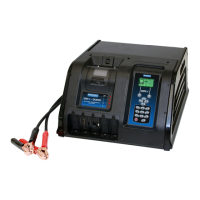
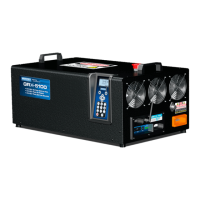
GRX-5100 HEV Battery Service Tool
Use this function to charge or discharge a stack of a
battery pack to bring it in balance with the other
stacks of the pack.
NOTE: Depending on the charge condition of the bat-
tery pack and the battery section being balanced, this
process can take several hours
to complete.
Hazardous voltage.
An improper connection can result in
electric shock
To avoid electrical shock or burn, never alter the
GRX-5100’s original AC cord and plug. Discon-
nect plug from outlet when GRX-5100 is idle.
IMPORTANT:
Make sure to properly prepare the bat-
tery pack by following all required Toyota/Lexus/
Scion guidelines. Refer to your Toyota/Lexus/Scion
documentation for complete information.
When using the ARROW keys to select option buttons, press
NEXT to continue to the next step. When using the keypad,
no additional keypress is needed. Use
BACK to return to the
Main Menu at the start of the test and or the previous screen
during the test.
1. At the Main Menu, select the Stack Balance icon.
2. Select the vehicle MAKE.
1 TOYOTA
3. Select the vehicle MODEL.
1 PRIUS PHV
2 PRIUS
4. Select the vehicle MODEL YEAR.
1 2012–2015
2 2016–CURRENT (Prius Only)
5. Use the keypad to enter the last 6 digits of the VIN (if avail-
able). Press SKIP to move past this step.
PLEASE ENTER THE
LAST 6 DIGITS OF
VIN IF AVAILABLE
6. Connect the Cell Voltage interface cables from the BCU-64
to the battery pack.
7. Connect the Temperature Sensors interface cables from
the BCU-64 to the battery pack.
If the battery stacks to be balanced are detected, the GRX-
5100 enters STACK BALANCE setup mode.
8. Press NEXT if one or more battery stacks requires balancing.
9. Connect the HV Bonding clamp to a suitable mounting
bracket.
10. Connect the High Voltage cables to the battery stack indi-
cated on the following screen.
Once the HV Connection has been completed, the GRX-
5100 performs a self test and then enters into STACK
BALANCE mode.
11. Press STOP to abort STACK BALANCE before the process
is complete.
Stack Balance Results
When complete, the results are displayed on the screen. Press
EXIT to return to the Main Menu.
Refer to Toyota/Lexus/Scion repair manual for procedures to
disconnect the GRX-5100 from the battery pack.
Chapter 4: Stack Balance


 To Next Page
