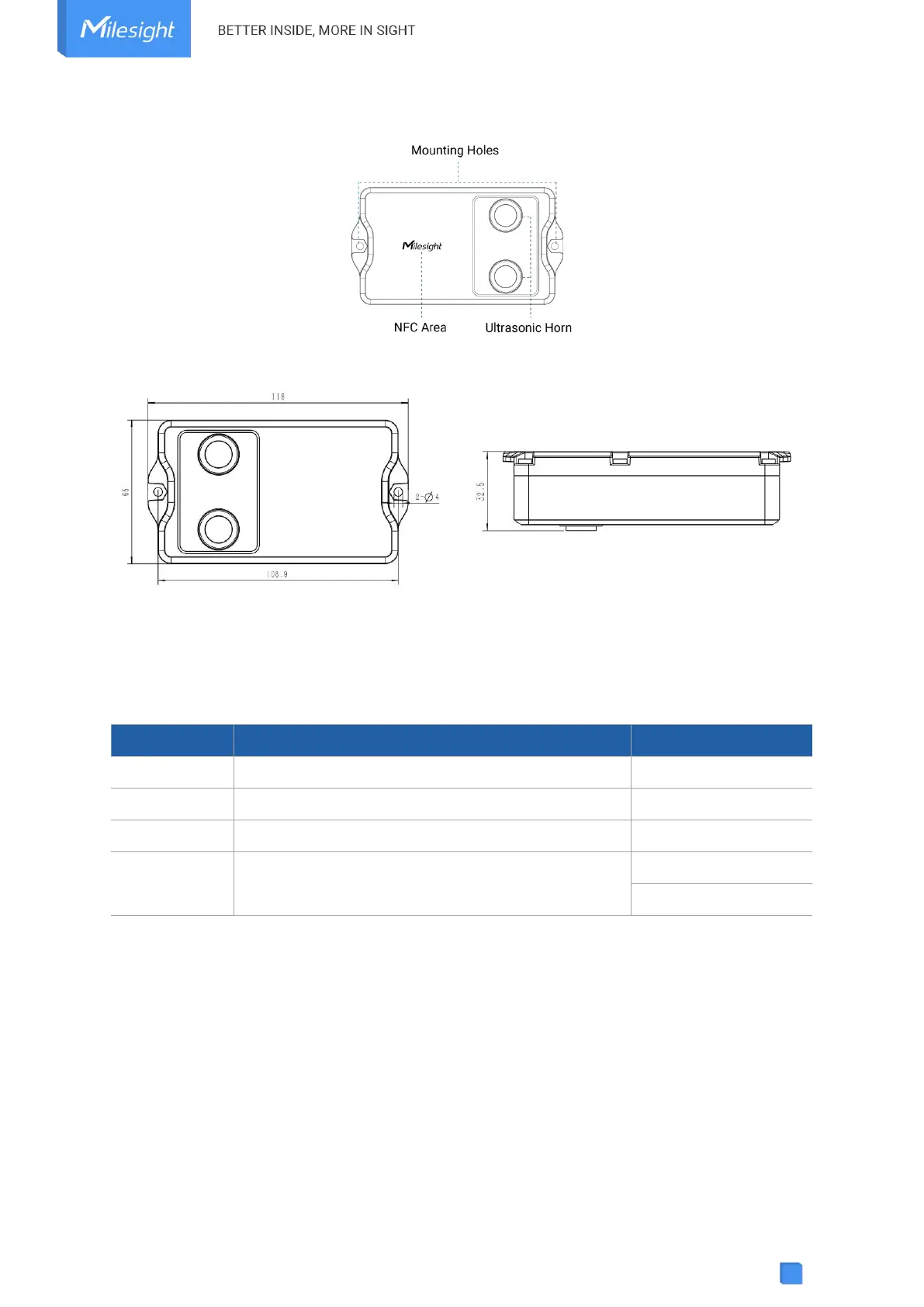
2.2 Hardware Overview
2.3 Dimensions (mm)
2.4 Power Button
EM400-MUD can be switched on/off via NFC. Besides, users can use power button to switch
on/off and reset the device manually.
Press and hold the button for more than 3 seconds.
Press and hold the button for more than 3 seconds.
Press and hold the button for more than 10 seconds.
Quickly press the power button.
3. SIM Installation (NB Version Only)
Release the screws and back cover, insert the SIM card (3FF), then replace the back cover to the
device and fix the screws.
Note:
1) PSM (Power Saving Mode) is required for the SIM card.
2) The device does not support hot plugging (also called hot swapping), please reboot the
device after inserting the SIM card.



 To Next Page