occupancy status change, it will report immediately.
NB Version:
Standard Mode/Bin Mode: 30 minutes as default, range: 1~1440 minutes.
Collecting interval of measuring distance on Parking Lot Mode. Default:
20s; Range: 1~600s
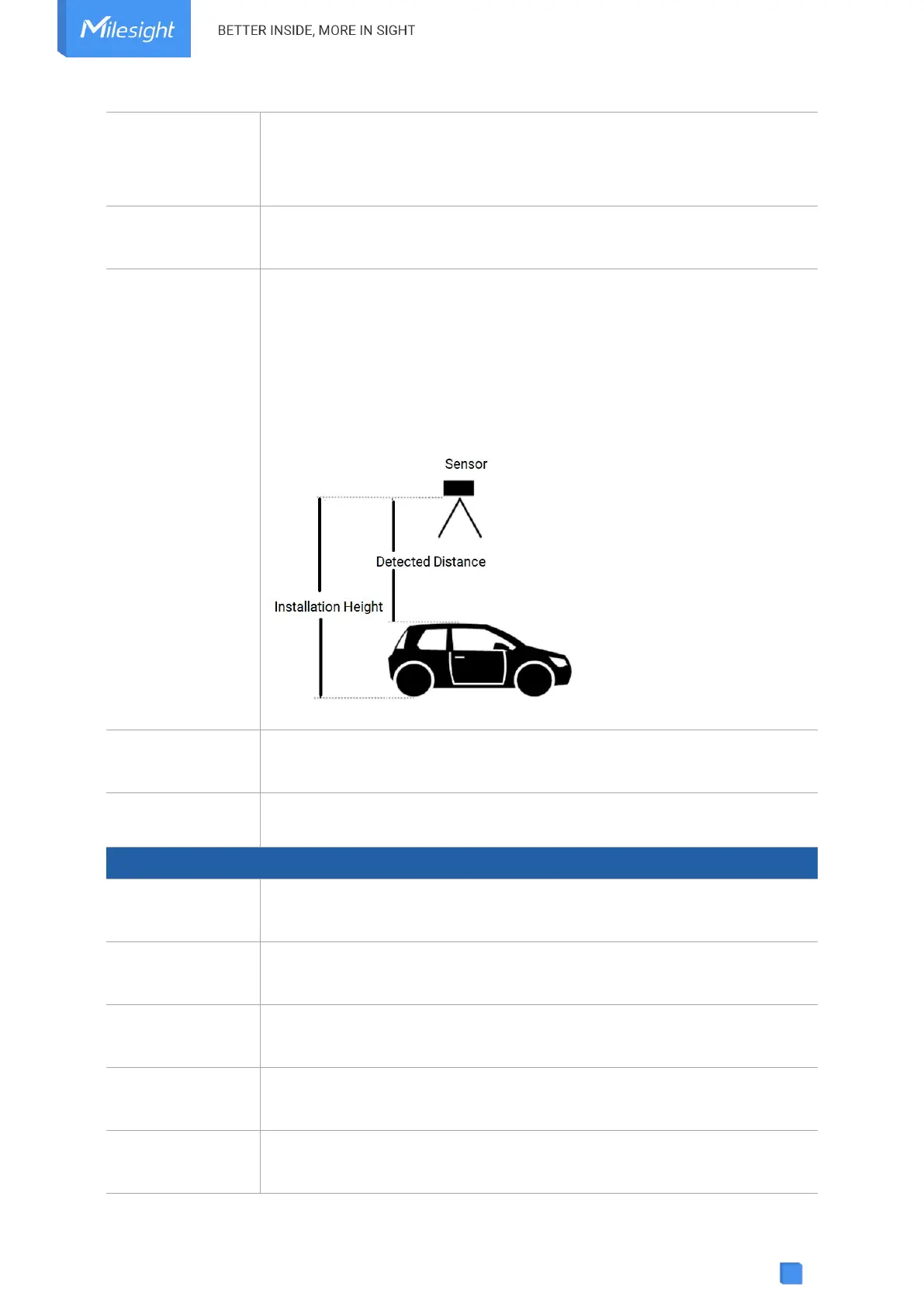
Set the installation height between device and ground when in Parking Lot
Mode. Default: 3m; Range: 0.030~4.500m
Threshold Distance Value (Δ) is 1m as default, triggering logic is as below:
Installation Height - Detected Distance < Δ, the sensor will reports
occupied immediately.
Installation Height - Distance Distance > Δ, the sensor will reports
vacant immediately.
When detecting that the offset angle is greater than 20 degrees, turn off
the distance sensor.
Change the password for ToolBox App or software to access this device.
Store this number of periodic packets to report together.
Enable GNSS positioning. When the device is on motion status, it will only
upload positioning data instead of distance data.
When device is detected to move beyond this duration, it will upload a
GNSS data packet.
The duration of
stationary
When device is detected to stop moving beyond this duration, it will upload
a GNSS data packet.
Motion Report
Interval/Min
The interval to report GNSS data during the motion.



 To Next Page