over the minimum loitering time will trigger the alarm. Also Milesight loitering allows to set
“Object Size”. Only the object bigger than the set size will trigger the alarm.
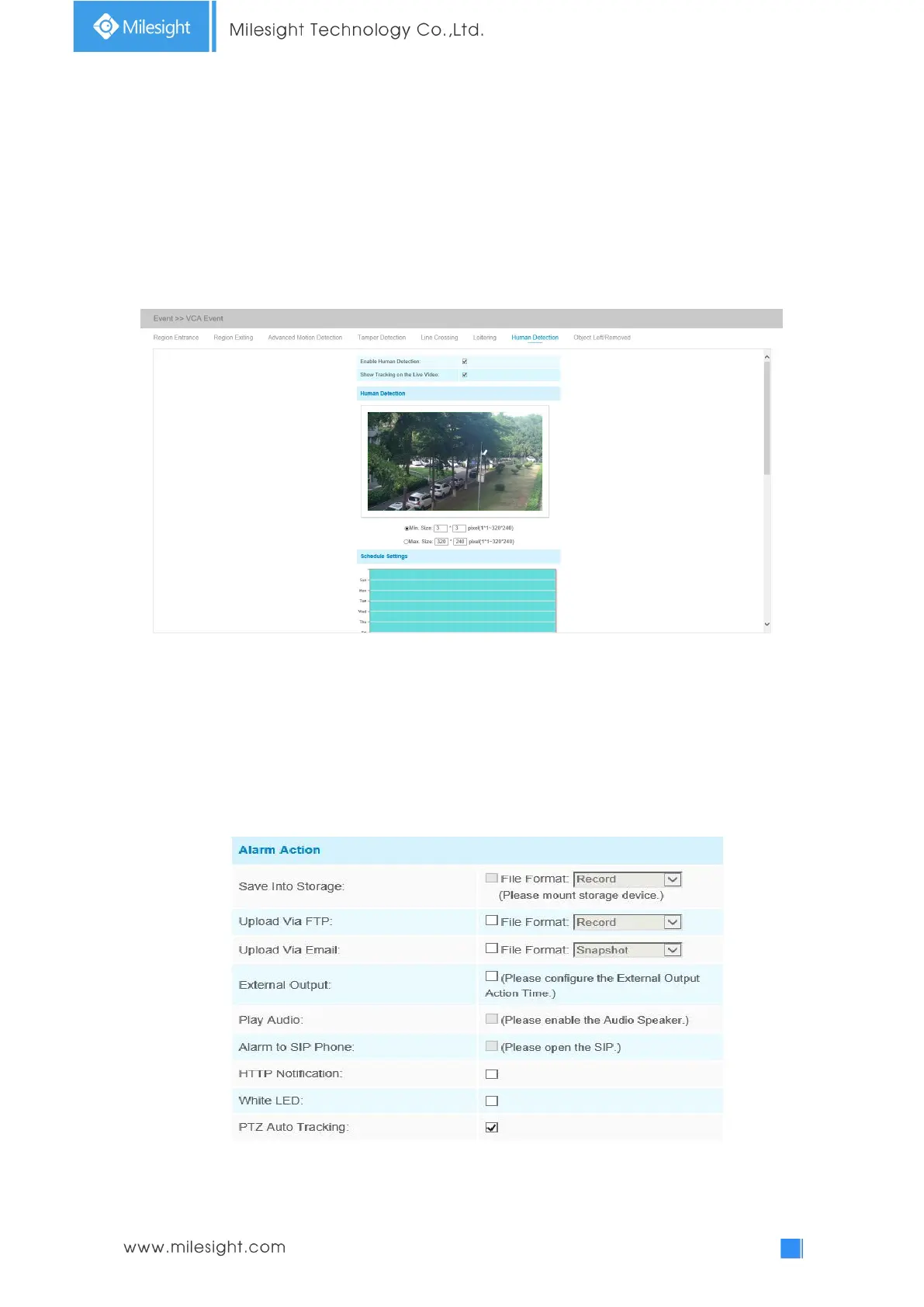
Human Detection
Human detection is used for figuring out whether an object is a human or not. Once human
detection is enabled, when there is an object appearing in the detecting area, an ID will show on
the frame. If the object is a person, it will mark as “person”. When the Show Tracks is enabled, the
tracks of the moving object will show on the screen.
Note: Human Detection tab is no longer displayed separately for all AI cameras.
Step1: Enable Human Detection;
Step2: Check Show Tracks;
Step3: Set object size limits. The object size limits can refer to Table 4-6-5;
Step4: Set schedule settings;
Step5: Set alarm action. When enabling PTZ Auto Tracking, camera will mark as “person” and
automatically track the person if the detected object is a person;
Step6: Set alarm settings. If you enable External Output and choose Constant External Output
Action Time, when detected object is marked as “person”, External Output Action alarm time will











 To Next Page