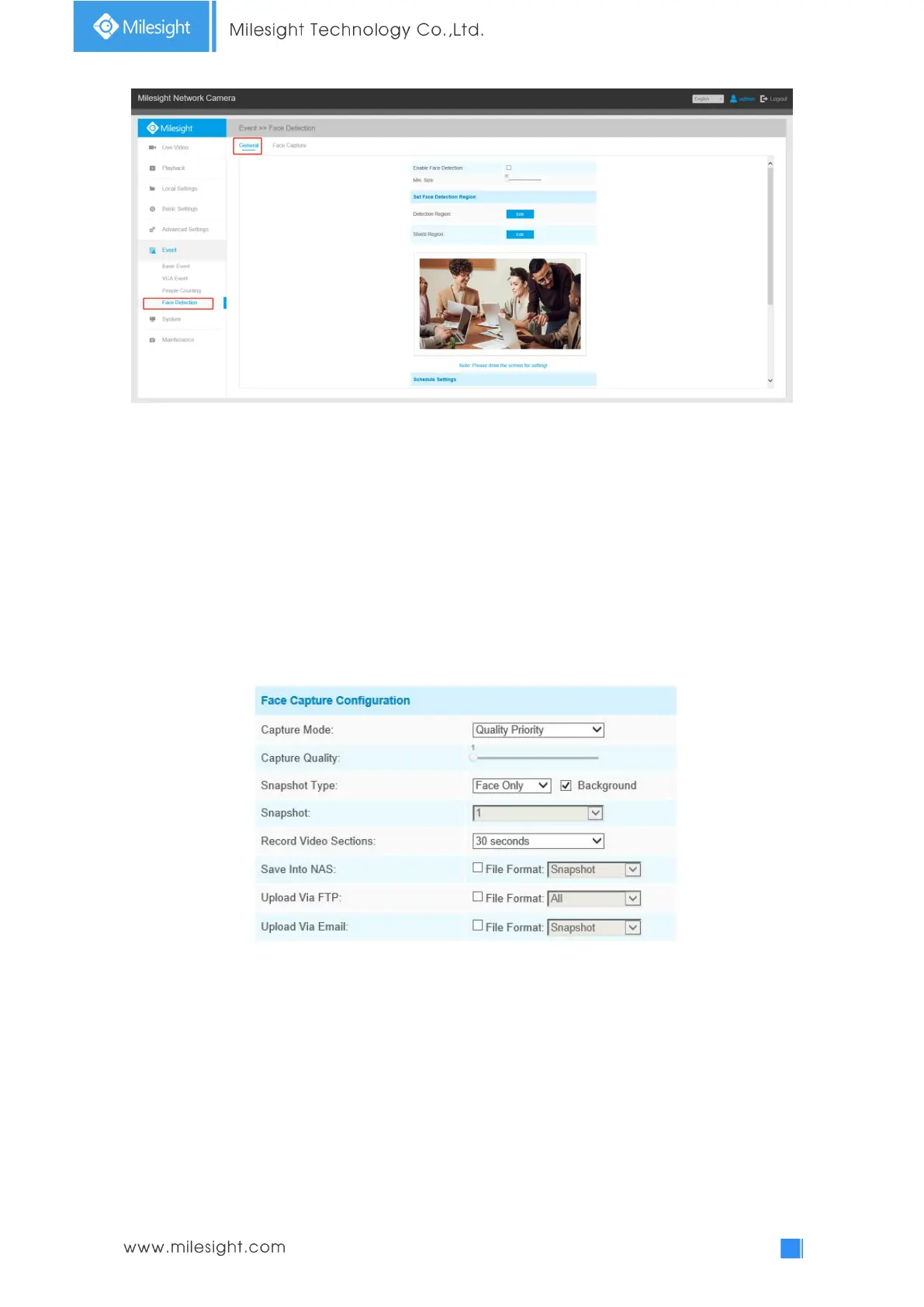
Step1: Enable Face Detection;
Step2: Set Min. Object Size;
Step3: Set detection region, you can drag the detection region to adjust the size of the region. Only
faces in this region will be detected;
Step4: Set Shield Region is to make faces in the some places of detection region be not detected.
You can draw a Shield Region in the preview interface firstly, then click Add button. There are at
most four Shield Region drawn;
Step5: Set detection schedule and click “Save”.
Face Capture
Here you can make configuration for face capture snapshot.



 To Next Page