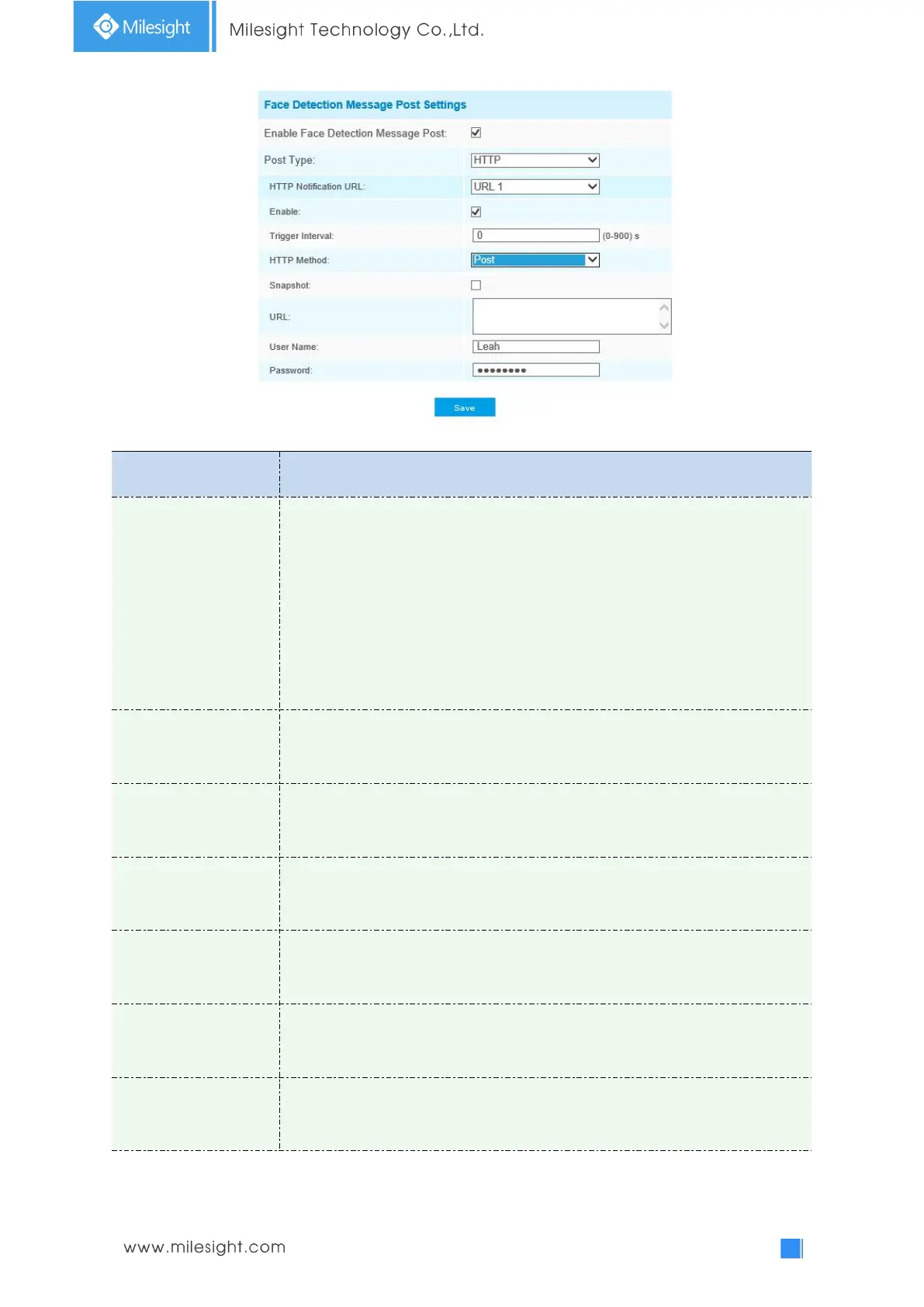
Table 4-6-6 Description of the buttons
Quality Priority, Timeliness Priority, Customize are available.
Quality Priority: In this mode, it will push a face screenshot of best quality when
the face is detected.
Timeliness Priority: In this mode, it will push a face screenshot in the shortest
time when the face is detected.
Customize: In this mode, you can customize some detect conditions, including
Snapshot Interval, Oblique Face Angle Limit, Pitching Face Angle Limit, Side Face
Angle Limit, Blur Limit.
To set the threshold of snapshot quality. It will be pushed to Live View when
captured snapshot quality reaches the set value. The higher the value, the higher
the quality of the snapshot.
80 milliseconds, 200 milliseconds, 500 milliseconds, 1 second, 2 seconds and 4
seconds are available.
Note: this option is optional for Customize mode.
Set Oblique Face Angle Limit from 0~180. The larger the value, the larger angle
the oblique face that can be detected. The default value is 120.
Note: Optional for Customize mode.
Set Pitching Face Angle Limit from 0~180. The larger the value, the larger angle
the pitching face that can be detected. The default value is 120.
Note: Optional for Customize mode.
Set Side Face Angle Limit from 0~180. The larger the value, the larger angle the
side face that can be detected. The default value is 120.
Note: Optional for Customize mode.
Set Blur Limit from 0~10. The larger the value, the more blurred the face can be
detected. The default value is 5.
Note: Optional for Customize mode.



 To Next Page