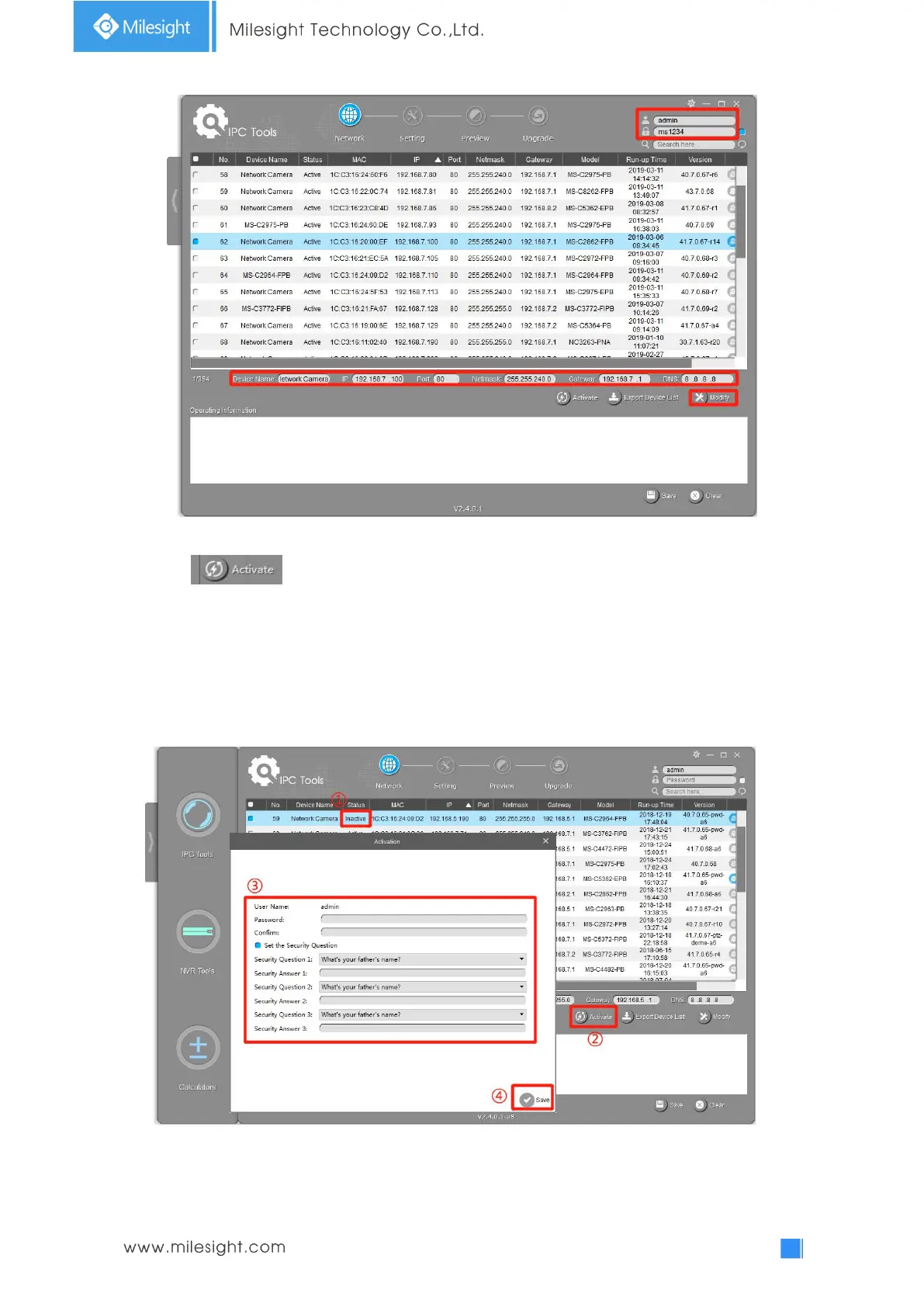
If the selected camera shows "Inactive" in the status bar(Camera with version V4x.7.0.69 or
above), click to set the password when using it for the first time. You can also set the
security questions when activating the camera in case that you forget the password(You can reset
the password by answering three security questions correctly). Click ‘Save’ and it will show that the
activation was successful.
Note:
(1) Password must be 8 to 32 characters long, contain at least one number and one letter.
(2) You need to upgrade Smart Tools version to V2.4.0.1 or above to activate the camera.
After activation, you can change the IP address or other network values, and then click “Modify”
button.











 To Next Page