Click to get latest status of user accessing to camera.
Record serial number of user logging in camera.
Note:
1) There are at most 30 records shown on the list.
2) There is only one record if the same user logging in camera by the same IP
address.
Name of user logging in camera.
Level of user logging in camera.
Device IP address where user logging in camera web located.
Camera system time of user logging in camera.
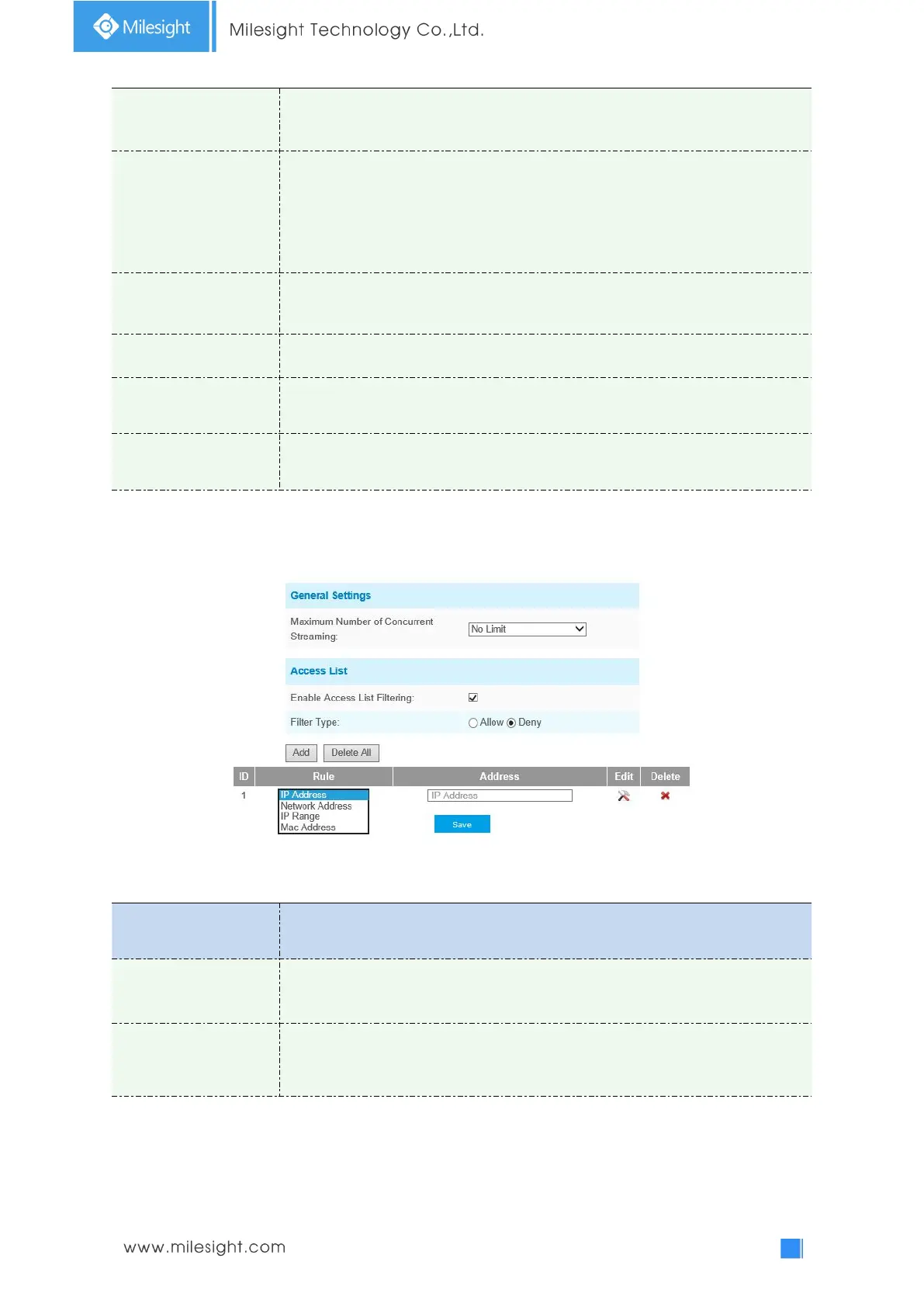
Access List
Table 4-5-7 Description of the buttons
Maximum number of concurrent streaming: Select the maximum number of
concurrent streaming. Options include Number Limit, 1~9.
Check the checkbox to enable Access List Filtering. Users can set Filter Type to
Allow or Deny, set the rule to IP Address, Network Address, IP Range or MAC
Address, then input the address to access or restrict access to this camera.











 To Next Page