far).
Step5: Set object size limits. The object size limits can refer to Table 4-6-5;
Step6: Set detection schedule;
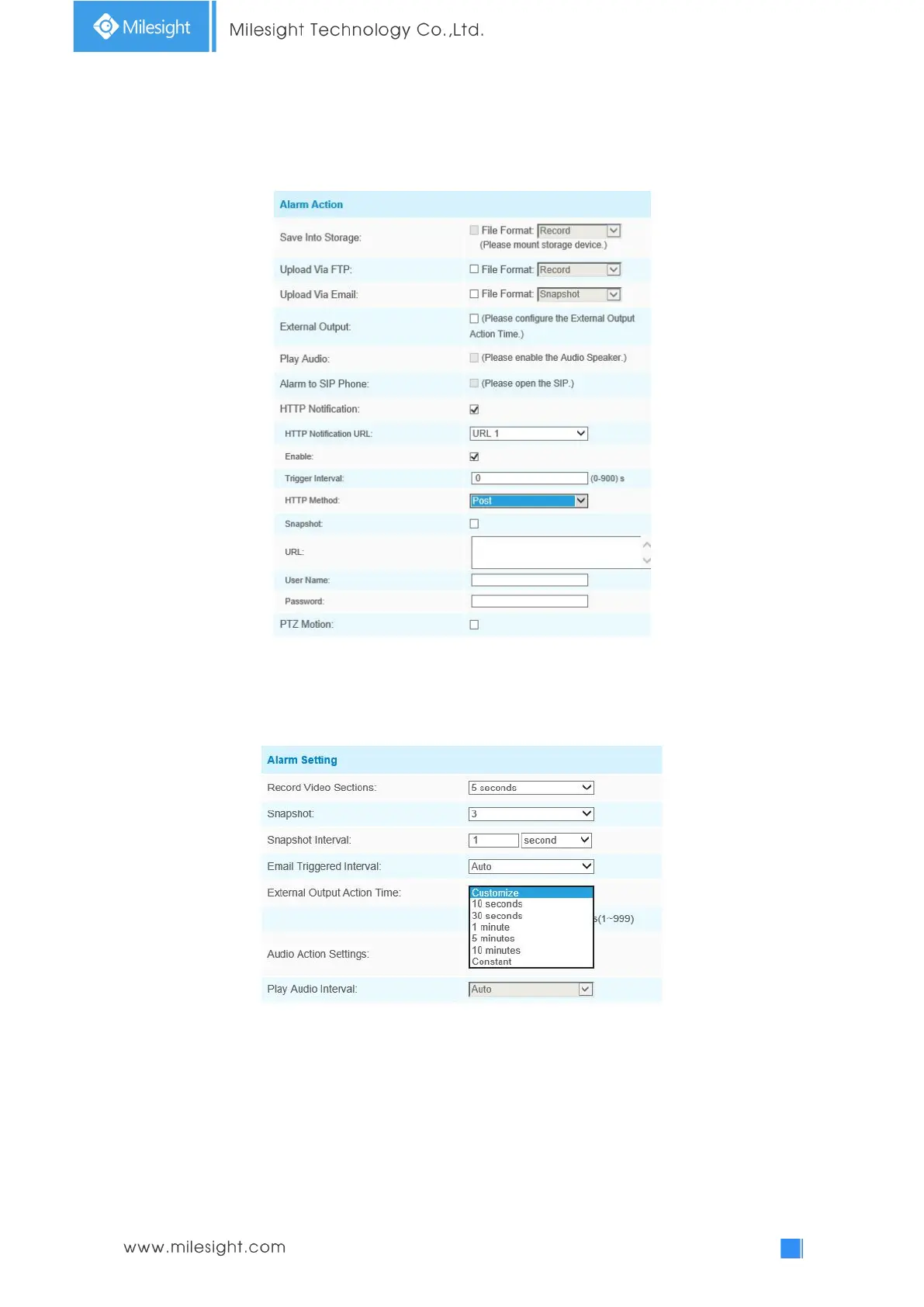
Step7: Set alarm action;
Step8: Set alarm settings. If you enable External Output and choose Constant External Output
Action Time, when object motion time is longer than the Ignore Short-Lived Motion time which
you set in the selected regions, External Output Action alarm time will be always constant till the
alarm is released.
Note:
1) The sensitivity can be configured to detect various movement according to different
requirements. When the level of sensitivity is low, slight movement won’t trigger the alarm.
2) Ignore Short-Lived Motion time is to avoid false alarm caused by instant object movement
within time setting.











 To Next Page