MI104 Weighing Indicator User Manual
3. INSTALLATION
Unpacking
When you receive the indicator / scale, inspect it to make sure that it is not
damaged and that all are parts are included:
Remove the Indicator from the carton.
Remove the protective covering. Store the packaging to use if you need
to transport the indicator later.
Inspect the indicator for damage.
Make sure all components are included.
1. Indicator
2. Adaptor
3. Manual
4. Load cell Output connecter -5 pin
5. RS-232 Output Connecter- 9 pin
Installation
Place the Indicator on a table.
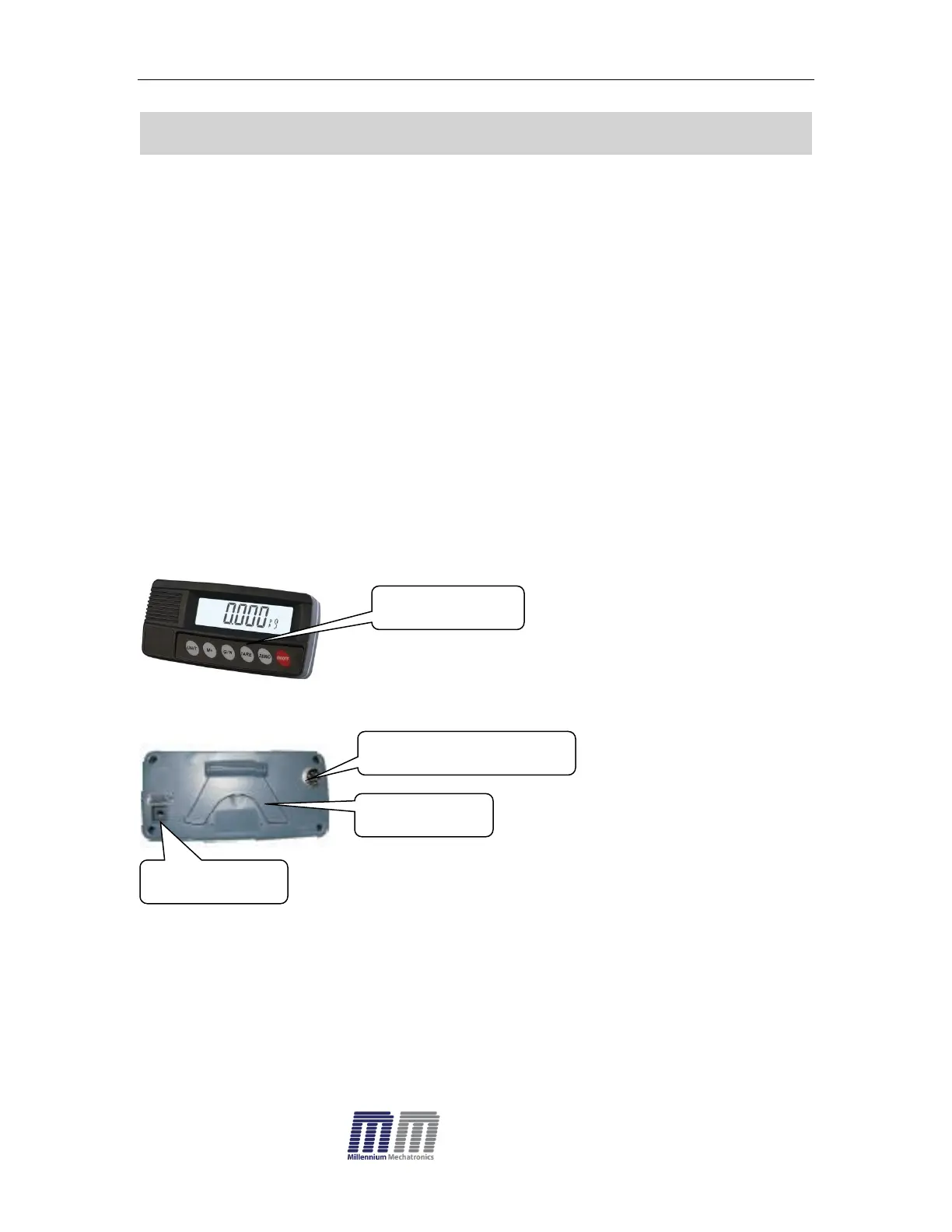
Connect the load cell cable in to the indicator load cell connecter. Load
cell connecter (5 pin)is located on the back side of the indicator.
Connect the adaptor pin in to the indicator adaptor jack.
Adaptor jack is located on the back side of the indicator.
Connect the power Adaptor to your AC power socket.


 To Next Page