EasyManua.ls Logo

Miller Fusion 185 - User Manual

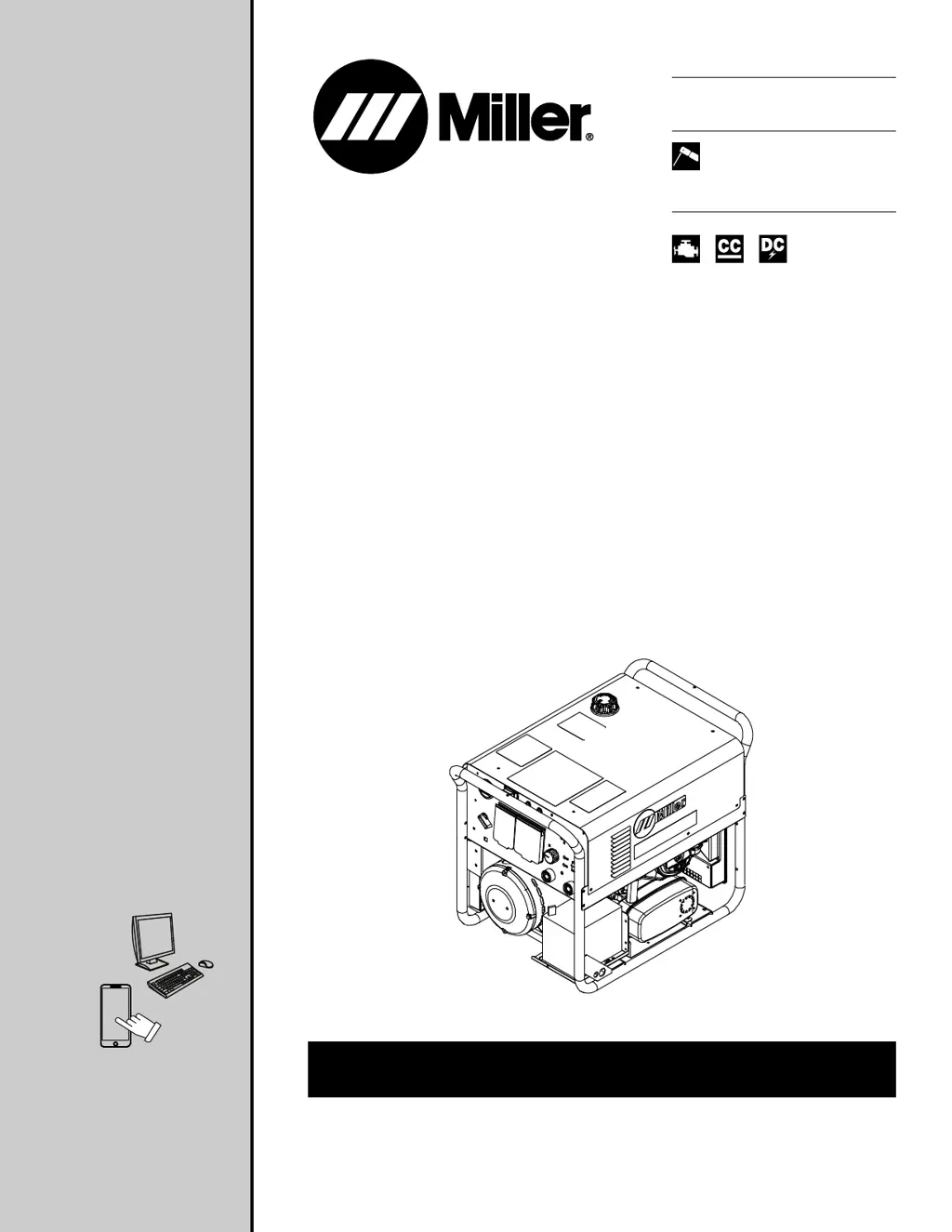
Miller Fusion 185
68 pages
Print Icon
To Next Page IconTo Next Page
Loading...
OWNER’S MANUAL
OM-284208C
2023-05
Processes
Stick (SMAW) Welding
Description
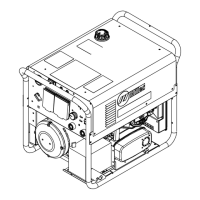
Engine Driven Welder/Generator
For product information,
Owner’s Manual translations,
and more, visit
www.MillerWelds.com
Fusion 185

Table of Contents

Questions and Answers

  • M
    Monique SmithAug 16, 2025
    Why does my Miller Portable Generator have low weld output?
    • T
      Thomas MayAug 17, 2025
      If your Miller Portable Generator has low weld output, try the following: * Check the Weld Output control setting. * Check and adjust the engine speed if necessary. * Service the engine air cleaner. * Service the engine fuel filter. * Check the weld cable size and length. * Connect the unit to the proper input voltage or check for low line voltage. * Place the Power switch in the On position.
  • J
    Jennifer MannAug 19, 2025
    What to do if my Miller Portable Generator has erratic weld output?
    • D
      Douglas PotterAug 19, 2025
      If your Miller Portable Generator is producing erratic weld output, consider these solutions: * Check the Weld Output control setting. * Tighten and clean connections to the electrode and workpiece. * Use dry, properly stored electrodes for Stick welding. * Remove excessive coils from weld cables. * Clean and tighten connections both inside and outside the welder/generator. * Check the engine speed, and adjust if necessary. * Check the throttle/governor linkage for smooth, non-binding operation. * Service the engine air cleaner. * Service the engine fuel filter.
  • O
    Olivia LaneAug 22, 2025
    What to do if my Miller Portable Generator has no weld output or generator power output?
    • D
      Dennis BrownAug 22, 2025
      If your Miller Portable Generator shows no weld output or generator power output at AC receptacles, the fan isn't running, and there's no power light, take these steps: * Ensure the power cord is securely connected to the 240V receptacle inside the power shift box if you're using generator power. * Disconnect all equipment from the receptacles when starting the unit. * Have a Factory Authorized Service Agent flash the rotor, then check the brushes, slip rings, rotor, stator, and PC3. * If using utility power, ensure the power cord plug is securely in the receptacle. * Replace the building line fuse or reset the circuit breaker if it's open. * Place the Power switch in the On position. * Reset the welding power source supplementary protector if it's open.
  • G
    Gregory WilliamsAug 25, 2025
    What to do if my Miller Portable Generator has no weld output but generator power output is okay?
    • L
      Lisa JonesAug 26, 2025
      If your Miller Portable Generator has no weld output but the generator power output is okay at the AC receptacles, try these steps: * Check the Weld Output control setting (On/Off switch). * Ensure the power cord is securely connected to the 240V receptacle inside the power shift box if using generator power. * Connect the work clamp to get good metal-to-metal contact. * Check for loose connections. * Check for proper polarity connections.
  • S
    Sean MartinezAug 27, 2025
    Why does my Miller Portable Generator have high weld output?
    • B
      Bonnie DawsonAug 27, 2025
      If your Miller Portable Generator's weld output is too high, take these steps: * Check the Weld Output control setting. * Check the engine speed and adjust it if necessary.
  • A
    Aaron WhiteAug 30, 2025
    What does it mean if the Overtemp LED is on steady on my Miller Portable Generator?
    • J
      jonathansinghAug 30, 2025
      If the Overtemp LED on your Miller Portable Generator is on steady, it means the internal temperature of the welder has exceeded the maximum limit. Wait for the unit to cool down. If the fan is not running, contact Miller Electric Mfg. LLC service department.
  • V
    Veronica LiuSep 2, 2025
    What to do if my Miller Portable Generator has no weld output but the fan motor continues to run?
    • M
      margaretkelleySep 2, 2025
      If your Miller Portable Generator has no weld output but the fan motor continues to run, it could be due to the Thermostat TP1 being open (overheating). Allow the fan to run; the thermostat will close when the unit has cooled down.
  • T
    Tyler ElliottSep 5, 2025
    What does it mean if the Overtemp LED blinks 2 times on my Miller Portable Generator?
    • J
      Justin HallSep 5, 2025
      If the Overtemp LED on your Miller Portable Generator blinks 2 times, it indicates that the primary voltage is above 310 volts. Reduce the primary voltage below 310 volts.
  • T
    Thomas BlackSep 8, 2025
    What does it mean if the Overtemp LED blinks 3 times on my Miller Portable Generator?
    • E
      Evan ButlerSep 8, 2025
      If the Overtemp LED on your Miller Portable Generator blinks 3 times, it means that the primary voltage is below 90 volts. Increase the primary voltage above 90 volts.
  • R
    Ryan RamosSep 10, 2025
    What to do if the fan blades are obstructed on my Miller Portable Generator?
    • V
      vsmithSep 12, 2025
      If the fan blades are obstructed on your Miller Portable Generator, clear the obstruction from the fan.

Summary

Miller Fusion 185 Welder;Generator

Product Overview and Processes

Details the main features, welding processes, and product description of the welder/generator.

Introduction and Company Information

Millers Commitment and Warranty

Covers the introductory message from Miller, warranty information, and ISO quality certification.

Section 1: Safety Precautions

Symbol Usage and Arc Welding Hazards

Explains safety symbols and details potential hazards associated with arc welding processes.

Section 1: Safety Precautions

General Welding Safety Hazards

Covers hazards related to flying debris, fumes, gases, arc rays, fire, explosion, noise, EMF, and cylinders.

Section 1: Safety Precautions

Engine Hazards

Details hazards associated with the engine, including battery, fuel, moving parts, exhaust, and hot components.

Section 1: Safety Precautions

Compressed Air Hazards

Outlines potential dangers related to compressed air equipment, hot metal, breathing air, and moving parts.

Additional Installation, Operation, and Maintenance Hazards

Covers hazards from fire, falling equipment, overheating, sparks, battery issues, fluids, static, trailers, and recycling.

Section 1: Safety Precautions

Proposition 65, Safety Standards, and EMF Information

Includes California Proposition 65 warnings, lists principal safety standards, and discusses EMF information.

Section 3: Definitions

Safety and General Symbol Definitions

Defines safety symbols specific to CE products and general symbols used throughout the manual.

Section 4: Specifications

Identification and General Specifications

Covers serial number location, software agreement, default parameters, and engine specifications.

Utility and Environmental Specifications

Details unit specifications for utility power, IP rating, and operating temperature ranges.

Section 4: Specifications

Dimensions, Weights, and Duty Cycle

Provides physical dimensions, weights, operating angles, and duty cycle information.

Section 4: Specifications

Performance Curves

Presents the Volt-Ampere Curve and Generator Power Curve for the unit.

Section 4: Specifications

Fuel Consumption

Shows fuel consumption rates for welding and auxiliary power operations.

Section 5: Installation for Engine Power

Installing the Welder;Generator Unit

Provides guidelines for moving, placing, and ensuring adequate airflow for the welder/generator.

Section 5: Installation for Engine Power

Grounding Procedures

Details how to ground the generator to a vehicle frame or building systems for safety.

Section 5: Installation for Engine Power

Fuel Valve and Battery Connection

Explains fuel valve positions and the procedure for connecting the battery.

Section 5: Installation for Engine Power

Engine Prestart Checks

Outlines daily checks required before starting the engine for safe operation.

Section 5: Installation for Engine Power

Weld Output Terminals and Cable Sizing

Describes weld output terminals and provides guidance on selecting appropriate cable sizes.

Section 6: Installation for Utility Power

Location and MVP Connection

Guides on selecting a location and connecting the Multi-Voltage Plug (MVP) for utility power.

Section 6: Installation for Utility Power

Electrical Service and Extension Cords

Provides electrical service guidelines and data for input power extension cords.

Section 6: Installation for Utility Power

Connecting 120 Volt Input Power

Details the steps for connecting the unit to a 120 Volt AC input power source.

Section 6: Installation for Utility Power

Connecting 1-Phase Input Power

Explains how to connect the unit to a 1-Phase input power supply.

Section 7: Operation

Front Panel Controls

Describes the function and operation of the various controls on the front panel.

Section 8: Operating Auxiliary Equipment

Generator Power Receptacles

Details the types and functions of the generator power receptacles available.

Section 8: Operating Auxiliary Equipment

GFCI Receptacle Operation

Provides information on GFCI receptacle functions, resetting, and testing procedures.

Section 9: Maintenance

Routine Maintenance Schedule

Outlines the regular maintenance tasks and their recommended intervals.

Section 9: Maintenance

Maintenance Label and Air Cleaner Servicing

Covers the maintenance label information and how to service the air cleaner element.

Section 9: Maintenance

Fuel Filter and Oil Change

Details the procedures for changing the fuel filter and the engine oil.

Section 9: Maintenance

Engine Speed Adjustment and Starter Servicing

Explains how to adjust engine speed and reorient the recoil starter.

Section 11: Parts List

Recommended Spare Parts

Lists recommended spare parts for the welder/generator.

Section 12: Electrical Diagrams

Circuit Diagram for Welder;Generator

Presents the main electrical circuit diagram for the welder/generator unit.

Section 13: Generator Power Guidelines

Equipment Selection and Grounding

Guides on selecting appropriate equipment and proper grounding for generator use.

Section 13: Generator Power Guidelines

Building Grounding and Power Requirements

Covers grounding for building systems and calculating power requirements for equipment.

Section 13: Generator Power Guidelines

Power Requirements for Motors and Farm;Shop Equipment

Provides approximate power requirements for industrial motors and farm/shop equipment.

Section 13: Generator Power Guidelines

Power Requirements for Contractor Equipment

Lists approximate power requirements for various contractor equipment.

Section 13: Generator Power Guidelines

Motor Starting Power and Generator Supply

Details motor starting power needs and how much power a generator can supply.

Section 13: Generator Power Guidelines

Standby Power Connections

Illustrates typical connections for using the generator to supply standby power.

Section 13: Generator Power Guidelines

Selecting Extension Cords

Provides guidelines for selecting appropriate extension cords based on load and length.

Section 14: Stick Welding (SMAW) Guidelines

Stick Welding Procedure and Electrode Selection

Covers the basic stick welding procedure and guidance on selecting electrodes and amperage.

Section 14: Stick Welding (SMAW) Guidelines

Striking An Arc

Explains different techniques for striking and maintaining a welding arc.

Section 14: Stick Welding (SMAW) Guidelines

Electrode Positioning and Weld Bead Characteristics

Details proper electrode positioning and describes good and poor weld bead characteristics.

Section 14: Stick Welding (SMAW) Guidelines

Weld Bead Shape Factors and Electrode Movement

Discusses factors affecting weld bead shape and proper electrode movement during welding.

Section 14: Stick Welding (SMAW) Guidelines

Joint Welding Techniques

Covers techniques for welding lap joints and groove (butt) joints.

Section 14: Stick Welding (SMAW) Guidelines

T-Joint Welding, Weld Testing, and Troubleshooting

Explains T-joint welding, weld testing procedures, and troubleshooting common issues.

Warranty Information

Limited Warranty Details and Contact

Provides details on the limited warranty coverage, terms, and contact information for support.

Owner Records and Service Contact

Miller Fusion 185 Specifications

General IconGeneral
BrandMiller
ModelFusion 185
CategoryPortable Generator
LanguageEnglish

Related product manuals