Maintenance
31
Depressurization
Two depressurization features are available: the production depressurization and the distribu-
tion depressurization. Both depressurization modes are not necessary during normal opera-
tion. Use them in case of water leak to temporarily stop tank lling and all water processes.
Identify the source of the leak. Once xed, don’t forget to leave the depressurization modes.
Production depressurization
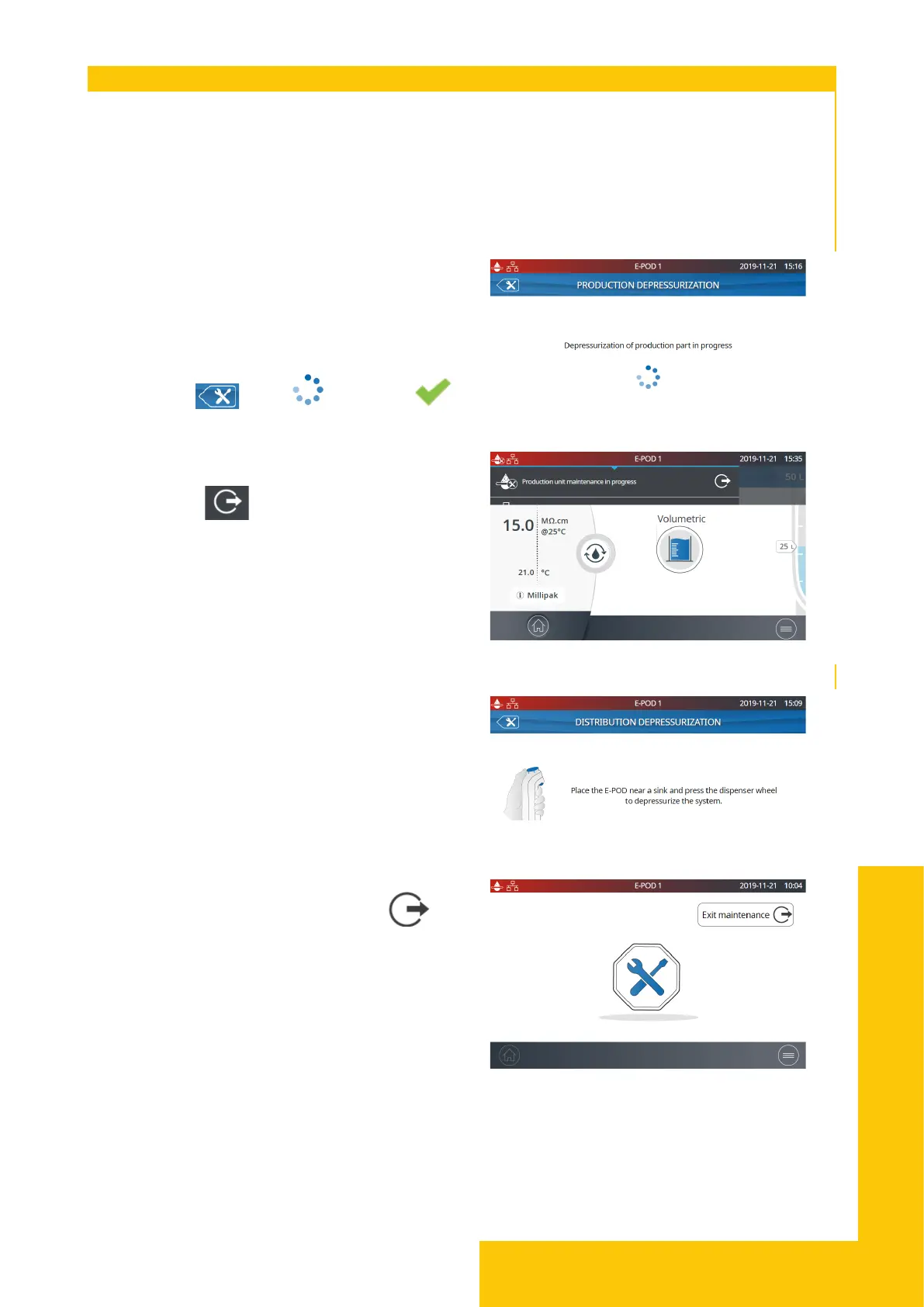
The production depressurization is available by
selecting the Depressurization app.
Simply press when turns into
to keep using the system. This temporarily
stops production and all water processes. To
go back to tank full/tank lling, swipe down
from the top of the touchscreen (near “E-POD
1”) and press .
Distribution depressurization
The distribution depressurization is also
available by selecting the Depressurization
app.
Install the E-POD
®
unit near a sink and press
the dispenser wheel to depressurize the
system. Press the “Exit maintenance ”
button to pressurize the distribution.



 To Next Page