00108103w REV 0421 5 of 10
6. Average the resistance measurements of the two
blanks and arrive at a value.
For example: R
blank
= 180 Ω
7. Subtract this blank resistance from the sample-well
resistance measurement. Suppose a typical sample
reading is 320 Ω.
Then: R
sample
– R
blank
= R
cell monolayer
320 Ω – 180 Ω = 140 Ω
The resistance of the cell monolayer in this example
is 140 Ω. However, you still need to correct for the
area covered by the cell monolayer.
8. To correct for the area covered by the cell
monolayer, calculate the product of the resistance
and the area. Multiply the area of effective
membrane diameter on the Millicell
®
culture plate
insert by the resistance found in the experiments:
9. 140 Ω × 0.6 cm
2
= 84 Ω cm
2
NOTE: The 24-well Millicell
®
-CM insert has an
effective membrane area of 0.6 cm
2
.
This value, 84 Ω cm
2
, is independent of the area of
membrane used.
Measuring Voltage
Follow these steps to measure voltage.
1. Allow the cells to come to room temperature.
2. Test the Millicell
®
ERS-2 system as described on
page 4. Make sure that the electrode has been
equilibrated and tested according to the procedures
on pages 5–6.
3. Disconnect the meter from the charger. Set the
MODE switch to Millivolts and turn the POWER
switch On.
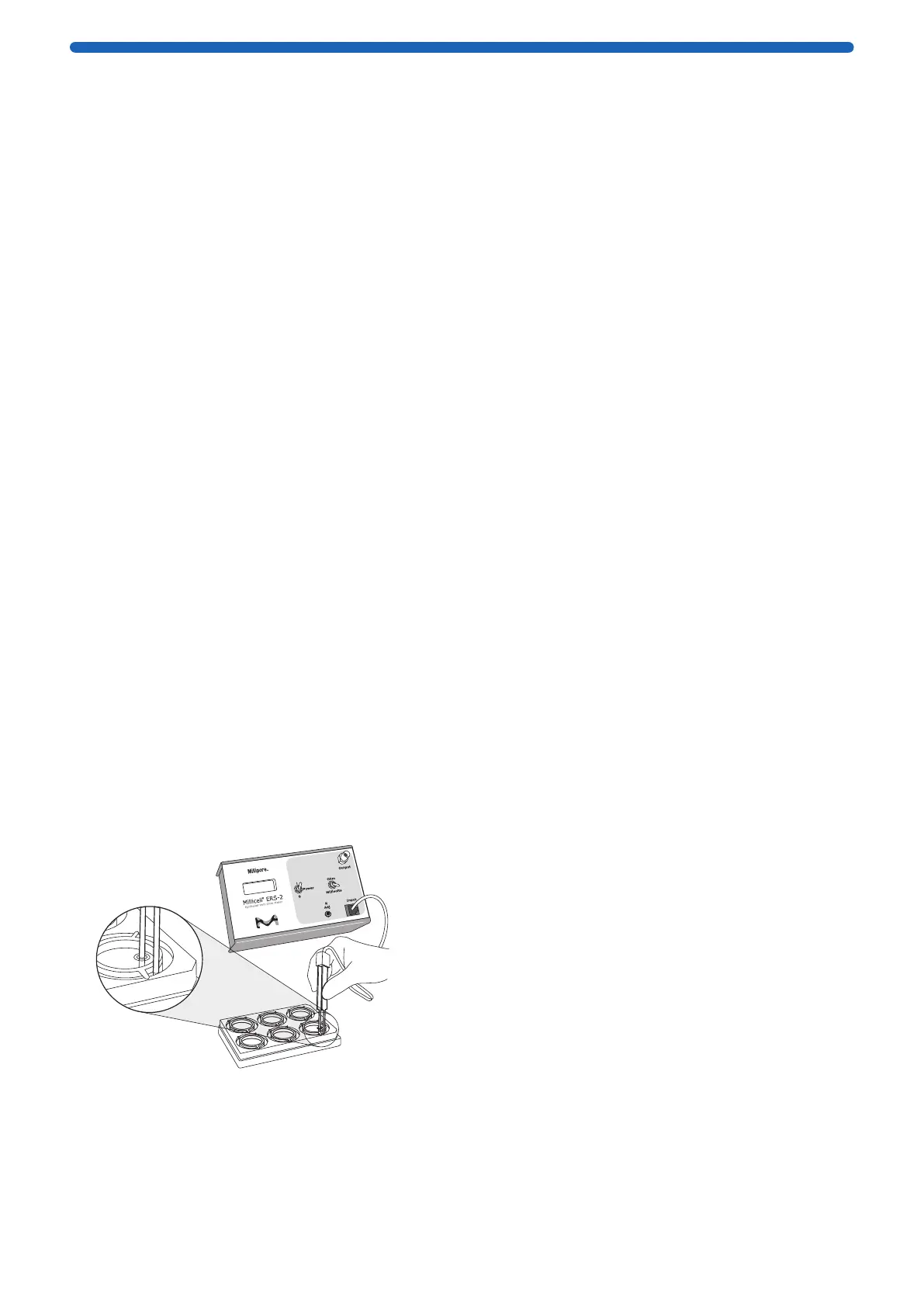
4. Immerse the electrode so that the shorter tip is in
the Millicell
®
culture plate insert and the longer tip is
in the outer well. The shorter tip should not contact
cells growing on the membrane, but the longer tip
should just touch the bottom of the outer well. To
ensure stable and reproducible results, make sure
that the electrode is held steady and at a 90° angle
to the plate insert.
I.I
5. Record the voltage. Subtract the voltage of the
culture media alone (step 4, Electrode Functionality
Check) to obtain the true voltage value of the
cultured cell monolayer.
NOTE: If rinsing is required between measurements
to prevent sample carryover, use culture media
rather than distilled water.
In voltage mode, if the meter reading is positive, it
means that the basal side of the cellular tissue (the
side adhering to the culture insert filter) is positive
relative to the apical side (exposed). Conversely, if the
meter is reading negative, it means that the basal side
is negative relative to the apical side.
Maintaining and Storing the System
Meter
Charge the batteries monthly or when BATT appears
in the digital display.When not in use, the meter should
be powered off and disconnected from the charger, as
continuous charging may shorten battery life.
NOTE: Always power the meter off when charging the
battery.
The meter should hold a charge for approximately 8
hours. It will shut off automatically when the battery
runs low to avoid damage to the instrument. When
the battery charge is low, BATT appears in the digital
display. To avoid automatic shut-off, recharge the
battery when the BATT warning is displayed.
CAUTION: To prevent corrosion, do not splash or
spill saline solution or culture media on the meter. To
prevent the digital LCD display from darkening, do not
leave the meter in direct sunlight for long periods of
time.
Changing the Battery
The Millicell
®
ERS-2 meter is equipped with a 6 V 2,700
mAh rechargeable NiMH battery pack which can be
charged for approximately 500 cycles. The battery
pack may be charged at any time in the discharge
cycle and can be charged continuously without
damage, using the supplied charger.
CAUTION: To prevent battery damage, use ONLY the
supplied charger.
The battery life is about 1 to 2 years, depending on
use. NiMH batteries discharge even if they are not in
use. To prevent battery damage from self discharge,
charge the battery pack monthly.
To change the battery:
1. Using a #1 Phillips screwdriver, remove the four
screws from the Millicell
®
ERS-2 case and separate
instrument cover from base.
2. The battery pack is mounted to the base by a metal
cover.
Remove the two screws and lift battery cover and
battery out.
3. Remove battery pack from cover.
4. Note the position of the battery pack connector and
wire color code, so that the correct polarity can be
maintained with the new battery pack. Disconnect
the small plastic connector from the circuit board by
pulling it straight out from the circuit board.
CAUTION: Connecting the battery connector with
the polarity reversed may result in personal or
equipment damage.




 To Next Page