00108103w REV 0421 7 of 10
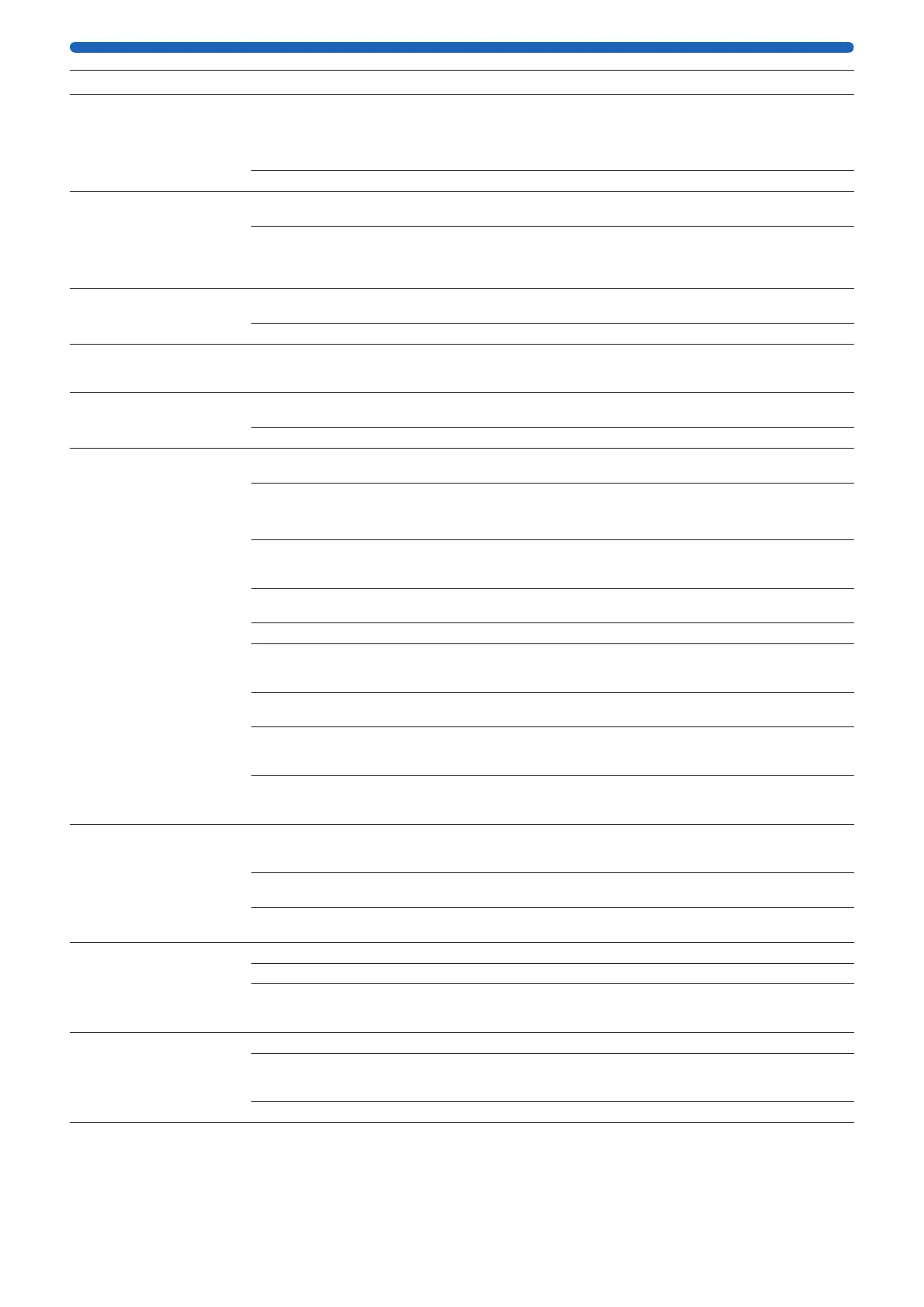
Symptom Cause Corrective Action
Meter will not power on when
disconnected from charger
OR
Meter runs briey,
then powers o
Batteries are discharged
or insuciently charged
The meter will power down automatically when the batteries are depleted.
Power o the meter, connect it to the battery charger, and charge for at
least 12 hours. A full charge may require up to 24 hours. For reliability, the
meter should be charged each evening (with the power o) before use the
next day.
Batteries are defective Replace the battery pack or contact Technical Service.
Meter will not charge
when connected to charger
Insecure connection at power
input jack on meter
Verify that the battery charger is securely connected at the meter power
input jack.
Defective charger Using a volt meter, verify correct output voltage at the charger connector.
If the volt meter reading is not close to +12 V DC at the center conductor
on the connector, replace the battery charger. If the battery charger is
working and the unit does not power up, contact Technical Service.
Meter reading is unstable
when power is turned on
Meter is connected
to charger
Disconnect the meter from the charger.
Low battery charge Recharge battery for 12 hours, then perform “Meter Functionality Check”.
Failure to achieve specied
test values during “Meter
Functionality Check”
Low battery charge Recharge battery for 12 hours and repeat “Meter Functionality Check”.
If readings are still not as specied, contact Technical Service.
Intermittent meter reading Loose or broken electrode
connector or cable
Replace the electrode.
Malfunctioning system Call Technical Service.
Unstable resistance
or voltage reading,
(voltage drift) during use
Meter is connected
to charger
Disconnect the meter from the charger.
Electrode not immersed
in culture media solution
Make sure both tips are immersed in solution.
NOTE: When the meter is in voltage mode, it is normal for the display
to be unstable when the electrode is not immersed in solution.
Electrode position
not stable
Hold electrode in a xed position at a 90° angle to the plate insert.
Hand held electrodes must be kept as motionless as possible during a
measurement.
VOLTAGE ONLY:
Electrode not equilibrated
Condition the electrode as outlined in “Equilibrating the Electrode”.
Dirty electrode tips Clean the electrode as outlined in the “Electrode Cleaning” section.
Electrode is old or broken Replace the electrode. If “Meter Functionality Check” indicates that meter
is functional, electrode may be broken or have exceeded its normal lifetime
of 1 to 2 years.
RESISTANCE ONLY:
Meter is malfunctioning
Verify a reading of 1,000 Ω with the test electrode. Adjust if required.
If adjustment cannot be made, call Technical Service.
Electrode and cable too close
to strong electromagnetic
radiation
Move the system to a dierent area.
Meter connected to a
recording device via the
output jack
Remove the connection to the recording device.
Slow response in resistance
or voltage reading
Measurement conditions need
to be optimized
Make sure electrode is fully wetted and the solution is at room temperature.
Make sure there are no bubbles under the Millicell
®
culture plate insert.
Take measurements with electrode tips completely immersed in solution.
VOLTAGE ONLY:
Electrode not equilibrated
Condition the electrode as outlined in “Equilibrating the Electrode”.
Dirty electrode tips Clean electrode as outlined in “Electrode Cleaning”. After use, make sure
electrode is rinsed with Milli-Q
®
water before it dries.
Resistance reading is lower
than expected
Meter is malfunctioning Perform “Meter Functionality Check”.
Cell culture contaminated Re-culture cells.
Cells have not
formed tight junctions, or are
not conuent
Allow cells to grow longer.
Resistance reading is higher
than expected
Meter is malfunctioning Perform “Meter Functionality Check”.
Electrode contacts have a
buildup of protein or other
foreign material
Clean the electrode as outlined in “Electrode Cleaning”.
Electrode broken Replace the electrode.




 To Next Page