EasyManua.ls Logo

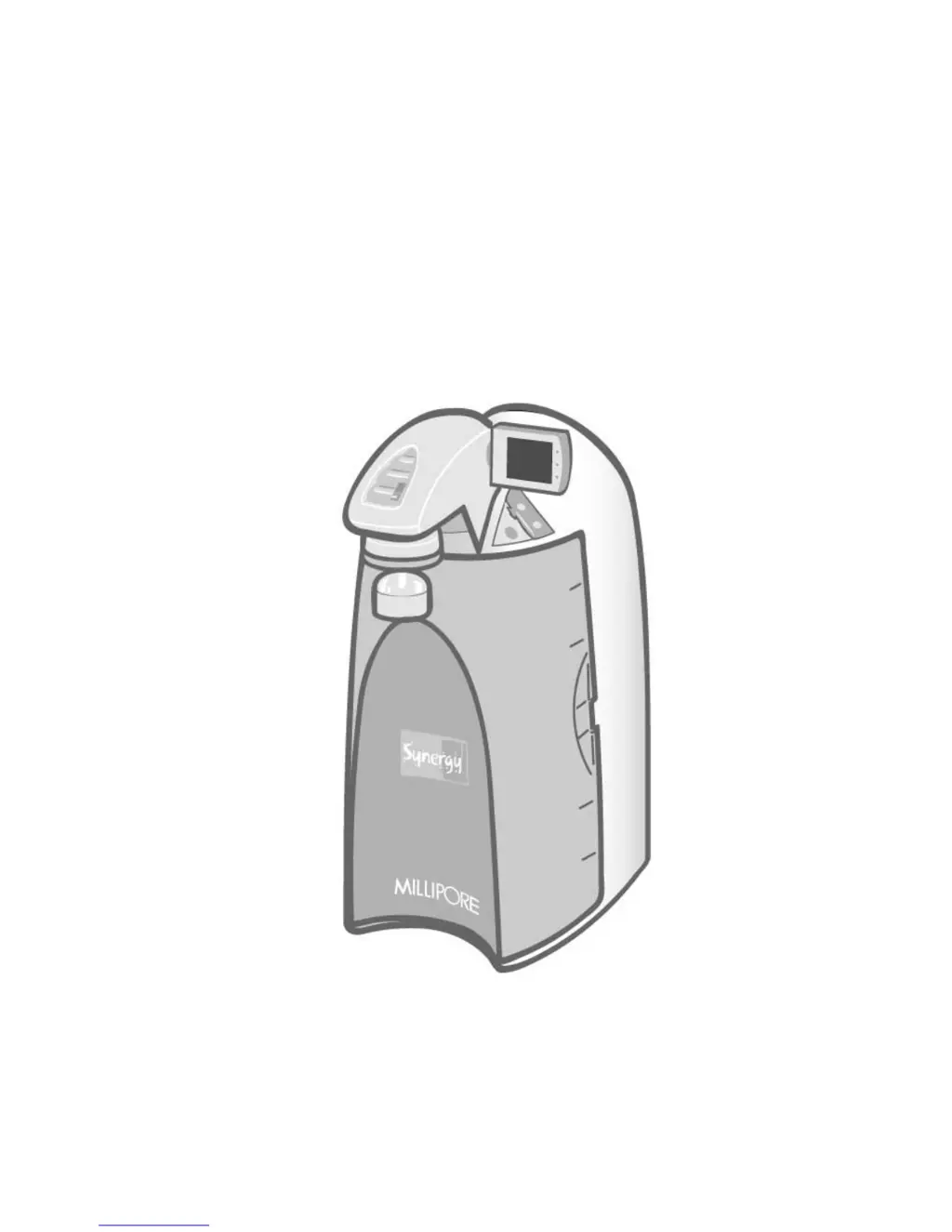
Millipore Synergy UV - User Manual

Millipore Synergy UV
49 pages
Print Icon
To Next Page IconTo Next Page
Loading...
S
S
Y
Y
N
N
E
E
R
R
G
G
Y
Y
®
®
S
S
Y
Y
N
N
E
E
R
R
G
G
Y
Y
U
U
V
V
U
U
S
S
E
E
R
R
M
M
A
A
N
N
U
U
A
A
L
L
M
M
I
I
L
L
L
L
I
I
P
P
O
O
R
R
E
E

Table of Contents

Questions and Answers

  • J
    James BuchananAug 4, 2025
    What to do if the UV lamp alarm is displayed on my Millipore Water Filtration System?
    • J
      jeffrey40Aug 4, 2025
      If the red UV Lamp Alarm is still displayed on your Millipore Water Filtration System, power OFF the system and reinstall the UV Lamp. If the alarm persists, contact Millipore for assistance.
  • S
    sandraschmidtAug 9, 2025
    How to fix the UV system on my Millipore Water Filtration System?
    • N
      Nathan BrownAug 9, 2025
      If you are experiencing issues with the UV system on your Millipore Water Filtration System, it might be due to an exhausted UV timer, replace the UV Lamp. After installing a new UV lamp, reset the UV Timer.
  • S
    Stephen Robinson DDSAug 12, 2025
    Why is the display screen blank on my Millipore Water Filtration System?
    • E
      Eric MontgomeryAug 12, 2025
      A blank display screen on your Millipore Water Filtration System can occur if the power cord isn't properly plugged in, so ensure it's connected. Another reason might be the absence of electrical power from the source. If the main power fuse is blown, it is recommended to contact Millipore for assistance.
  • D
    Donald LeeAug 17, 2025
    What to do if there is low or no water flow from my Millipore Water Filtration System?
    • H
      huntmartinAug 17, 2025
      If you're experiencing low or no water flow when pressing the dispensing button on your Millipore Water Filtration System, it could be due to an air-locked Millipak filter. Try venting all air from the Millipak filter. Alternatively, the final filter may be clogged, requiring a replacement.
  • Z
    Zachary Martinez DDSAug 21, 2025
    How to fix inaccurate auto-dispensing mode on Millipore Water Filtration Systems?
    • L
      Latoya FosterAug 21, 2025
      Inaccurate auto-dispensing mode on your Millipore Water Filtration System may be due to an uncalibrated product water flow rate; in this case, you should calibrate the product water flow rate. A clogged or airlocked final filter can also cause this issue, so try replacing the final filter.
  • E
    Elizabeth ParksAug 26, 2025
    What to do if the SynergyPak is not installed correctly in my Millipore Water Filtration System?
    • W
      William DeanAug 26, 2025
      If the SynergyPak is not installed correctly in your Millipore Water Filtration System, reinstall it. If the red Pack Alarm is still displayed after reinstallation, contact Millipore for further assistance.
  • N
    Natalie GrahamAug 29, 2025
    Why isn't the last resistivity value displayed on my Millipore Water Filtration System?
    • D
      Daniel HuntAug 30, 2025
      If the last product resistivity value isn't displayed when pressing the '-' button in PRE OPERATE mode on your Millipore Water Filtration System, it could be because a measurement wasn't taken during dispensing or recirculation. Manually dispense or recirculate water to initiate a product resistivity reading. It may also be that the value is out of measurement range.

Summary

Chapter 1 INTRODUCTION

1-2 SAFETY INFORMATION

Outlines crucial safety precautions and warnings for operating the Synergy system.

Chapter 2 PRODUCT INFORMATION

2-4 OPERATING PRINCIPLE

Explains the operational process of the Synergy Water Purification System.

Chapter 3 PRE INSTALLATION

3-1 INSTALLATION REQUIREMENTS

Covers feedwater, connection, and environmental requirements for installation.

Chapter 4 INSTALLATION

4-3 CONNECTION OF THE POWER CORD - TURNING ON THE SYSTEM POWER

Guide for connecting the power cord and initiating system power-up.

4-9 HOW TO CALIBRATE THE FLOWRATE FROM THE SYNERGY (F02)

Guide on calibrating the product water flowrate using a graduated cylinder.

Chapter 5 USING THE SYNERGY

5-6 HOW TO UNDERSTAND SYNERGY MESSAGES

Guide to interpreting system messages and alarms like Pack Alarm and UV Lamp Alarm.

Chapter 6 MAINTENANCE

6-1 MAINTENANCE SCHEDULE

Provides a schedule for routine maintenance tasks for the Synergy system.

6-2 HOW TO REPLACE THE SYNERGYPAK

Step-by-step instructions for removing and installing a new SynergyPak.

6-3 HOW TO REPLACE THE FINAL FILTER

Procedure for replacing the final filter on the Synergy system.

6-5 HOW TO REPLACE THE UV LAMP (UV SYSTEM ONLY)

Guide for replacing the UV lamp in the Synergy UV system.

6-6 HOW TO VIEW OR RESET THE UV LAMP TIMER (C03)

Instructions for viewing and resetting the UV lamp timer.

Chapter 7 TROUBLESHOOTING

TROUBLESHOOTING

Lists common problems, their possible causes, and recommended solutions for the Synergy system.

Millipore Synergy UV Specifications

General IconGeneral
Resistivity18.2 MΩ·cm at 25°C
TOC<5 ppb
Bacteria< 1 CFU/mL
Pyrogens (Endotoxins)<0.001 EU/mL
UV LampYes
Flow RateUp to 2 L/min
Power Supply100-240 V, 50/60 Hz
Particles<1 particles/mL (>0.2 µm)
UV Lamp TypeDual wavelength (185 nm and 254 nm)
Inlet/Outlet Connections1/4 inch tubing
WeightVaries depending on configuration
CertificationsCE

Related product manuals