Pellerin Milnor Corporation 29
2.3.3.6.2.1 How to Modulate Water Valves to Regulate Incoming Water Temperature
BNCJUP03.C14 0000191934 C.2 D.2 A.8 1/2/20 1:16 PM Released
When programming a thermo-modulated temperature for a bath using both hot and cold water
valves, the relationship between the desired temperature and the temperature of a split fill (hot
and cold valves open simultaneously) is important.
If the desired temperature is hotter than the normal split temperature, a faster, more accurate fill
with a more constant temperature is achieved by programming the hot water valve open (H=1)
and the cold water valve to open only to lower the fill temperature (C=3).
If the desired temperature is colder than the normal split temperature, similar results can be
achieved by programming the hot water valve to open only to raise the fill temperature (H=2) and
the cold water valve to remain open constantly (C=1).
2.3.3.6.3 How to Use Cooldown
BNCJUP03.C15 0000191953 C.2 D.2 C.4 1/2/20 1:16 PM Released
A cooldown bath is used to gradually lower the temperature of goods (usually synthetics and
blended fabrics) to reduce the chance of setting wrinkles. When a cooldown is programmed, the
drain type for the previous bath step is automatically changed to Do Not Drain, so the goods are
not cooled too quickly by coming in direct contact with the incoming cooldown water.
These items are required before the controller will allow you to program a cooldown step:
1. The machine must be equipped with a separate cooldown water valve. This valve and its as-
sociated piping reduces the flow of cold water into the machine so the temperature falls
gradually.
2. The machine must be configured for temperature control (Temp Control = YES). Detailed
configure instructions are provided elsewhere in the manual. See the table of contents.
3. The machine must be configured for cooldown (Cooldown Error = 1, 2, or 3).
4. The bath step with the high temperature must immediately precede the cooldown step, and it
must have a temperature programmed in degrees (for example, 180 degrees Fahrenheit). Fail-
ure to program a temperature in the bath preceding a cooldown results in an error message.
Display or Action Explanation
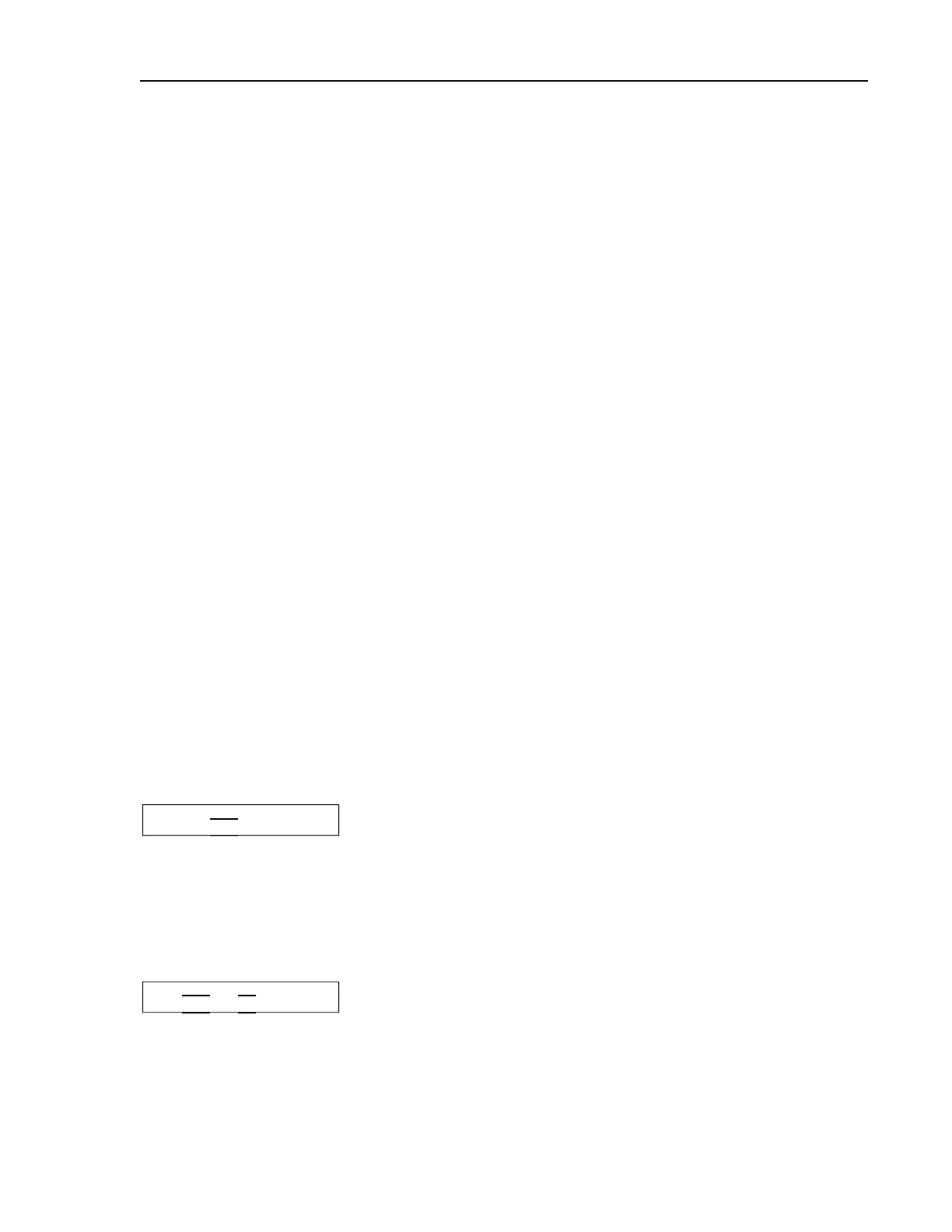
03 TMMQFFFHC LSCWSS*
03 205018010 140----
This is a typical step preceding a cooldown step. Note that a spe-
cific temperature is programmed (shown underlined).
A cooldown is programmed as a separate bath step following the bath in which the cooldown is
desired. In the cooldown step, command a desired cooldown temperature with all water valves
programmed off (0). The E-P Plus control automatically inserts a no drain in the previous bath
and 010 in MMQ for the cooldown step, for a step time of 1:00.
Display or Action Explanation
03 TMMQFFFHC LSCWSS*
04 201010000 -------
This is a typical cooldown step. Note that all configured water
valves are programmed off. The programmed step time for a cool-
down will always be changed to one minute (MMQ = 010). Any
valid bath step type may be used here (T = 1, 2, or 3)
Programming


 To Next Page