46
Pellerin Milnor Corporation
This procedure replaces field-modified wash formulas with the standard formulas provided
by Milnor
®
.
• YES: Continue to step 3
• NO: Skip to 1.: step 1, Part C, page 46
3. Enable Program menu
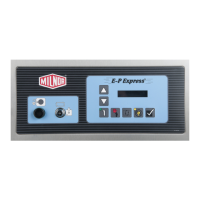
Turn the Run/Program keyswitch to set the controller to the Program mode.
4. Select and Enable Standard Formulas
Scroll to Standard Formulas (item 3 of the Program Menu), then confirm the selection.
5. Clear formulas 11 - 30?
Do you want to keep or clear formulas 11 through 30?
• YES: Continue to step 6
• NO: Skip to 1.: step 1, Part B, page 46
6. Select and Confirm Default 30 Formulas
Continue with this procedure to replace formulas 1 through 10 with the standard formulas and
erase formulas 11 through 30.
7. Standard formulas written to memory
The controller will pause for a few seconds while the standard formulas are written to the con-
troller memory.
8. Return to Run mode
When the display becomes active again, turn the Run/Program keyswitch to the Run
position.
9. End
2.3.5.2 Part B
BNCJUP02.T02 0000191349 C.2 D.2 A.5 1/2/20 1:16 PM Released
1. Abandon operation?
Abandon this operation to retain all current formulas.
• YES: Skip to 1.: step 1, Part C, page 46
• NO: Continue to step 2
2. Select and Confirm Default 10 Formulas
Continue with this procedure to replace formulas 1 through 10 with the standard formulas,
but keep all programmed formulas from 11 through 30.
3. Return to 7.: step 7, Part A., page 46
2.3.5.3 Part C
BNCJUP02.T04 0000191850 C.2 D.2 A.4 1/2/20 1:16 PM Released
1. Terminate process
Programming


 To Next Page