Pellerin Milnor Corporation 37
immediately following the bath step, the controller will change
the drain code from 4=Stop with drain to 0=Standard drain
speed.
5
Stop with fill and drain—The basket is held stationary during
both the fill and drain phases of this step. Basket rotation, as deter-
mined by the Type of step decision, begins only after the desired
level is achieved. This selection is not valid if the next step is an
extract. If a bath is programmed with this option, then an extract
is programmed immediately following the bath step, the controller
will change the drain code from 5=Stop with fill and drain to 3=
Stop with fill.
6
RinSave
®
—This selection is available only on certain machine
models with software WUV7J1B/2300K and later when config-
ured for RinSave
®
. Detailed configure instructions are provided
elsewhere in the manual. See the table of contents.
1. When the bath ends, the cylinder turns clockwise at wash
speed for 8 seconds.
2. While the drain is closed, the cylinder accelerates to standard
drain speed for 4 seconds.
3. The drain opens, and the cylinder turns at standard drain speed
for a time determined by the configured machine size.
4. The cylinder accelerates to RinSave
®
speed for the remainder
of the drain sequence.
5. If the next step is an extract, the cylinder accelerates to the
programmed speed. If the next step is a bath, the cylinder de-
celerates to a stop.
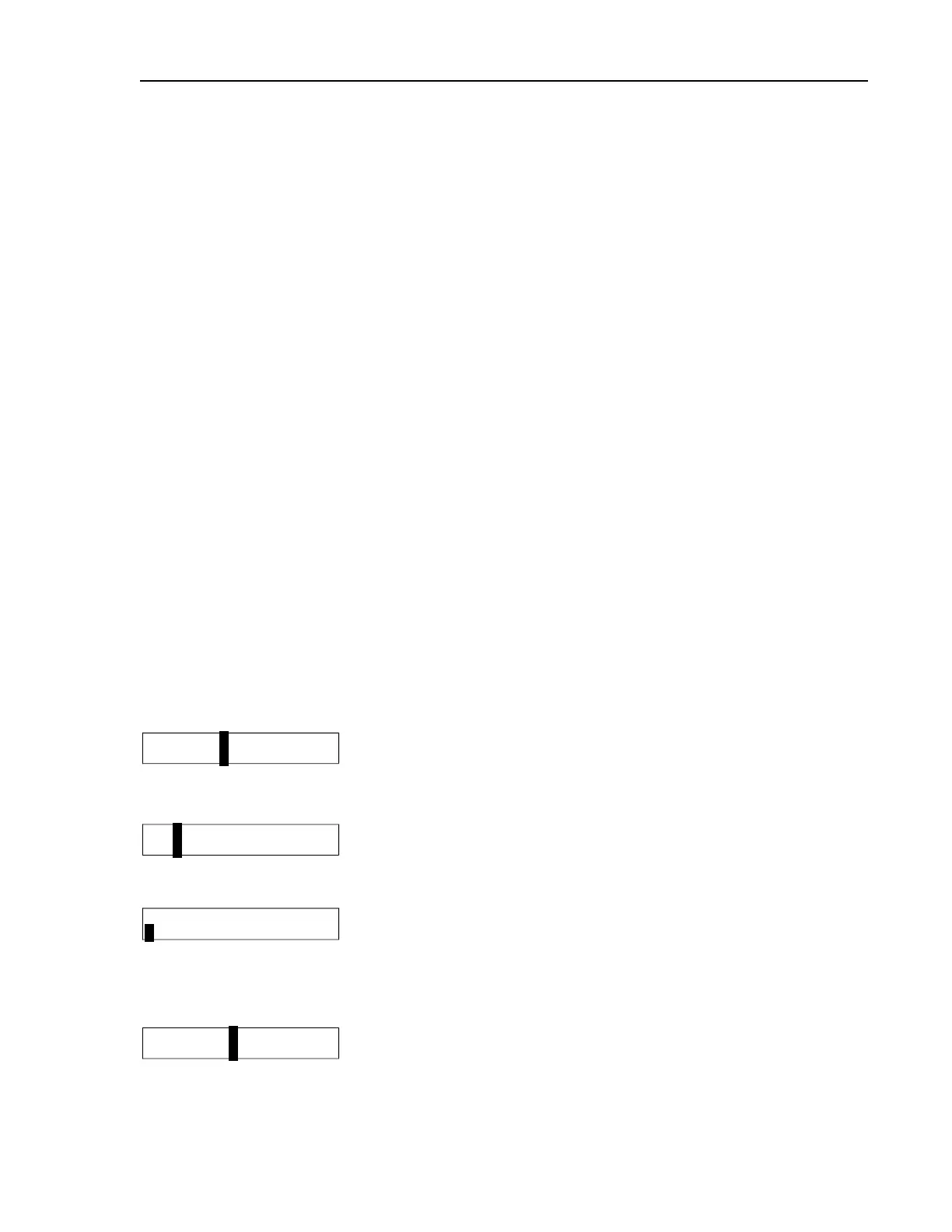
03 SPD DRE
01 X
If the machine is equipped and configured for a second drain, se-
lect the drain destination for this step.
0
Drain to sewer
1
Drain to reuse
03 TMMQFFFHC LSCWSS*
02 x
The cursor returns to this display to program the next step unless
the step just programmed is the last step of a formula or if the
number of steps exceeds 50, in which case the cursor advances to
decision E
END FORMULA #03
0 NO
Appears if T=0 in previous display and this is not the last avail-
able step in this formula.
0
No. Aborts the previous T=0 selection. Display returns to the T
(type of step) decision.
1
Yes. Accepts that the formula ends here.
03 SPD D E
02 x
Determine how this formula should end.
Programming


 To Next Page