6.4. DESCRIPTION OF PRODUCT PARAMETERS
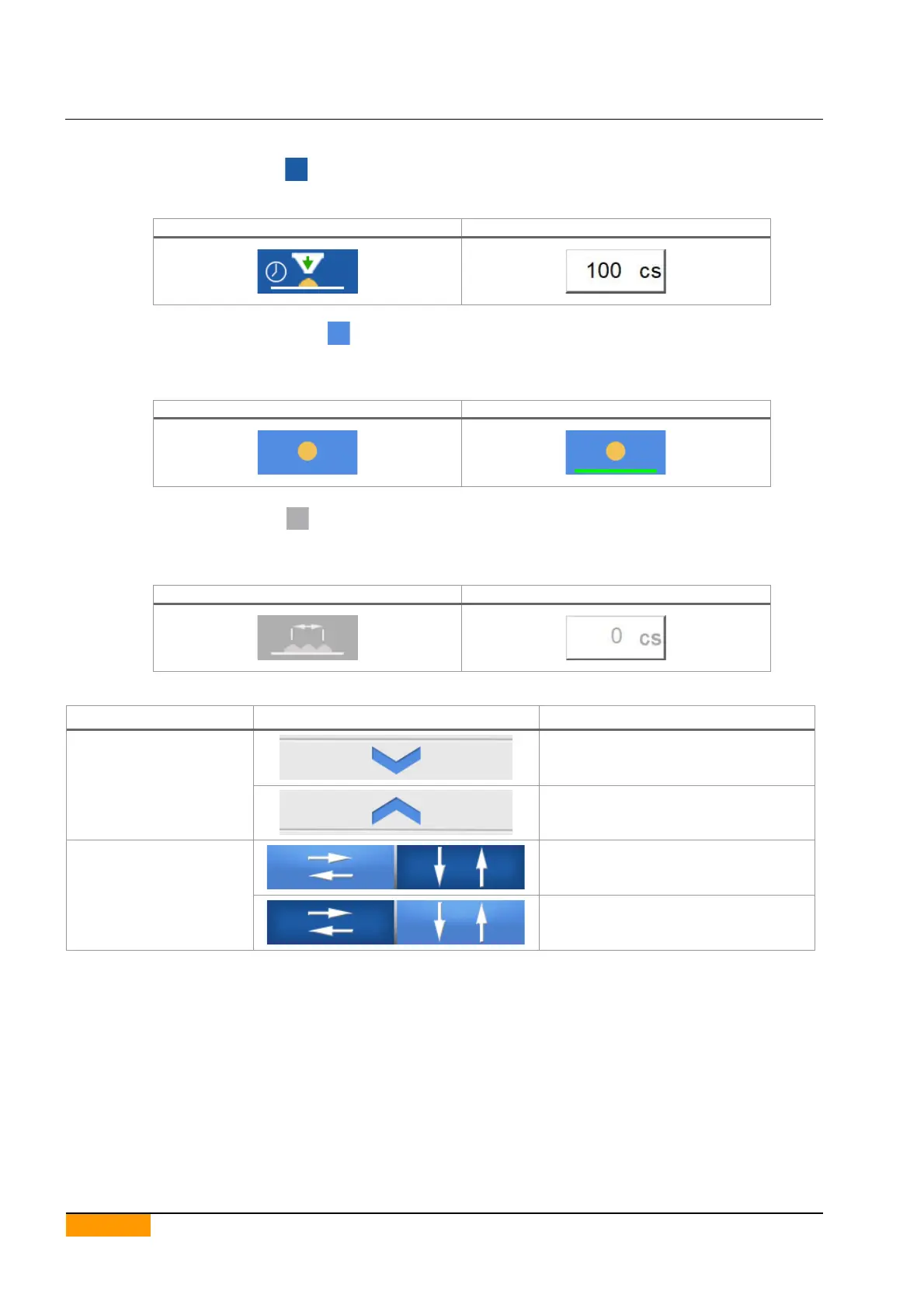
The keys with a blue background are merely descriptive, and indicate what value needs to be entered in the area
placed to their right.
Area where entering the parameter value
The keys with a pale blue background function as selectors and can also have the function of describing the
parameter.
When the key is selected, a green line appears at the bottom of the key itself.
The keys with a grey background and grey text in the area where the value has to be entered are disabled
For information concerning the necessary conditions for enabling these specific parameters please refer to the
description of the parameters themselves.
Disabled parameter value entering
Pressing this key one moves to the
next parameters page
Pressing this key one moves to the
previous parameters page.
Keys for viewing the
feed and lifting
parameters.
Pressing the horizontal arrows, one
moves to the feed menu.
Pressing the vertical arrows, one
moves to the lifting menu.


 To Next Page