
 Need help?
Do you have a question about the MIMAC MAXIDROP TWIST and is the answer not in the manual?
Defines the manual's objective for correct and safe machine use and operation.
Stresses the necessity of reading and understanding the manual before operating the machine.
Lists the specific roles and personnel intended to read this manual.
Provides contact information for MIMAC ITALIA S.R.L., including address and email.
Details the 12-month guarantee, its coverage, exclusions, and conditions of validity.
States MIMAC ITALIA's ownership of the implemented software and the user's license.
Instructions for checking machine condition upon arrival and reporting any damage or missing parts.
Safety precautions and methods for lifting and handling the machine to prevent accidents.
Outlines authorized use, prohibitions, and liabilities for unauthorized modifications or misuse of the machine.
Mandatory clothing and personal protective equipment requirements for operators in a food production environment.
General safety principles, emergency stop usage, and precautions against tampering with safety devices.
Explains the meaning of various safety pictograms used throughout the manual for hazard identification.
Describes fixed guards and the procedure for their removal for maintenance operations.
Explains movable guards connected to safety micro-switches or photocells for automatic stopping.
Identifies potential residual risks, such as hand crushing, that may remain during operation or maintenance.
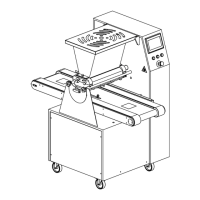
Provides an overview of the dropping machine's flexibility and capabilities in producing various pastries.
Explains the information contained on the machine's identification plate.
Lists key technical specifications including dimensions, weight, capacity, and power requirements.
Identifies and describes the primary functional components of the machine.
Defines the distinct operational zones for the machine operator during use.
Displays examples of the various types of products that can be produced by the machine.
Guidelines for correct machine placement, ensuring adequate space for operation and maintenance.
Instructions and responsibilities for safe electrical connection, including power supply and earthing systems.
Provides an overview of the machine's main control interface and its functions.
Explains the navigation, features, and operation of the machine's touch screen interface.
Step-by-step guide for correctly installing the roller type dosing unit into the machine.
Guide for assembling and adjusting the wire cutting system for dough cutting.
Instructions on how to select and manage operational programs on the machine's interface.
Steps for creating new programs and editing existing ones for product recipes.
Explains the various product parameters, their icons, and how to enter values.
Continues detailing dosage parameters like vacuum, pre-vacuum pause, and settings for multilayer products.
Further dosage parameters covering multi-step products, drop shape settings, and minimum dropping speed.
Continues parameters for nozzle rotation in multilayer and double rotated products, including tray advancement.
Parameters for managing tray movement, number of rows, tray length, and travel speed.
Step-by-step guide to backing up programs and machine data onto a USB flash drive.
Step-by-step guide to restoring programs and machine data from a USB flash drive.
Instructions for properly loading dough into the machine's hopper for processing.
Steps to pressurize the dough for accurate dosage before starting each production cycle.
Icons related to the manual control of the dosing unit's operations.
Icons used for manual control of the nozzle rotation mechanism.
Icons used for manual control of the tray advance and conveyor movement.
Procedures and critical warnings regarding emergency stopping and safe restarting of the machine.
Instructions on accessing and managing the machine's operational parameters.
Procedure for changing the display language on the machine's touchscreen interface.
Detailed explanation of various machine parameters and their respective functions.
Explains the function of PLC inputs and outputs for system status monitoring.
Shows the status and inverter management details for the dosing motor.
Shows the status and inverter management details for the lifting motor.
Shows the status and inverter management details for the wire-cutting motor.
Specific instructions for resetting the table overtravel alarm condition.
General guidelines and essential precautions for cleaning the machine and its components.
Specific requirements for maintaining food hygiene standards during cleaning processes.
Cleaning procedures for parts of the machine that do not directly contact food products.
Steps for disassembling and thoroughly cleaning rotary moulds.
General principles and essential safety precautions for performing maintenance operations.
Identifies machine parts that are subject to mechanical wear over time.
Describes routine maintenance tasks that can typically be performed by operators.
Outlines special maintenance procedures that require the intervention of trained technicians.
 General
| Category | Industrial Equipment |
|---|---|
| Manufacturer | MIMAC |
| Model | MAXIDROP TWIST |
| Power Supply | 50Hz |
| Control System | PLC |
| Automation Level | Automatic |

 To Next Page