USE AND MAINTENANCE MANUAL
7.2. DIAGNOSTICS SCREEN
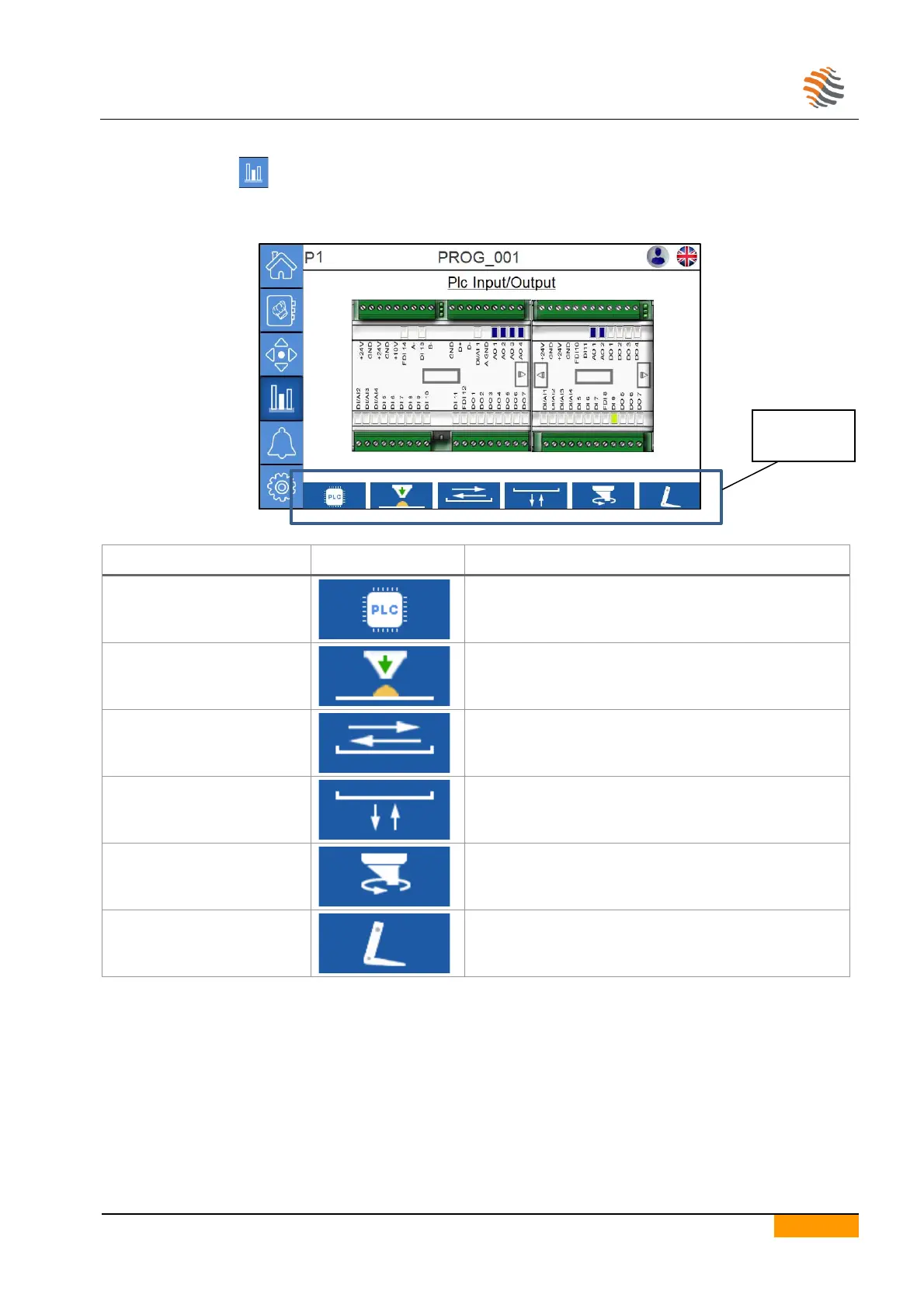
Pressing on the icon one can access the technical visualization page.
This page shows the status of inputs and outputs of the line’s control electronics.
Please refer to the wiring diagram.
Pressing the icon, you will go to the plc inputs and
outputs diagnostic page.
Pressing the icon, you will go to the dosing inverter
diagnostic page.
Pressing the icon, you will go to the diagnostic page of
the advancement motor drive.
Pressing the icon, you will go to the lifting inverter
diagnostic page.
Pressing the icon, you will go to the diagnostic page of
the nozzles’ rotation motor drive.
Pressing the icon, you will go to the wire-cutting inverter
diagnostic page.


 To Next Page