9
8 Installation of cradle
Note: If any of the below operation is incorrect, turn off the power immediately and check
the scanner for any improper connections. Go through all steps again.
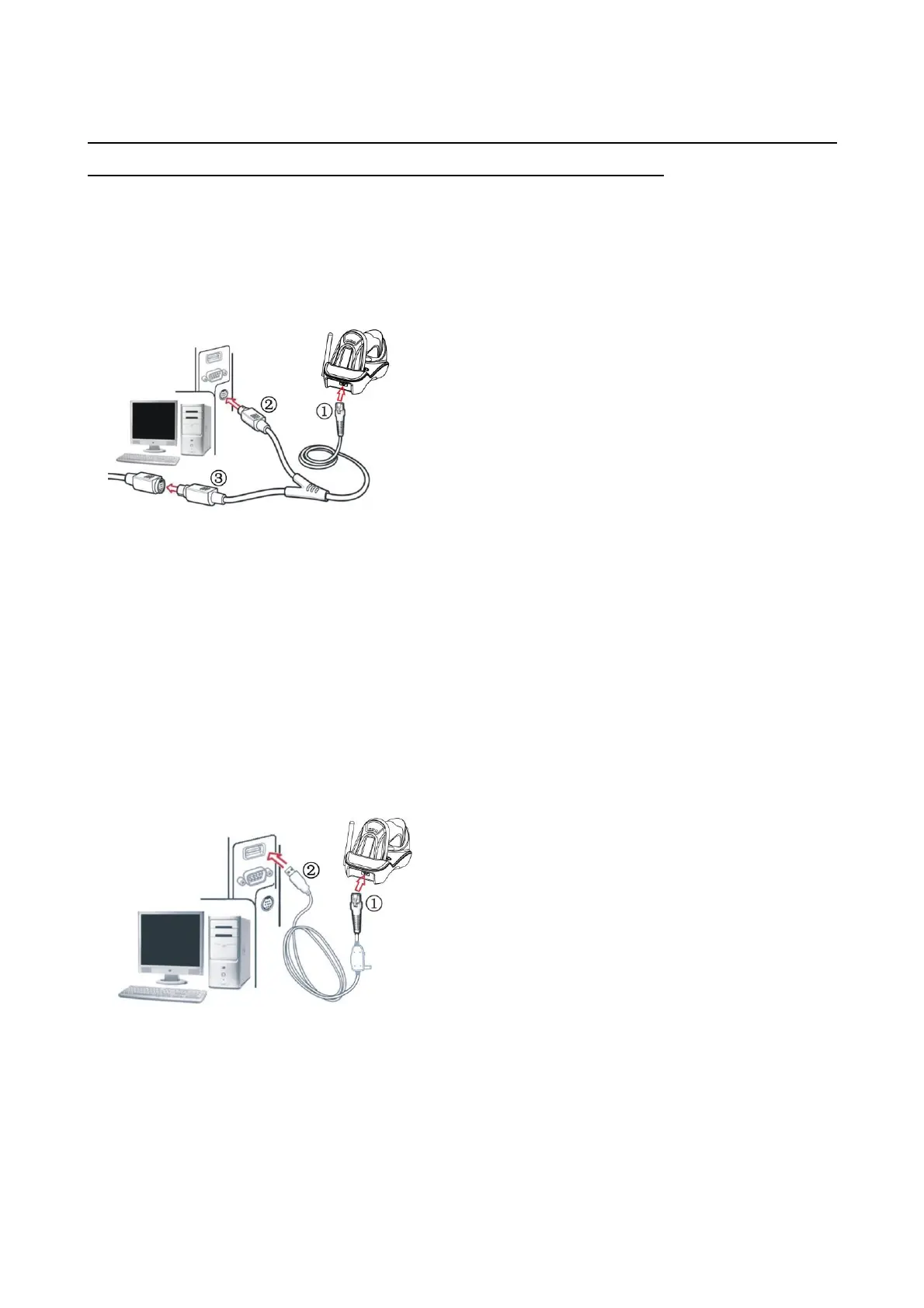
With PS/2 keyboard cable
Plug one end of the PS/2 keyboard cable to the cradle, one end to PS2 port on PC, and one end to the
keyboard.
With USB cable
1. Plug one end of the USB cable to the cradle. Plug the other end into the USB port of the computer.
2. Windows gives message on “new hardware found – USB HID input device found”, then driver will be
installed on request.
3. After successfully installing the new hardware, message will be given: “hardware installed
successfully and ready to use”.
4. If any problem encounters during the installation process, please unplug the USB cable from the
computer and repeat step 1-3.



 To Next Page