28
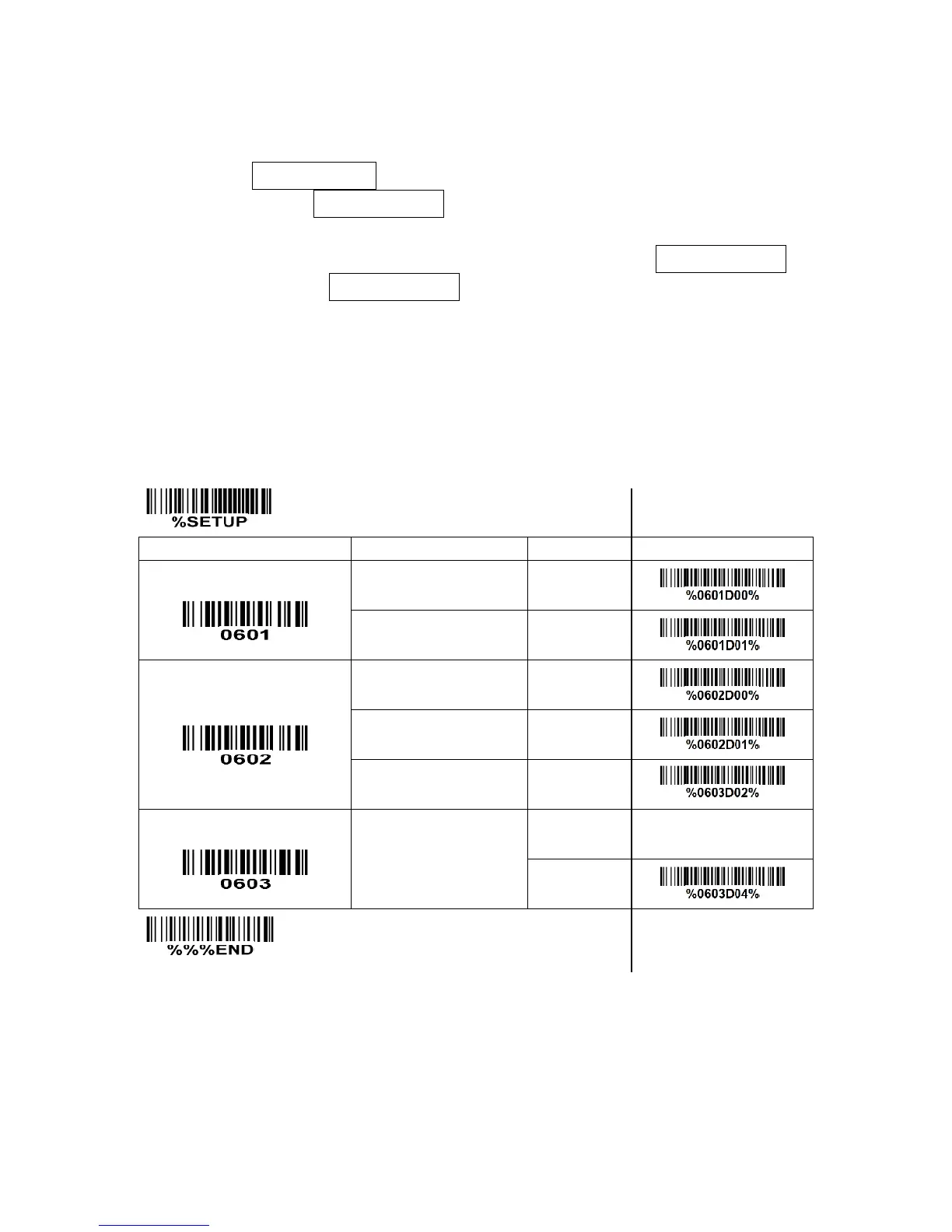
3-9 Auto-detection setting
Auto-detect sensor: By setting Enable, the scanner will start operating if any nearby object has been
detected. The laser light of scanner stops scanning when there is a successful reading or no code is
decoded after the Stand-by duration elapsed. Once the laser light stops scanning, the present object
must be removed to enable Auto-detect sensor.
Operating mode:
In-stand-auto-detection- The scanner must be placed in the stand to enable Auto-detect sensor.
Auto-detection-always-ON- Auto-detect sensor is always enabled regardless of the placement of the
scanner.
In-stand-continue- The scanner must be placed in the stand to enable the scanning mode to be set as
continue.



 To Next Page