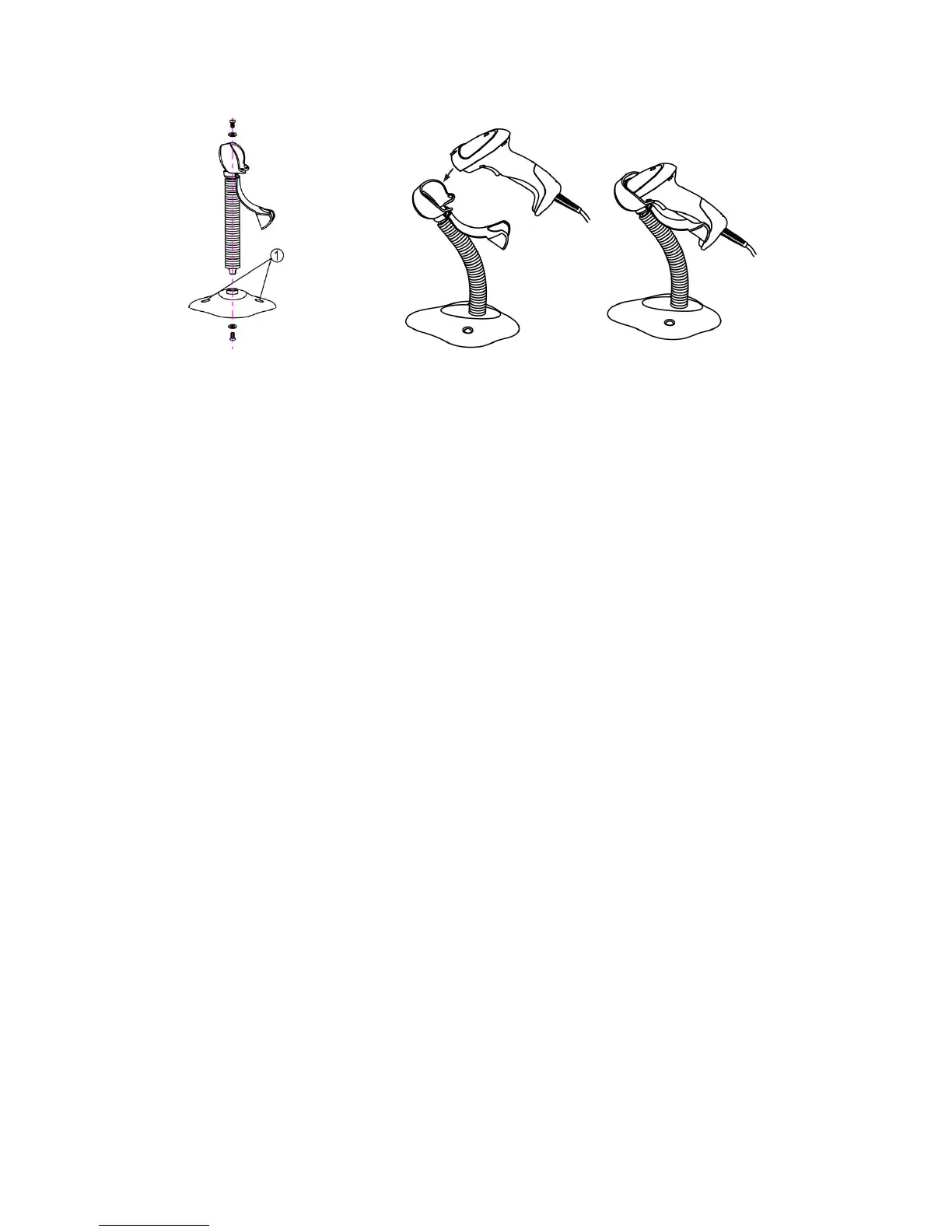
1. See the figure above, tighten the screws.
2. Bend the neck to the desired position for scanning.
3. Screw mounting: Screw one #10 wood screw into each screw-mount-hole until the base of the stand
is secured.
4. Tape mounting: ①Peel the paper liner off one side of each piece of tape and place the sticky
surface over each of the three rectangular tape holders. ②Peel the paper liner off the exposed sides
of each piece of tape and press the stand on a flat surface until it is secure.



 To Next Page