Structure and Assembly/Disassembly 9-29
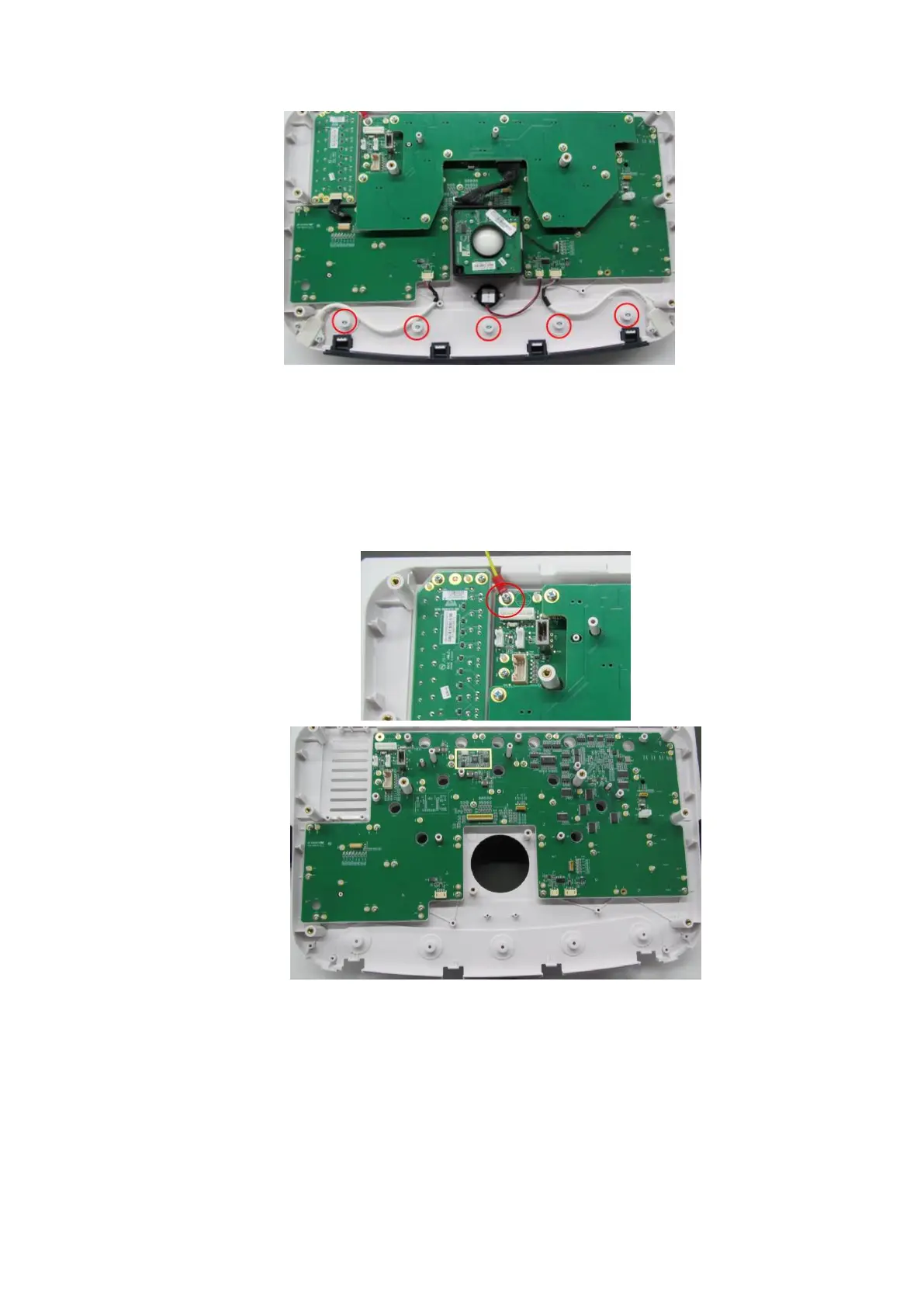
9.3.15.7 Upper Cover of the Keyboard and Control Panel Board
The disassembly tool: cross-headed screwdriver (M3, M4), anti-electrostatic glove
1. Remove the encoder assembly, trackball assembly, TGC board and the buzzer.
2. Unscrew M3 X 8 SEMS screw from the grounding cable. Remove the upper cover of the
keyboard and the control panel board.
9.3.15.8 Touchscreen Assembly
The disassembly tool: cross-headed screwdriver (M3, M4).
1. Unscrew four M4 X 12 SEMS screws from the touchscreen to remove it.



 To Next Page
 Loading...




