- 11 -
MINGDA TECHNOLOGY CO.,LTD
www.md-3d.com
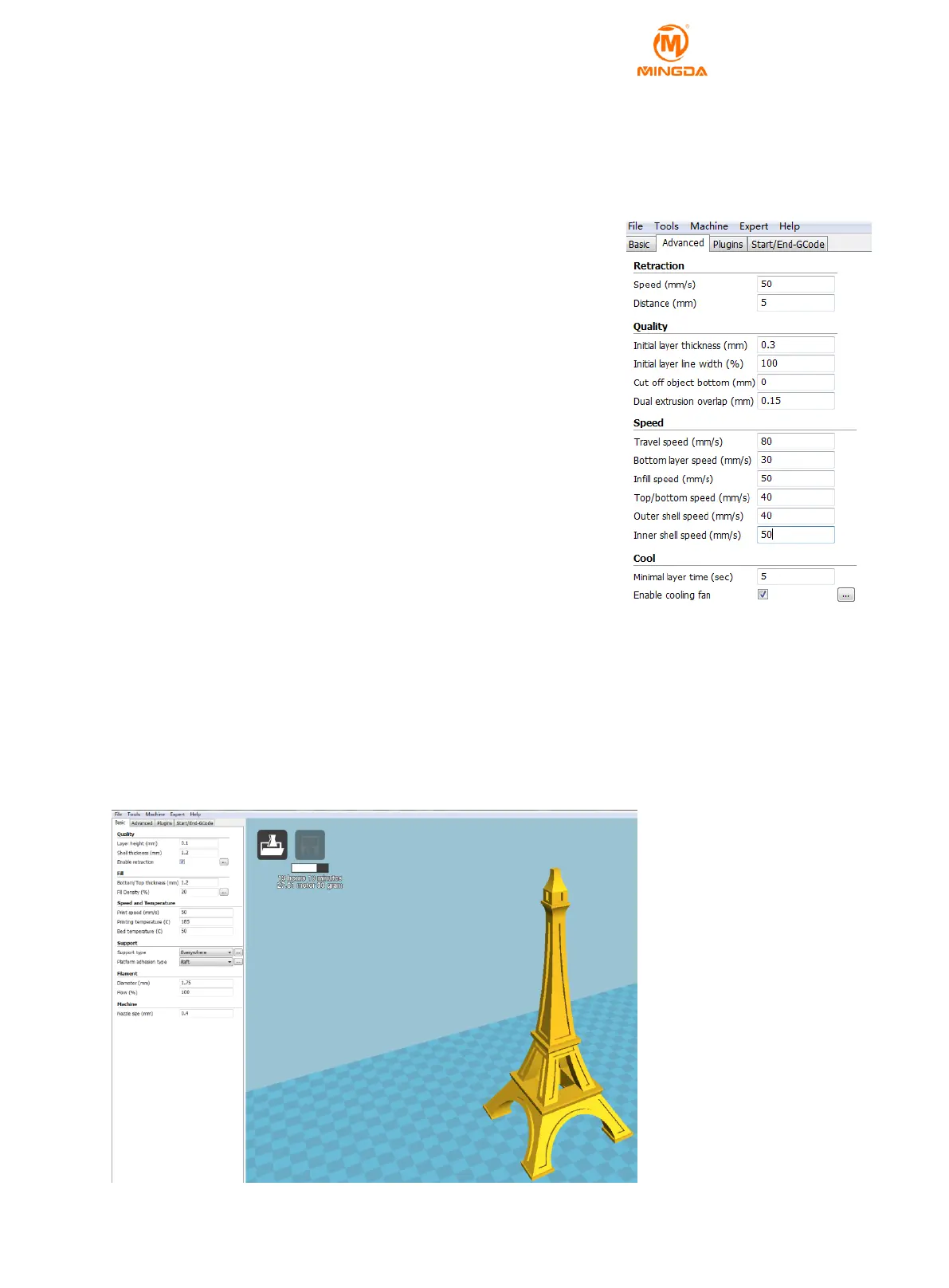
the model. Generally set to 5.
4) Initial Layer Thickness: refers to the thickness of the first layer printed. A slightly thicker first layer allows the
model to stick more firmly to the bed. The recommended default setting is 0.3.
5) Initial Layer Line Width: The recommended default setting is 100.
6) Cut off Object Bottom: Cut the bottom of the model to a certain height to flatten the bottom of the uneven
model. Or cut off the height of the model that has already been printed,
which is convenient for stitching when continue to print from the breakpoint.
The default is 0.
7) Dual Extrusion Overlap: Double-nozzle printing, which makes the
double-head printing partially overlap, which allows two different colors to be
better combined.
8) Travel Speed: The speed of movement when not printing. The
recommended setting is 80.
9) Bottom Layer Speed: The first layer speed, recommend PLA setting 30,
ABS setting 20.
10) Infill speed: the speed of filling the model, Setting it to 0 will use the
global speed. A slightly faster speed can save the printing time. It is
recommended to set the PLA setting 50 and ABS setting 30.
11) Top/bottom speed: top and bottom print speed, the slower the print,
the stronger the model. Recommended PLA setting 40, ABS setting 30.
12) Outer Shell Speed: The speed of outer wall. A slightly slower speed
will make the outer wall of the model better. Note that too much difference
in speed between the outer and inner walls will affect the print quality of the
model. Recommended PLA setting 40, ABS setting 30.
13) Inner Shell Speed: The speed of inner wall. The inner wall is faster than the outer wall to save printing time.
Recommended PLA setting 50, ABS setting 30
14) Minimal Layer Time: Recommended setting is 5 seconds.
15) Enable Cooling Fan: speed up filament cooling, PLA check, ABS is not checked.
Open STL File with Cura
Click “File” –“Load model file”- double click stl format documents.



 To Next Page