User Manual
Models: SC40T, SC40TNF, SC60T, and SC60TNF
2023 Page 14
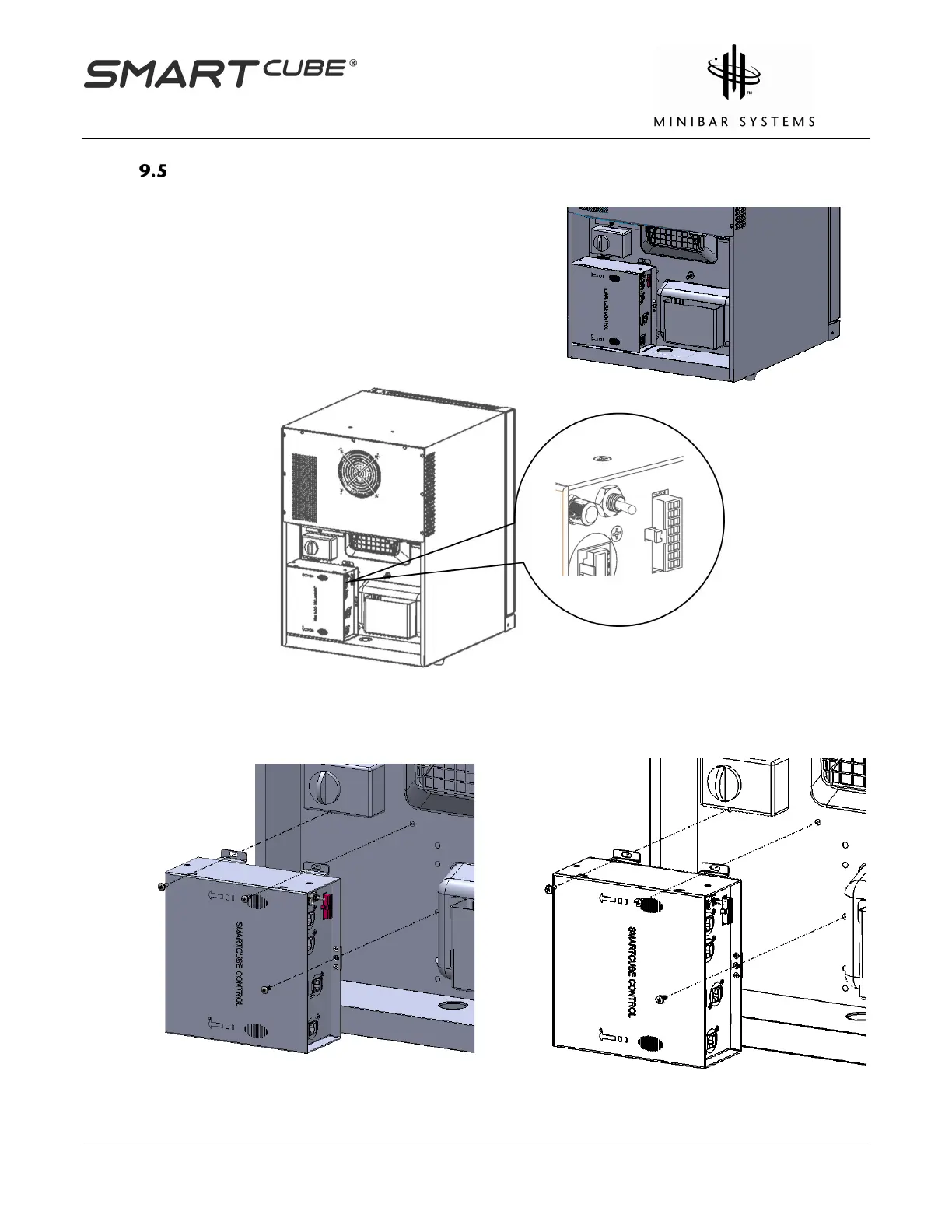
Console Box Replacement
Switch off the Console Box power supply unit and
then disconnect all cables from it.
Un-Screw the Console Box from the back of the
SmartCube by removing three Philips head



 To Next Page