User Manual
Models: SC40T, SC40TNF, SC60T, and SC60TNF
2023 Page 17
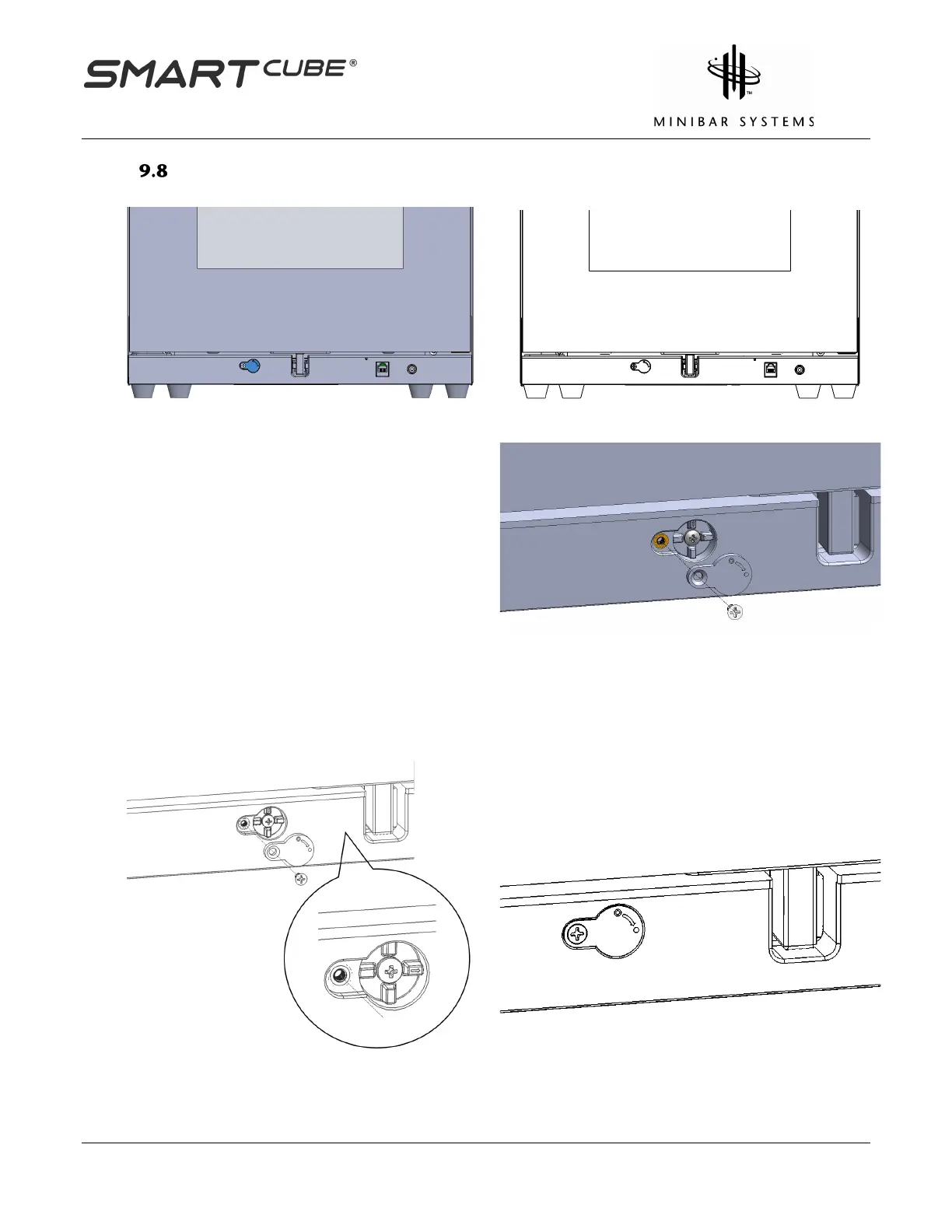
Lock Override Disabled (when electronics functions)
Press the override head down and rotate it by
90 derees in the counter clockwise direction to
release the locking bar to resume E-lock
function.
Screw the anti-tamper cover back ono the
SmartCubes lock override to prevent




 To Next Page