LDAC is an audio coding technology developed by Sony that enables the transmission of High-Resolution (Hi-Res) Audio
content, even over a Bluetooth connection. Unlike other Bluetooth compatible coding technologies such as SBC, it
operates without any down-conversion of the Hi-Res Audio content[^3], and allows approximately three times more
data[^4] than those other technologies to be transmitted over a Bluetooth wireless network with unprecedented sound
quality, by means of ecient coding and optimized packetization.
LDAC is supported on recent Android devices. If your device does not support LDAC, you can still pair it with the
miniDSPFlexEight, but Bluetooth audio will use a lower bitrate codec.
aptX™ HD is designed to deliver high denition (HD) audio over Bluetooth, to help you get the very most from your music.
Pairing your mobile device with the miniDSPFlexEight is essentially the same as pairing it with other Bluetooth audio
devices such as headphones or your car.
To put the miniDSPFlexEight into pairing mode:
1. Press the encoder button on the miniDSPFlexEight twice and rotate it until the display shows "Bluetooth."
2. Press and hold the encoder and the display will change to "BTPairing." The miniDSPFlexEight is now in pairing
mode.
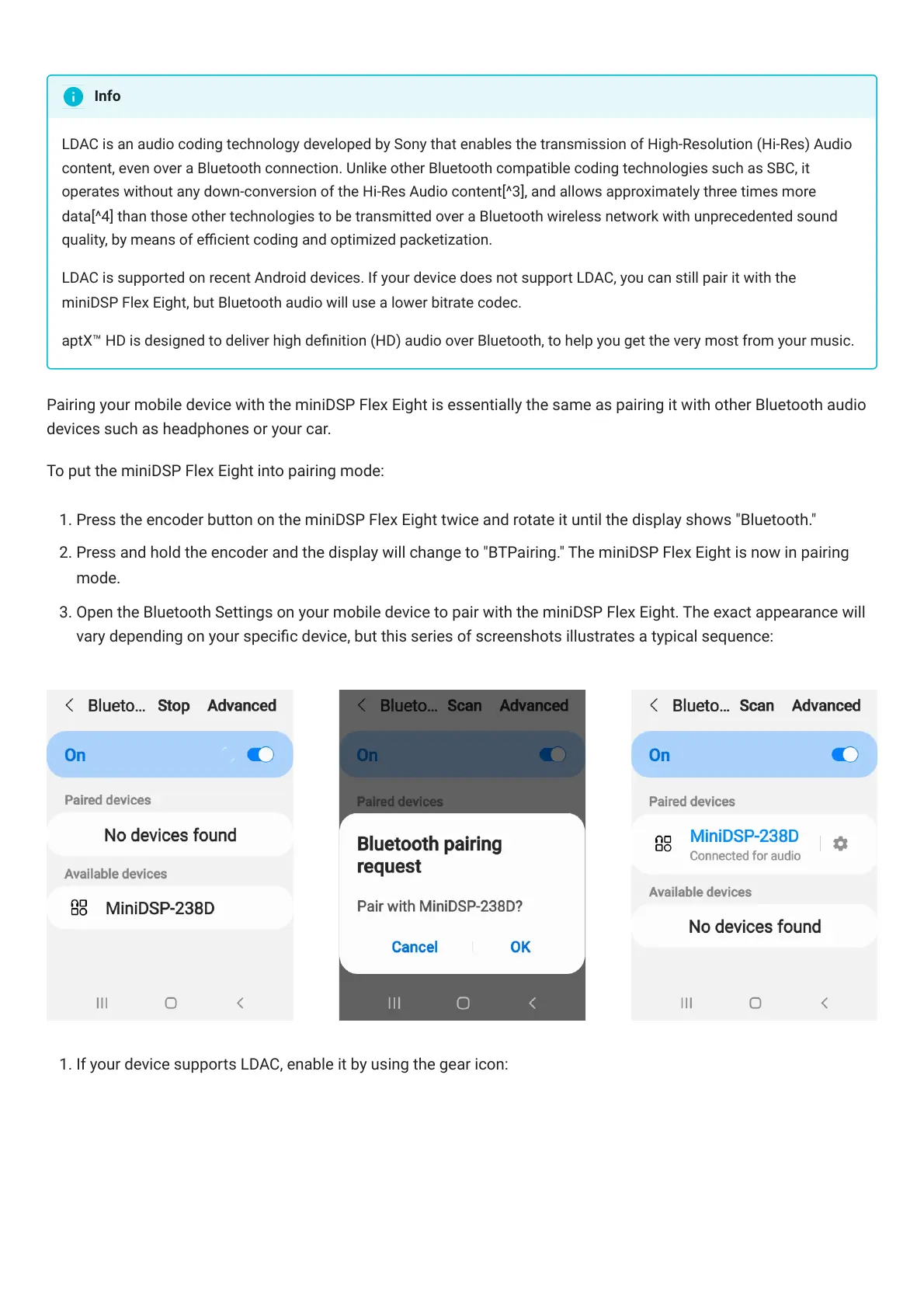
3. Open the Bluetooth Settings on your mobile device to pair with the miniDSPFlexEight. The exact appearance will
vary depending on your specic device, but this series of screenshots illustrates a typical sequence:
1. If your device supports LDAC, enable it by using the gear icon:
Info



 To Next Page