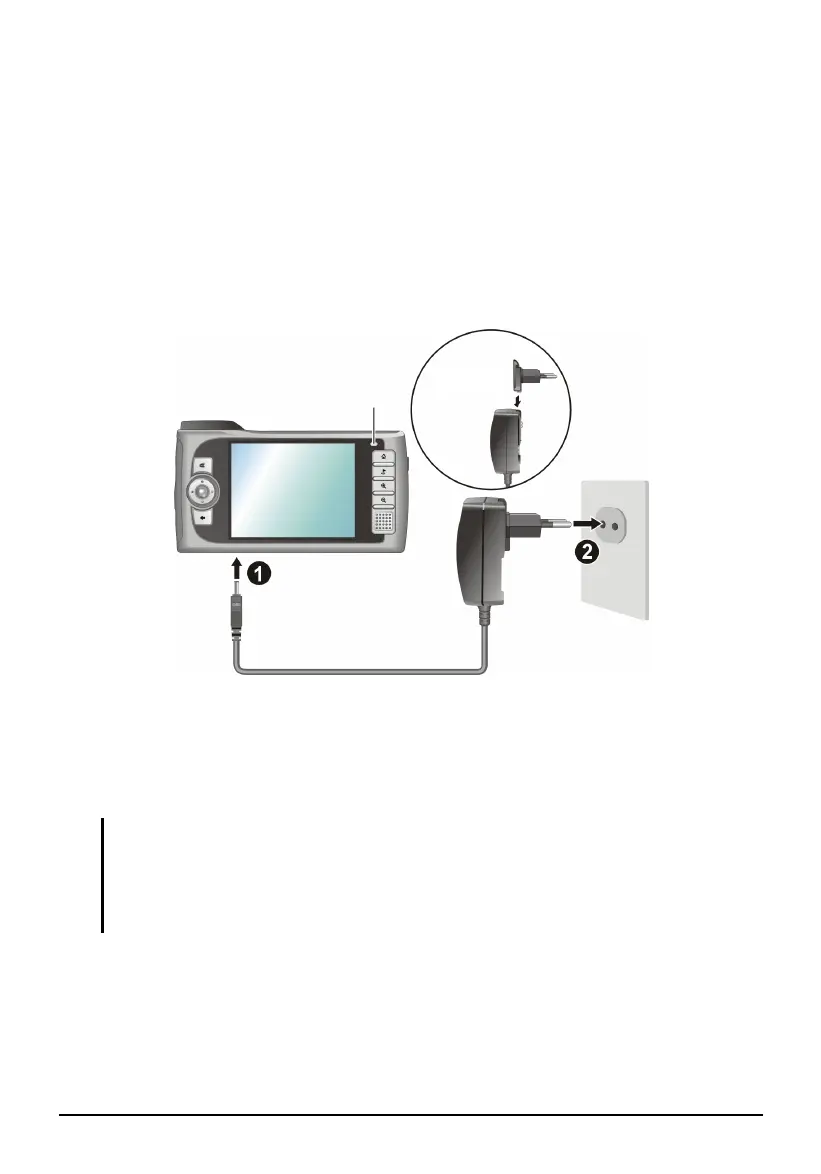
1.2 Connecting to AC Power and Charging the
Battery
Fully charge the battery before starting to use your device for the first time.
1. Plug the converter to the AC adapter.
2. Connect the DC end of the AC adapter to the bottom of your device. (X)
3. Plug the other end of the AC adapter into a wall outlet. (Y)
Converte
Charge Indicato
The charge indicator glows amber when charging is in progress. Do not
disconnect your device from AC power until the battery is fully charged, as
indicated by the amber indicator turning into green. This will take a couple of
hours.
NOTE:
When you connect the AC adapter to charge the battery after the battery power has
been fully depleted, wait for at least one minute before turning on the device.
Depending on your region of purchase, the converter may not look exactly the same as
the picture shown.
4



 To Next Page