3. Getting Started
MiR Fleet PC Getting Started (en) 08/2020 - v.1.4 ©Copyright 2019-2020: Mobile Industrial Robots A/S. 13
2. Sign in as: remote,
With the password: mirremote
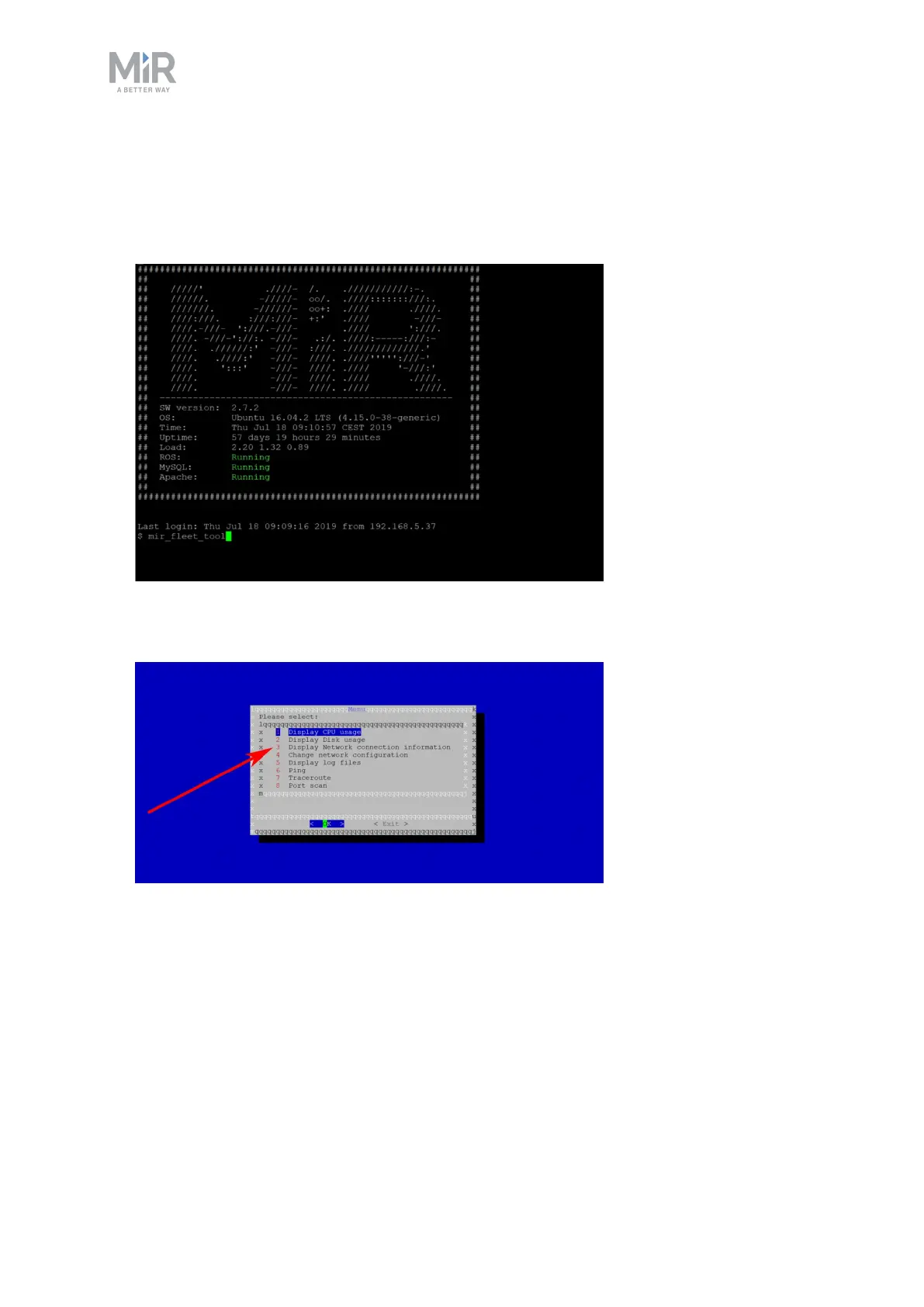
3. In the following frame, use the command:
mir_fleet_tool
4. A menu is displayed on a blue background. Choose Display Network connection
information to see your MiR Fleet’s IP address.



 To Next Page