4. Commissioning
MiR Fleet PC Getting Started (en) 08/2020 - v.1.4 ©Copyright 2019-2020: Mobile Industrial Robots A/S. 25
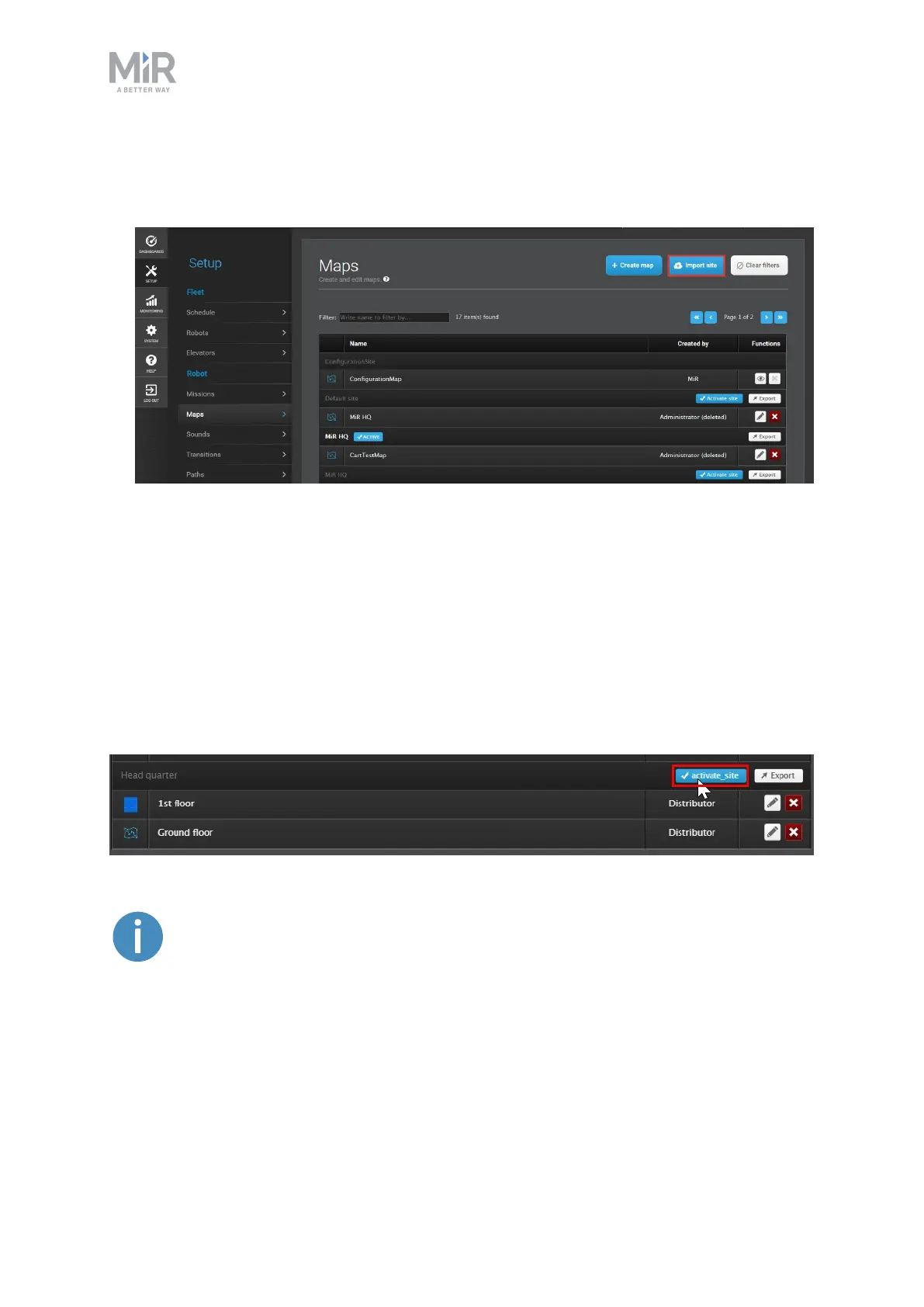
Follow these steps to import a site file:
1. Sign in to the MiR Fleet interface, go to Setup >Maps, and select Import site.
2. Browse through your files to locate the backup site file, and then select it.
3. Wait for the site to upload to MiR Fleet.
4.4 Activating a site
Even though all robot settings are synchronized, you must activate the site you want to use
for the fleet. In robot interfaces, you activate individual maps, but in MiR Fleet you must
activate a whole site. To do this, navigate to Setup > Maps, find the site you want to
activate, and select Activate site.
User group permissions apply to this action. You may need to sign in as a
higher level user to change this.



 To Next Page