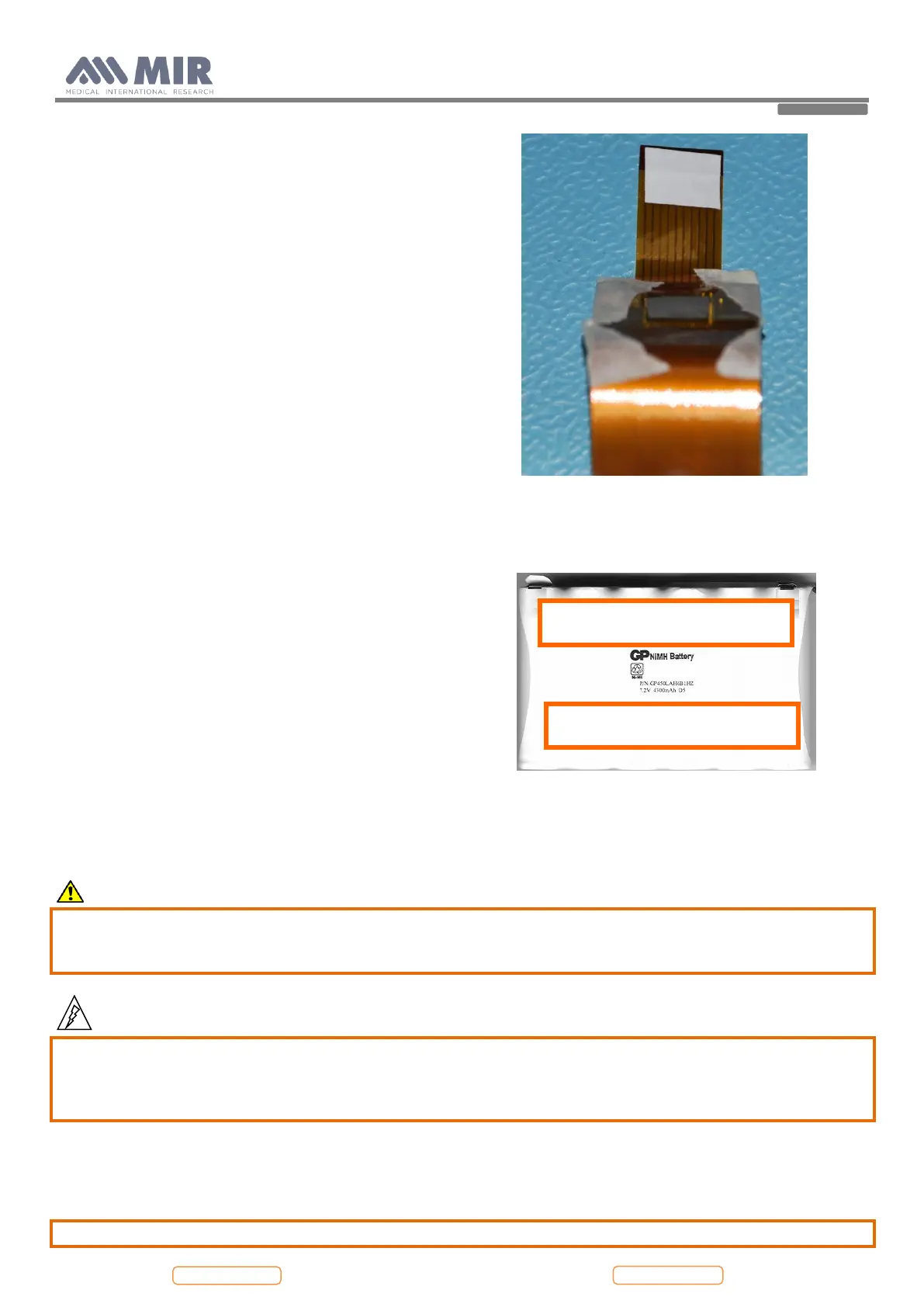
Apply a thick adhesive on the brown flat as in the image
below. It has the function to improve the seal when it is
inserted in the connector.
Connect the two flat cables of the display to the PCB.
At this time it is possible to close the device following the instruction described in point 4.2.1 in reverse order.
4.3.2. Removing and replacing the battery pack
Open Spirolab as described in Paragraph 4.2.1.
To correctly replace the battery pack completely remove
the PCB from the lower casing.
Open jumper JP1.
Unsolder the two connectors from the PCB on both sides.
Cut the plastic casing of the battery pack in order to
remove the battery elements. In this way it will be more
simple to remove the double sided tape which allows to
keep firmly the battery pack to the main board.
Replace the battery with a new one.
Apply the double sided tape as in the image alongside.
Insert the positive and then the negative pole in their proper place on the PCB. Place the battery pack so that the adhesive
tape is towards the PCB and press to firmly seal it to the PCB.
For a better hold it is recommended to also solder the other side of the PCB in order to provide more protection in case of
dropping or vibrations.
Caution
Insert the connector in the correct position all the way to the stop. Do not force the connector.
Place the cable of the battery bended as shown in the image above; the cable must be blocked between the
battery and the lower casing.
Warning
Handle battery pack with care. Contact between battery poles with the circuit board can cause permanent
damage to the circuit board itself.
During soldering operations avoid any contact whatsoever between battery poles and components of the circuit
board.
Before to close the device keep in mind to close the jumper JP1.
Close the device as described in point 4.2.1.
Note
Batteries must be disposed of properly, according to the local regulations.


 To Next Page