18 Mitel 622 DECT Phone
eud-1720/1.0 – R3.0 – 08.2015
Operating and display elements
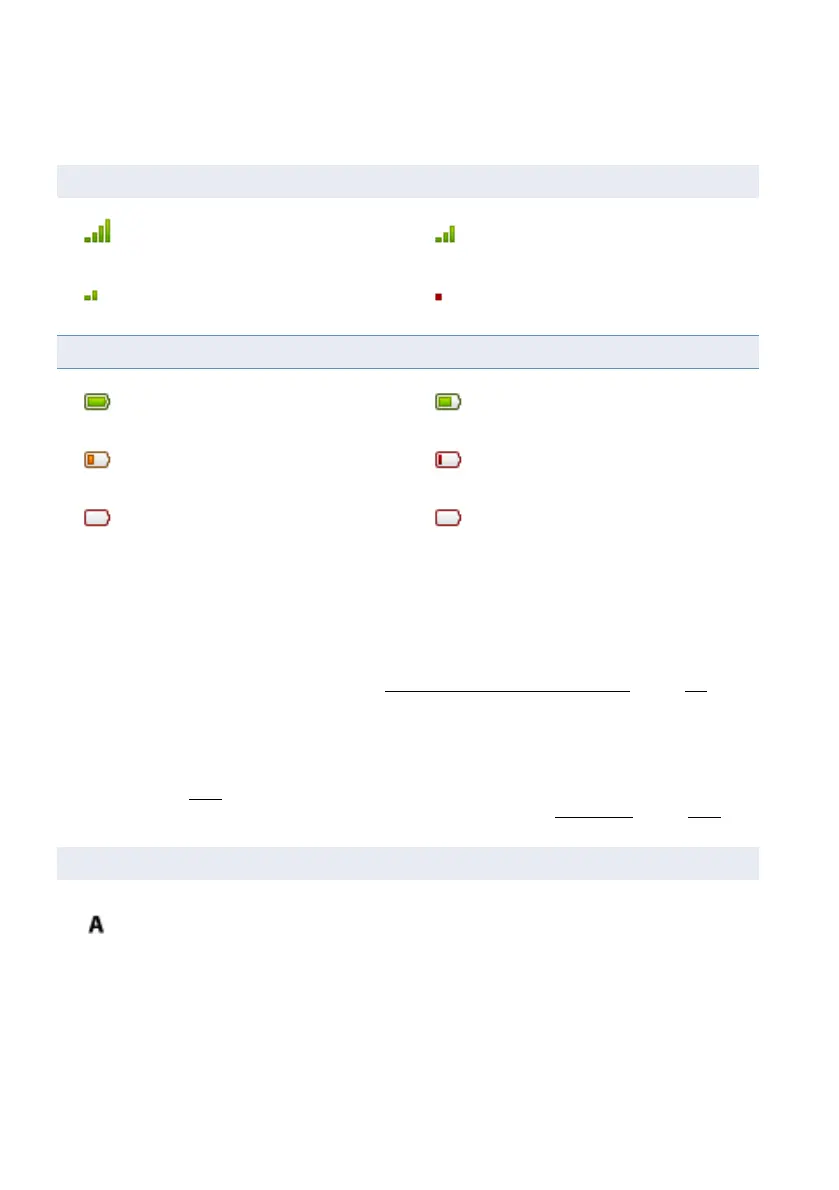
Display symbols
Radio link quality
Very good Good
Disruption probable Phone calls not possible
State of charge
Charge state 61-100 % Charge state 31-60 %
Charge state 11-30 % Charge state 6-10 %
Charge state 4-5 % Charge state 0-3 % (flashing)
Notes:
• If the battery is completely discharged when the phone is placed in the charging unit,
there will be no display initially until the battery has reached a certain charge level. This
may take several minutes and does not mean there is a malfunction.
• Even when the phone is switched off, the battery will still slowly discharge.
• When the battery capacity is almost exhausted, a series of warning beeps sounds. This
warning can be disabled, see chapter "Setting up an audio profile", page 77. If you
are making a call, you have approximately five minutes' talk time left before the handset
switches itself off.
• The state of charge is also available via the service menu: Press key 5 and hold it down
for a moment.
• Information on operating times can be found in the chapter "Battery charge and usage
times", page 108.
• Information on operating times can be found in the chapter "Battery", page 101.
System registrations
Phone registered in system A, B,
C, or D and ready for use (only dis-
played when phone is registered
on more than one system)



 To Next Page