MITEL AG4100 ANALOG GATEWAY - QUICK INSTALLATION GUIDE
14 04/2024
4 HARDWARE INSTALLATION
REMINDER: The Mitel AG4172 is available for the MiVoice Business and the MiVoice 5000 only.
4.1 PRELIMINARY OPERATIONS
• Write down or take a photo of the serial number of the Analog Gateway. The label with the
information is on the bottom of the Analog Gateway.
• Read the safety guidelines carefully. Refer to section 1 – Precautionary guidelines.
4.2 INSTALLING THE ANALOG GATEWAY
• Unpack the Analog Gateway and make sure all the equipment is in the package by following
the check list. Refer to the section 3.1 – Check list of the items in the box.
When installing on a flat surface:
• Stick the self-adhesive bumpers on the bottom part of the Analog Gateway.
Note: The bumpers provide a better air circulation under the Analog Gateway.
• Make sure that the Analog Gateway is 25 mm (1 in.) away from the maintenance display or
any other device.
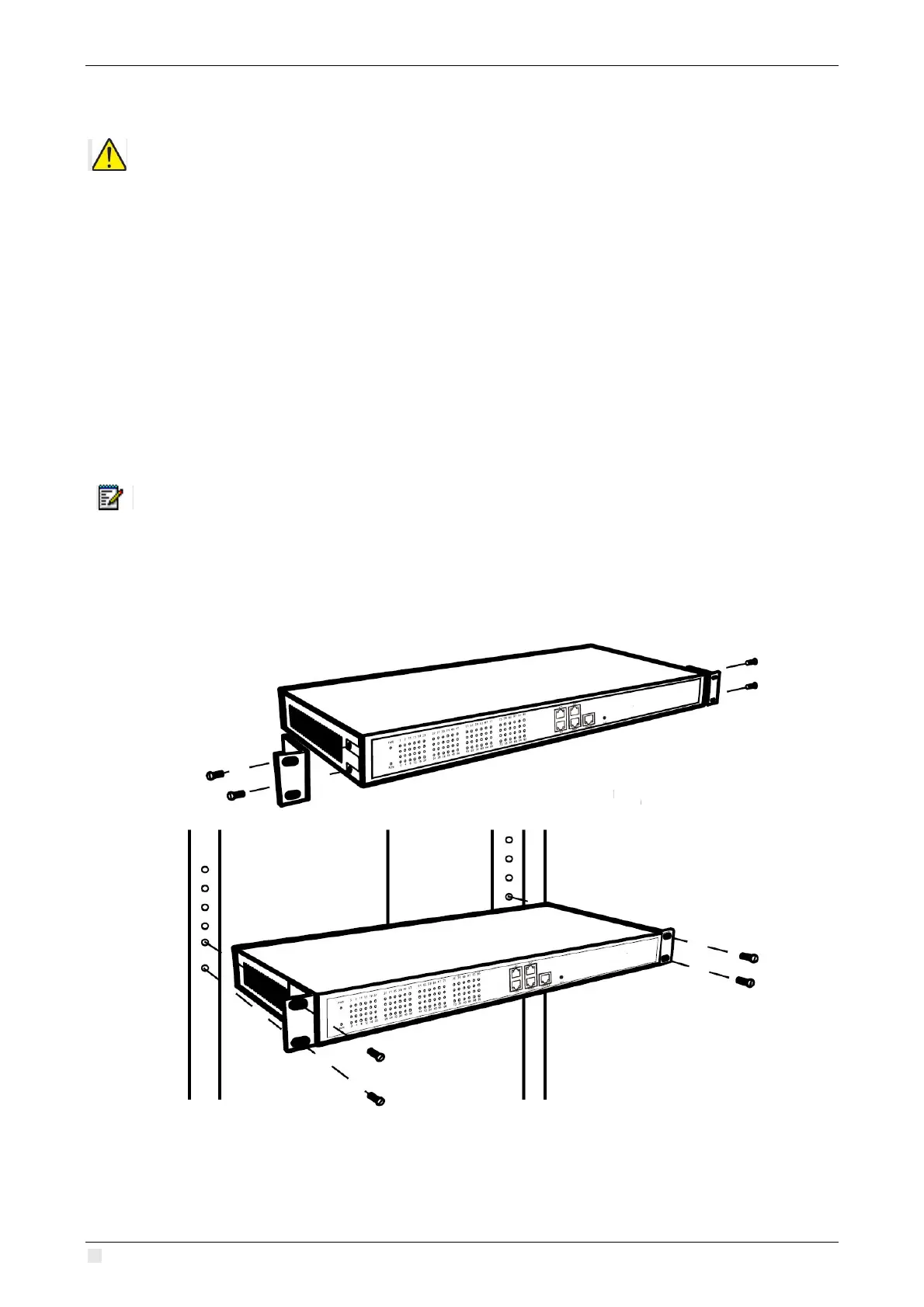
When installing in a rack:
• Use the provided rack mount brackets and M3 screws to install the Analog Gateway.



 To Next Page