INSTALLING CHASSIS IN A CABINET
27 20/1531-ASP11301 Uen B5 2017-03-23
2.6.1 MOUNTING THE LOWER AIR PLATE
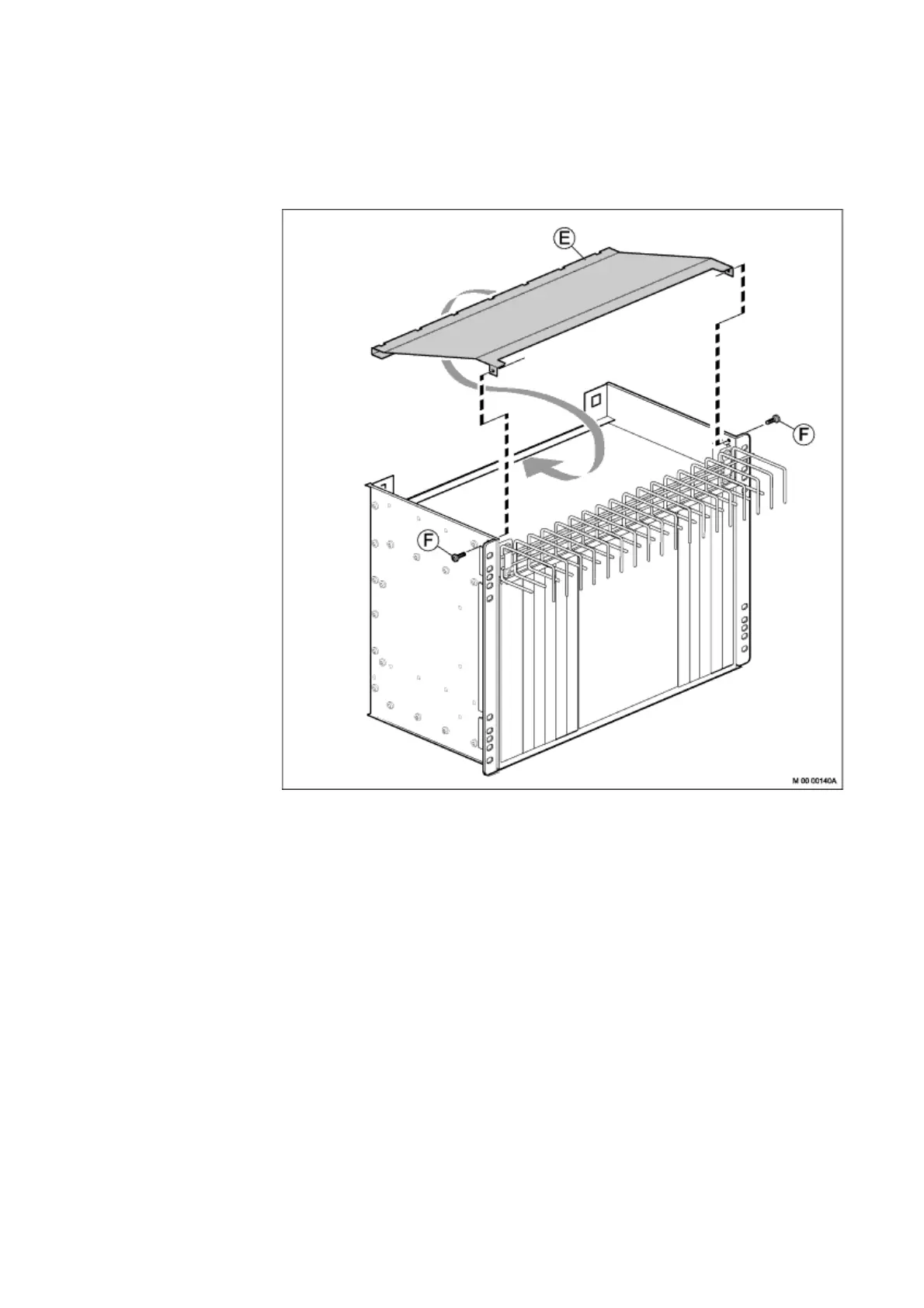
Before installing subrack B, install the lower air plate in the subrack. Perform the
following steps:
Figure 20: Mounting the Lower Air Plate
1. Place subrack B in an upside-down position on a steady surface.
2. Insert the edge of the lower air plate (E) in the slot at the rear side of the subrack.
3. Lower the air plate to level it with the screw holes in the subrack, as demon-
strated by the dotted line.
4. Fasten the air plate to the subrack from both sides using two screws (F).
Parts from this mounting set are used when installing the fan unit, leave the remaining
parts at hand.



 To Next Page