INSTALLING CHASSIS IN A CABINET
31 20/1531-ASP11301 Uen B5 2017-03-23
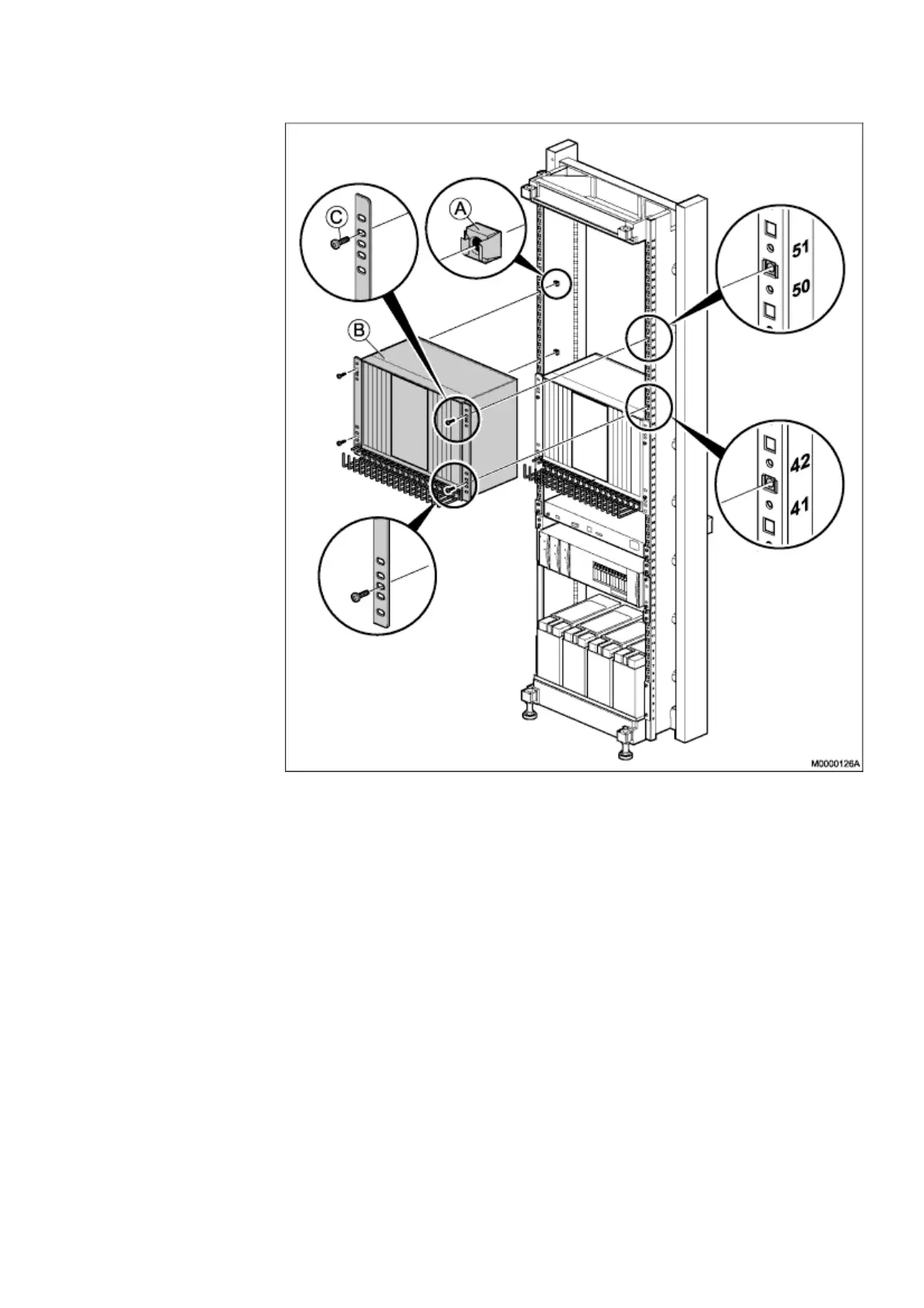
Figure 24: Installing Subrack A
1) Mount four captive nuts (A) (2.3 Installing Supporting Captive Nuts on page 18)
according to the number positions shown.
2) Use the screws (C) to fasten the subrack A to the captive nuts in the cabinet.
Make sure that no gap is left between subracks A, and B.
Parts from this mounting set are used at a later installation stage, leave the remaining
parts at hand.
2.7 INSTALLING THE FAN UNIT
This section describes the installation of fan unit and upper air plate in the cabinet.



 To Next Page