20/1531-ASP11301 Uen B5 2017-03-23 18
I
NSTALLING CABINET
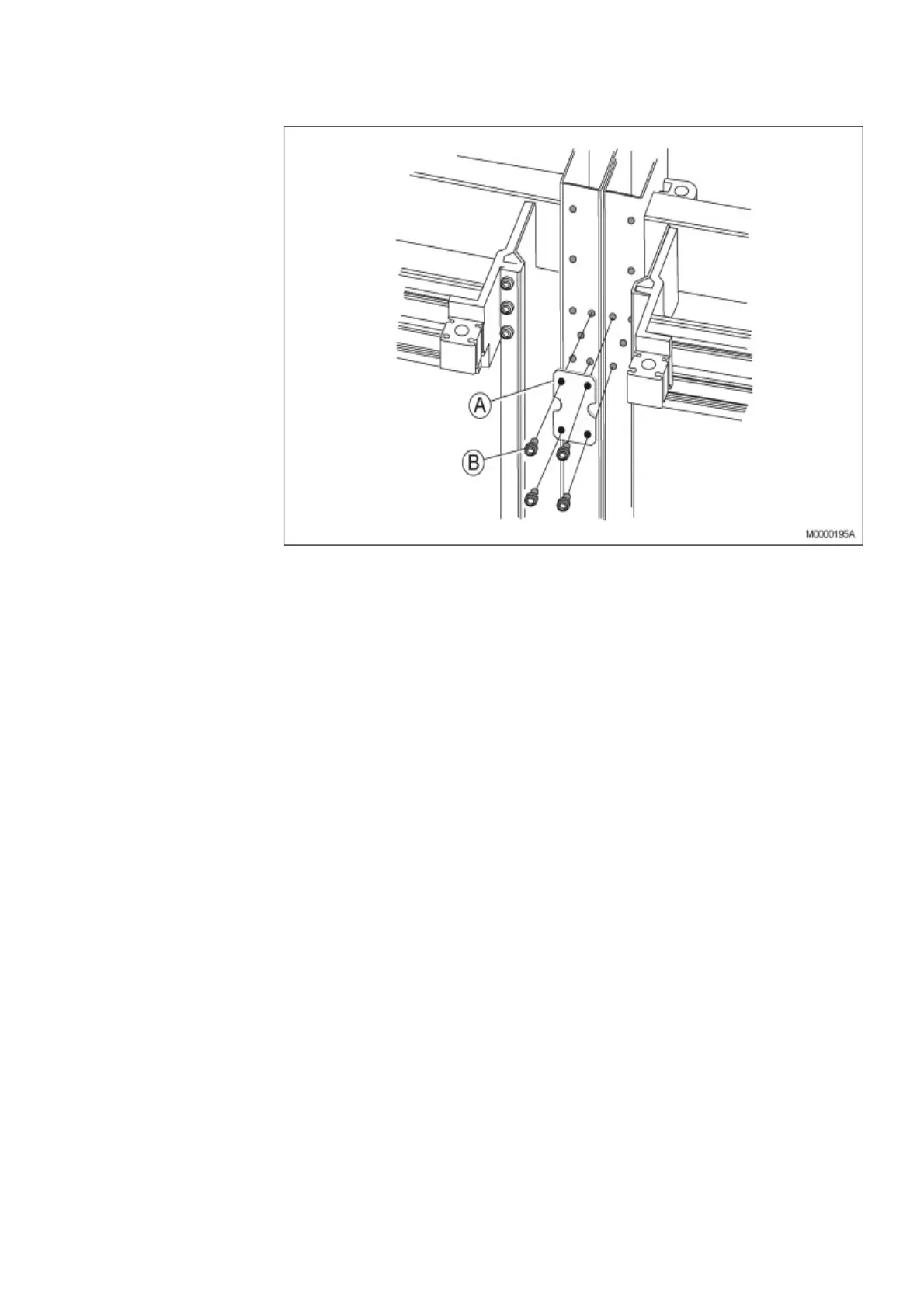
Figure 11: Fastening the Cabinets Side-by-Side
1. Position the two cabinets side-by-side, see Figure 11:Fastening the Cabinets
Side-by-Side on page 18
2. Adjust the two cabinets to an equal level.
3. Fasten the two cabinets together side-by-side with three plates (A) and twelve
screws (B) at the top, the middle, and the bottom of the two cabinets.
4. Verify that the torque of all mounting screws is set to 5+/-0.5 Nm.
2.3 INSTALLING SUPPORTING CAPTIVE NUTS
Supporting captive nuts are used to secure hardware units to the metal rack inside the
cabinet. Insert the captive nuts in the square cabinet holes, see Figure 12:Mounting the
Captive Nuts in the Rack on page 19.
Note: Check that the mounting bars for the captive nuts are positioned at least 100
mm behind the door.



 To Next Page