INSTALLING CHASSIS IN A CABINET
17 20/1531-ASP11301 Uen B5 2017-03-23
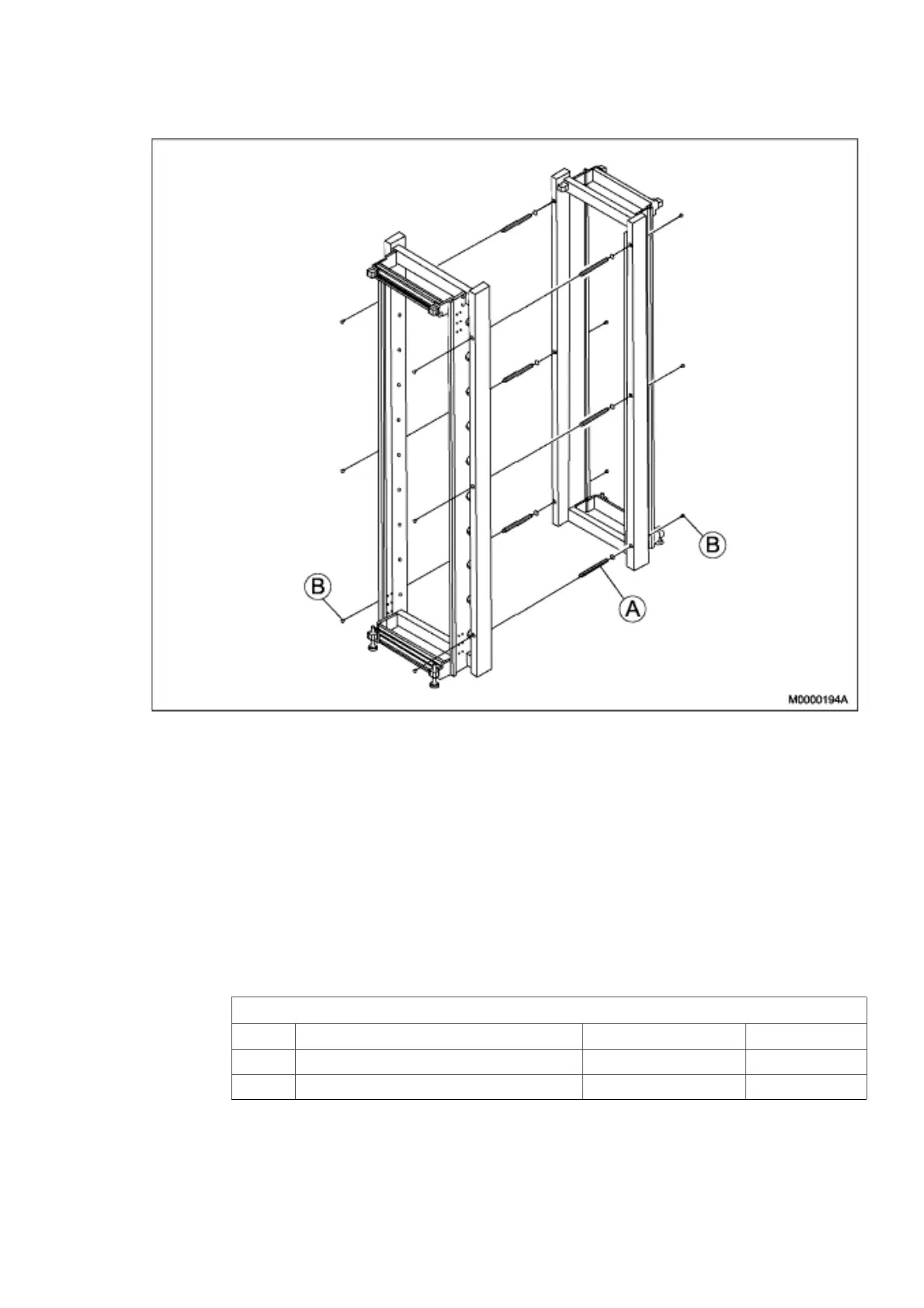
Figure 10: Fastening the Cabinets Back-to-Back
1. Position the two cabinets back-to-back, see Figure 10:Fastening the Cabinets
Back-to-Back on page 17
2. Adjust the two cabinets to an equal level.
3. Fasten the two cabinets back-to-back with six guide pins (A) and twelve screws
(B).
4. Verify that the torque of all mounting screws is set to 10+/-0.5 Nm.
2.2.8.2 Fastening Cabinets Side-by-Side
Table 6 Mounting Set, Side-by-Side
14/BYB 501, Mounting Set, Side-by-Side
Pos. Title/Function Product Number Quantity
A PLATE SXA 123 0368/1 3
B SCREW M 6X10 24/SBF 228 060/0100 12



 To Next Page