EasyManua.ls Logo

MKN SpaceCombi Junior MagicPilot - 5.6.2 Setting the cooking time and continuous operation

MKN SpaceCombi Junior MagicPilot
68 pages
Print Icon
To Next Page IconTo Next Page
To Previous Page IconTo Previous Page
Loading...
Operating the unit
35Operating instructions
5.6.2 Setting the cooking time and continuous operation
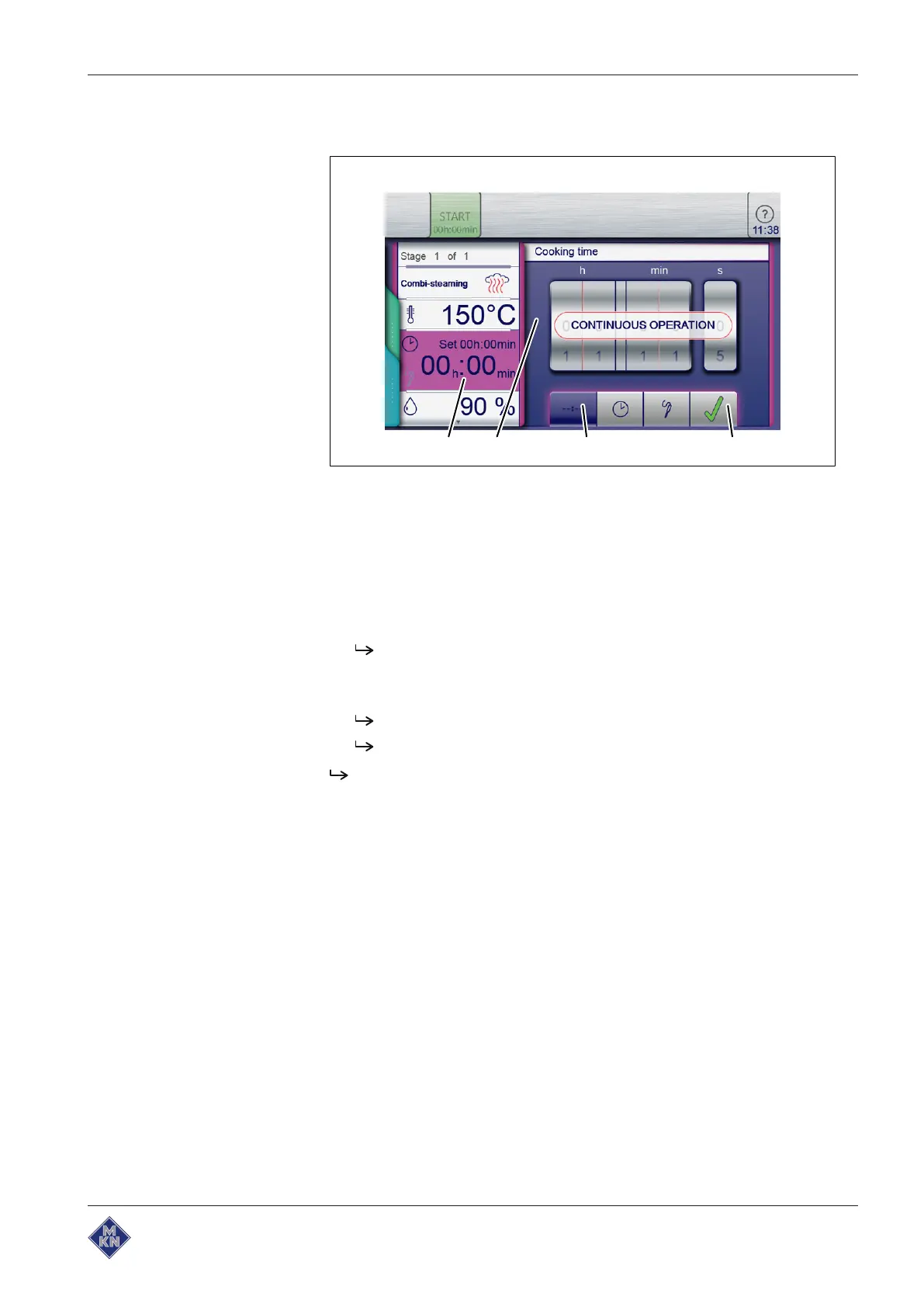
dcba
Image: Setting the cooking time to continuous operation
a
Cooking time
field c
Continuous operation
button
b
Setting
window d
Confirm
button
Requirement
Cooking program selected
1. Tap the
Cooking time
field.
The
Setting
window is displayed.
2. Tap the
Continuous operation
button.
3. Tap the
Confirm
button.
The
Setting
window closes.
The
Cooking mode
window displays the cooking time.
The cooking time is set to continuous operation and will end after
24hours.
10015160-0ABBE--

Table of Contents

Related product manuals