Operating the unit
46 Operating instructions
5.10 Automatic cooking (autoChef)
In the "Automatic cooking" mode, all cooking programs stored in the
unit are available. The cooking program is selected in the
Automatic
cooking
menu.
5.10.1 Opening the Automatic cooking menu
Requirement
The unit is on
The main menu is displayed
Tap the "Automatic cooking" button.
The
Automatic cooking (autoChef)
menu is displayed.
5.10.2 Finding and opening a cooking program
Finding and opening a cooking program by category
Cooking programs can be found in the
Automatic cooking
menu by
category and subcategory.
Arrow symbols in a window always display the next or previous
page. A wiping gesture upward or downward opens the
corresponding window.
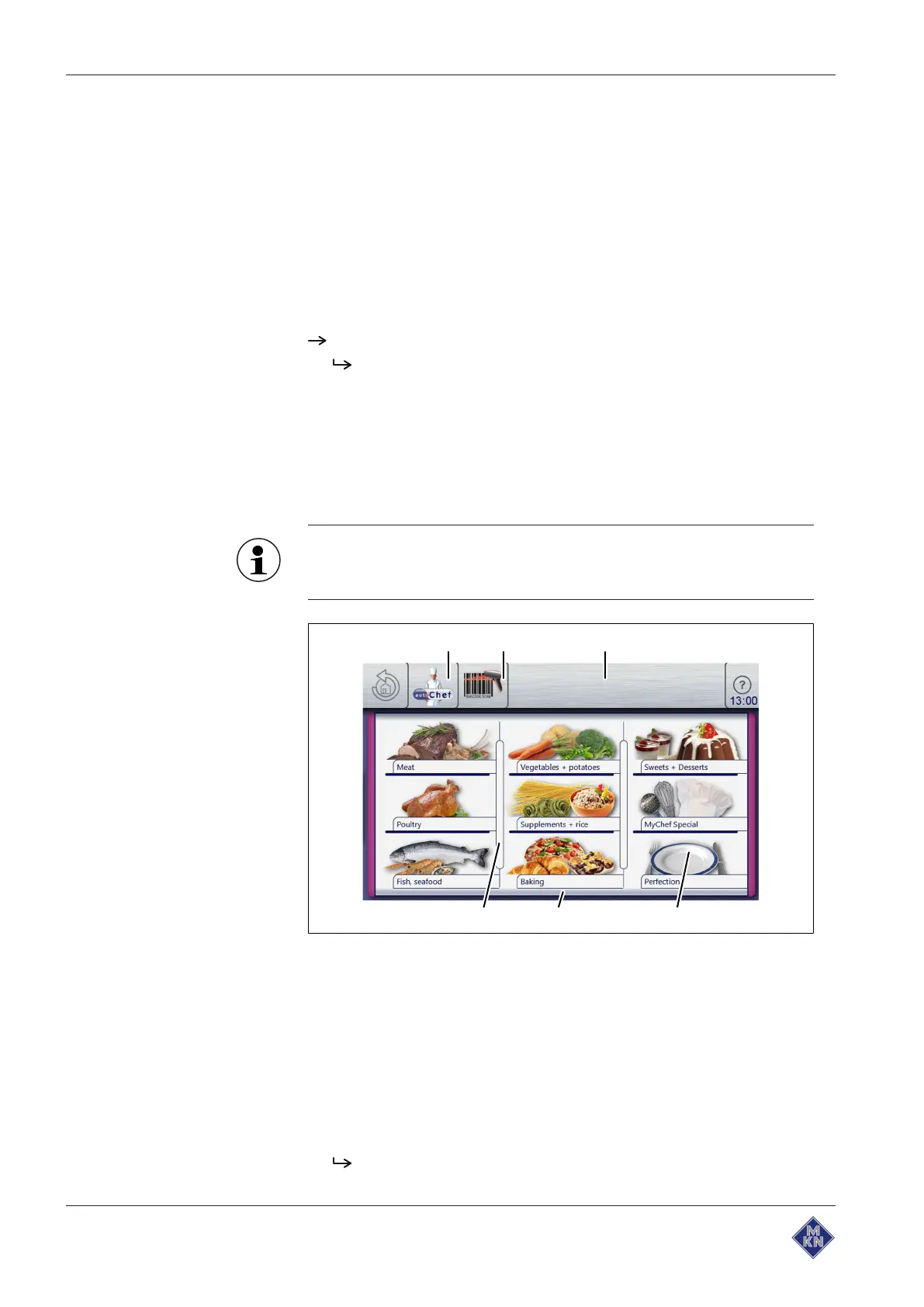
Image:
Automatic cooking
menu
a "autoChef" button d
Category
field
b
BarcodeScan
button e
Next page
arrow symbol
c Information bar f Separating bar
Requirement
The unit is on
Main menu is displayed
1. Tap the "Automatic cooking" button.
The
Automatic cooking
menu is displayed.
10015160-0ABBE--



 To Next Page