Before You Start
11
Components
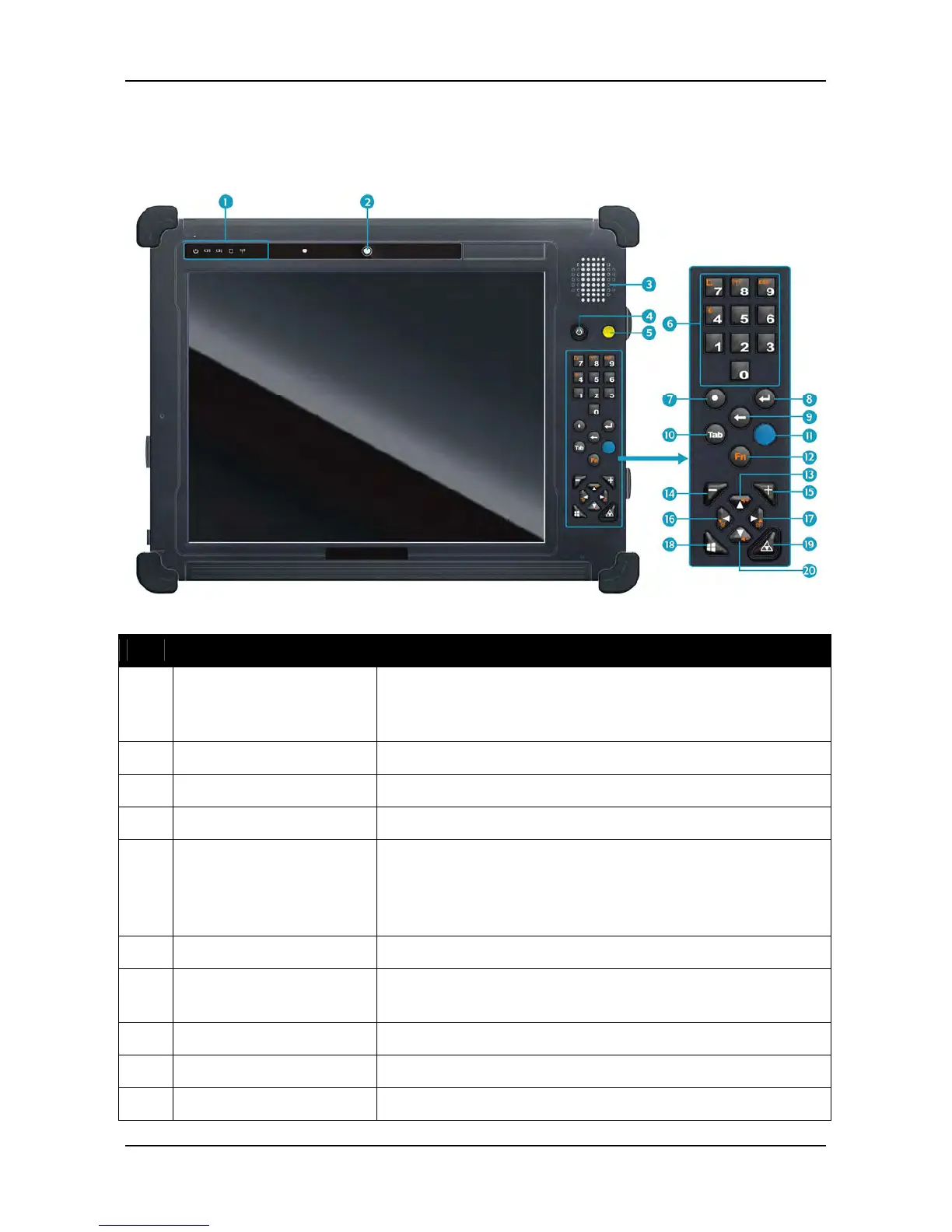
Front View
No.
Item Description
1 Status Indicators
(Power, Battery,
HDD, Wireless)
Indicate the corresponding function status.
See “Status Indicators” on page 15.
2 Camera Use to take pictures.
3 Speaker Emit sound.
4 Power button Press to power on and off the tablet PC.
5 Scanner button Press to trigger the Barcode scan function if the
barcode scanner is on. It can also be assigned to
launch a specific Windows-based program via
Quick Menu.
6 Number (0~9) button
Press to enter 0~9.
7 Decimal or Dot
button
Press to emulate the Decimal/Dot key.
8 Enter button Press to emulate the Enter key.
9 Backspace button Press to emulate the Backspace key.
10 Tab button Press to emulate the Tab key.



 To Next Page