Before You Start
14
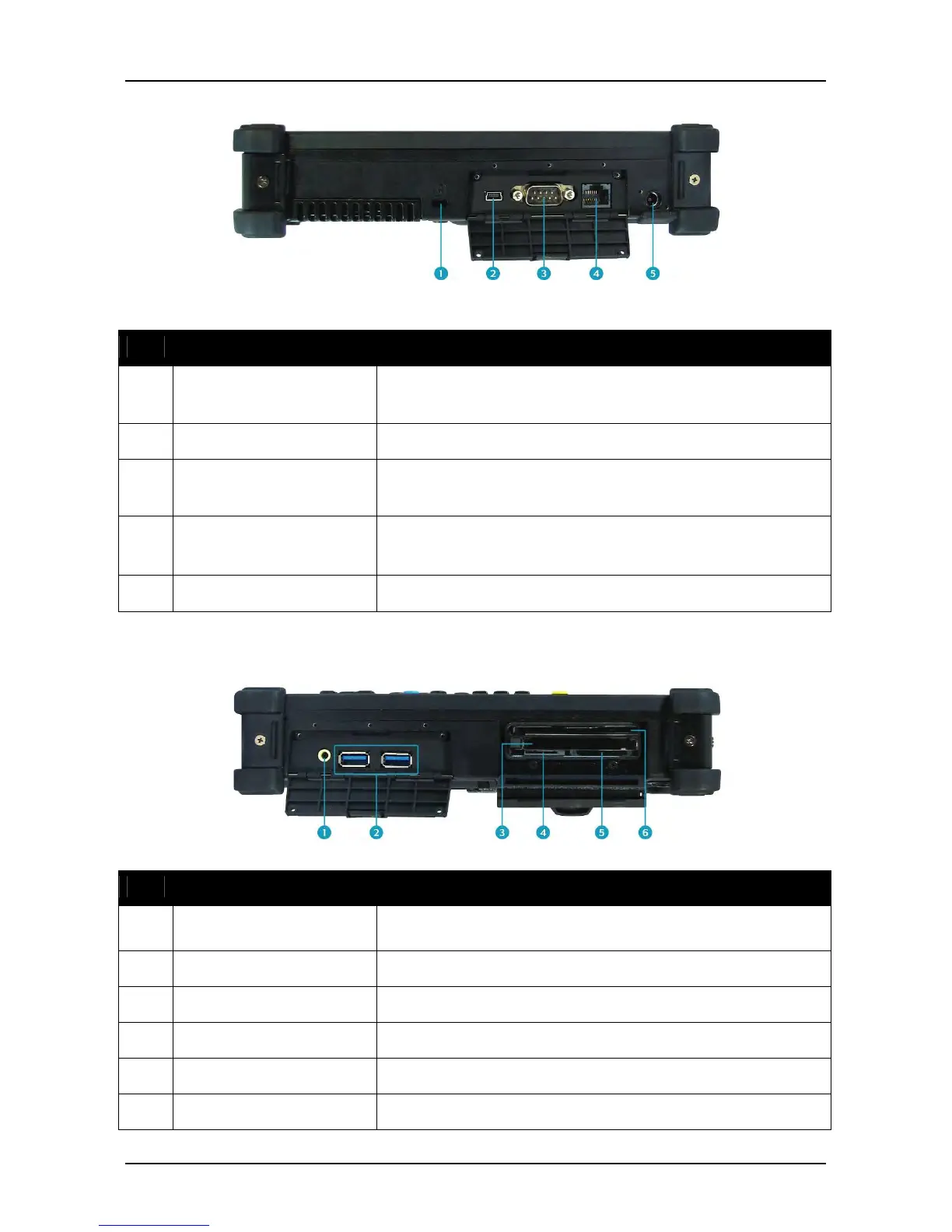
Left View
No.
Item Description
1 Kensington lock slot Connect to a Kensington-compatible tablet PC
2 Mini USB port Connect USB peripheral devices.
3 Serial port (RS-232) Connect a peripheral device, such as a printer or
other device with serial port.
4 LAN (RJ-45) port
Connect to a local area network (LAN) using an
Ethernet cable.
5 DC-in jack Connect the power adapter.
Right View
No.
Item Description
1 Earphone jack Connect headphones or external speakers.
2 USB 3.0 ports Connect USB peripheral devices.
Use to insert Type II PC Card
4 SIM card slot Not applicable
5 SDHC Card reader Use to insert SD memory Card
6 Smart card reader Use to insert smart cards.



 To Next Page